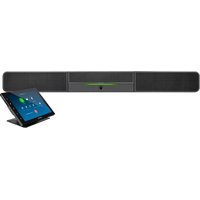
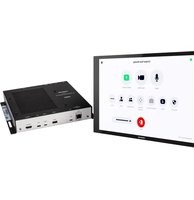
UC-B30-T-WM - Video Conferencing System Crestron - Free user manual and instructions
Find the device manual for free UC-B30-T-WM Crestron in PDF.


Pick your language and provide your email: we'll send you a specifically translated version.
| Product Type | Video Conferencing Camera System |
| Brand | Crestron |
| Model | UC-B30-T-WM |
| Mounting Type | Wall-mountable (bracket included) |
| Dimensions (W x H x D) | 8.5 x 3.5 x 3.5 in (216 x 89 x 89 mm) |
| Weight | 2.5 lb (1.13 kg) |
| Power Supply | Power over Ethernet (PoE) IEEE 802.3af or DC 12V |
| Video Resolution | 4K Ultra HD (3840 x 2160) at 30 fps |
| Field of View | 120° wide angle |
| Camera Features | Digital pan, tilt, zoom; auto framing |
| Microphone Array | Built-in beamforming array, up to 10 ft pickup range |
| Speaker | Integrated full-duplex speaker |
| Audio Processing | Acoustic echo cancellation, noise reduction |
| Connectivity | USB-C (device), HDMI (camera), Ethernet (control/audio) |
| Control | Compatible with Crestron systems via Ethernet |
| Operating Temperature | 0°C to 40°C (32°F to 104°F) |
| Compliance | FCC, CE, RoHS, UL |
| Care and Cleaning | Wipe with soft dry cloth; avoid solvents or abrasives |
| Safety | Do not expose to liquids or extreme temperatures |
| Spare Parts and Repairability | No user-serviceable parts; contact Crestron support for service |
| Warranty | 3 years limited warranty |
Frequently Asked Questions - UC-B30-T-WM Crestron
How do I mount the UC-B30-T-WM to a wall?
Use the included wall-mount bracket. Align the bracket to the wall, mark screw holes, drill and secure with appropriate anchors (not included). Attach the camera to the bracket and tighten the locking screws.
Can I power the device without PoE?
Yes, the UC-B30-T-WM also supports DC power via a 12V adapter (not included). Use the DC input for non-PoE networks.
What is the field of view?
The camera has a 120° wide-angle lens, suitable for small to medium meeting rooms.
How do I connect the camera to a computer?
Connect the USB-C port to your computer using a USB-C cable. The device will be recognized as a UVC (USB Video Class) and UAC (USB Audio Class) device.
Does this camera work with Zoom, Teams, or other platforms?
Yes, the UC-B30-T-WM is platform-agnostic and works with all major video conferencing software like Zoom, Microsoft Teams, Google Meet, and more.
How do I reset the camera to factory settings?
Press and hold the reset button on the bottom of the camera for 10 seconds using a paperclip. The LED will blink to confirm.
Can I adjust the camera's tilt and zoom?
Yes, you can adjust digital pan, tilt, and zoom via the Crestron software or through USB control commands. Some platforms allow manual adjustment.
What is the recommended cleaning procedure?
Turn off the camera and gently wipe the lens and body with a soft, dry microfiber cloth. Do not use any liquids, sprays, or abrasive cleaners.
Does the camera have built-in microphones and speaker?
Yes, it includes a built-in beamforming microphone array (up to 10 ft) and a full-duplex speaker for small room audio.
What is the warranty period?
Crestron offers a 3-year limited warranty on the UC-B30-T-WM. Contact Crestron support for warranty claims.
User questions about UC-B30-T-WM Crestron
0 question about this device. Answer the ones you know or ask your own.
Ask a new question about this device
No questions yet. Be the first to ask one.
Download the instructions for your Video Conferencing System in PDF format for free! Find your manual UC-B30-T-WM - Crestron and take your electronic device back in hand. On this page are published all the documents necessary for the use of your device. UC-B30-T-WM by Crestron.
USER MANUAL UC-B30-T-WM Crestron
Manual assistant
Powered by Anthropic
Waiting for your message
Product information
Brand : Crestron
Model : UC-B30-T-WM
Category : Video Conferencing System