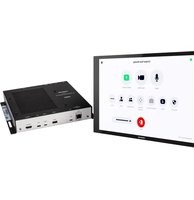
UC-CX100-PRO-Z-WM - Video Conferencing System Crestron - Free user manual and instructions
Find the device manual for free UC-CX100-PRO-Z-WM Crestron in PDF.


Pick your language and provide your email: we'll send you a specifically translated version.
| Product Type | Video Conferencing System |
| Brand | Crestron |
| Model | UC-CX100-PRO-Z-WM |
| Dimensions (Approx.) | 600 x 80 x 100 mm |
| Weight (Approx.) | 2.5 kg |
| Power Supply | PoE+ (IEEE 802.3at) or 12V DC adapter |
| Camera Resolution | 4K Ultra HD (3840x2160) |
| Field of View | 120° horizontal |
| Microphone Array | 6-element beamforming microphone array |
| Speaker Output | 10W full-range speaker |
| Connectivity | 1x USB-C, 1x HDMI out, 1x Ethernet (PoE+) |
| Supported Platforms | Microsoft Teams, Zoom, Skype for Business |
| Mounting | Wall mount (included) or table stand |
| Operating Temperature | 0°C to 40°C |
| Humidity | 10% to 90% non-condensing |
| LED Indicators | Status, mute, camera privacy |
| Cleaning Instructions | Wipe with a soft, dry cloth. Do not use liquids or abrasives. |
| Safety Precautions | Avoid exposure to liquids, extreme temperatures, and direct sunlight. |
| Spare Parts Availability | Contact Crestron or authorized resellers for spare parts. |
| Repairability | Do not attempt internal repairs. Refer to qualified service personnel. |
| Warranty | Limited 2-year warranty (check Crestron policy for details) |
Frequently Asked Questions - UC-CX100-PRO-Z-WM Crestron
What is the Crestron UC-CX100-PRO-Z-WM?
The Crestron UC-CX100-PRO-Z-WM is a professional video conferencing system designed for medium to large meeting rooms. It integrates a 4K camera, beamforming microphone array, and high-quality speakers in a single device.
How do I mount the UC-CX100-PRO-Z-WM?
The system can be mounted using the included wall mount bracket. Ensure the wall surface is sturdy and secure. For table placement, use the optional stand (sold separately). Refer to the installation guide for detailed instructions.
What platforms are supported?
It supports Microsoft Teams, Zoom, and Skype for Business. Other platforms may work via generic USB camera/microphone/speaker mode.
How do I connect the device?
Connect the device to your computer via the USB-C port, and to the network via Ethernet for PoE+ power and data. For external display, use the HDMI output.
Does it require external power?
It can be powered via PoE+ (Power over Ethernet Plus) from a compatible switch or using the included 12V DC adapter. PoE+ is recommended for simplicity.
What is the camera field of view?
The camera has a 120° horizontal field of view, ideal for capturing the entire room. It also supports auto framing to focus on participants.
How do I clean the device?
Use a soft, dry cloth to gently wipe the exterior. Avoid abrasive cleaners, liquids, or sprays. For smudges on the camera lens, use a lens cleaning cloth.
Can I use it with third-party conferencing software?
Yes, it functions as a standard USB audio/video device, so it should work with any software that supports UVC (USB Video Class) and UAC (USB Audio Class) standards.
What does the LED indicator mean?
The LED status light shows: solid green (device ready), blinking green (call in progress), solid red (microphone muted), and blinking red (camera privacy enabled).
What is the warranty period?
The device comes with a limited 2-year warranty. For specific terms and claims, contact Crestron support or visit their official website.
User questions about UC-CX100-PRO-Z-WM Crestron
0 question about this device. Answer the ones you know or ask your own.
Ask a new question about this device
No questions yet. Be the first to ask one.
Download the instructions for your Video Conferencing System in PDF format for free! Find your manual UC-CX100-PRO-Z-WM - Crestron and take your electronic device back in hand. On this page are published all the documents necessary for the use of your device. UC-CX100-PRO-Z-WM by Crestron.
USER MANUAL UC-CX100-PRO-Z-WM Crestron
Manual assistant
Powered by Anthropic
Waiting for your message
Product information
Brand : Crestron
Model : UC-CX100-PRO-Z-WM
Category : Video Conferencing System