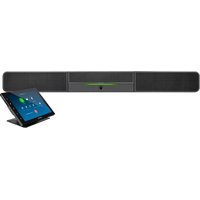
UC-B140-Z - Video Conferencing System Crestron - Free user manual and instructions
Find the device manual for free UC-B140-Z Crestron in PDF.


Pick your language and provide your email: we'll send you a specifically translated version.
| Product Type | Video Conferencing System |
| Brand | Crestron |
| Model | UC-B140-Z |
| Dimensions (approx.) | 12 x 8 x 4 inches (30.5 x 20.3 x 10.2 cm) |
| Weight (approx.) | 4.4 lbs (2 kg) |
| Power Supply | 24V DC, 2.5A via external adapter |
| Camera Resolution | 1080p Full HD, 30 fps |
| Microphone Type | Built-in beamforming microphone array |
| Speaker Output | Integrated full-range speaker, 85 dB SPL |
| Connectivity | HDMI, USB 3.0, Ethernet, Bluetooth |
| Compatibility | Zoom, Microsoft Teams, Cisco Webex, others via Crestron Flex |
| Field of View | 120° diagonal |
| Mounting | VESA compatible, table stand included |
| Operating Temperature | 32°F to 104°F (0°C to 40°C) |
| Humidity Range | 10% to 90% non-condensing |
| Cleaning & Maintenance | Wipe with dry soft cloth; avoid liquids |
| Safety | Use only supplied power adapter; mount securely to prevent falls |
| Spare Parts | Power adapter, remote control, mounting brackets (order from Crestron) |
| Repairability | Contact authorized Crestron service for repairs; no user-serviceable parts inside |
| Warranty | Standard 3-year limited warranty |
Frequently Asked Questions - UC-B140-Z Crestron
How do I connect the UC-B140-Z to my computer?
Connect the USB cable from the UC-B140-Z to your computer. The device will be recognized as a camera, microphone, and speaker.
Can I use the UC-B140-Z with Zoom?
Yes, the UC-B140-Z is certified for Zoom Rooms and works seamlessly with the Zoom desktop client.
What is the camera resolution?
The camera supports 1080p full HD video at 30 frames per second.
How do I adjust the volume?
Use the volume buttons on the device or adjust the volume via your conferencing software.
Is the microphone pick-up directional?
Yes, the built-in beamforming microphone array focuses on the speaker's voice and reduces background noise.
Can I mount the UC-B140-Z on a wall?
Yes, it is VESA compatible. Use the optional wall mount bracket (not included) to secure it.
What power adapter does it require?
It uses a 24V DC, 2.5A power adapter, which is included in the box.
How do I update the firmware?
Firmware updates are delivered via Crestron Flex software. Connect the device to the network and follow the update prompts.
Why is there no audio during a call?
Check the USB connection, ensure the device is selected as the audio source in your conferencing app, and verify the volume is not muted.
How do I clean the UC-B140-Z?
Use a dry, soft cloth to wipe the exterior. Do not use any liquids or chemicals.
User questions about UC-B140-Z Crestron
0 question about this device. Answer the ones you know or ask your own.
Ask a new question about this device
No questions yet. Be the first to ask one.
Download the instructions for your Video Conferencing System in PDF format for free! Find your manual UC-B140-Z - Crestron and take your electronic device back in hand. On this page are published all the documents necessary for the use of your device. UC-B140-Z by Crestron.
USER MANUAL UC-B140-Z Crestron
Manual assistant
Powered by Anthropic
Waiting for your message
Product information
Brand : Crestron
Model : UC-B140-Z
Category : Video Conferencing System