XeRun XR10 Stock Spec 1S - Remote control toy Hobbywing - Free user manual and instructions
Find the device manual for free XeRun XR10 Stock Spec 1S Hobbywing in PDF.


| Product Type | Electronic Speed Controller (ESC) for 1/10 scale RC cars |
| Model | XeRun XR10 Stock Spec 1S |
| Brand | Hobbywing |
| Input Voltage | 1S LiPo (3.7V nominal) |
| Continuous Current | 60A |
| Peak Current | 360A |
| BEC Output | 6V @ 3A (linear mode) |
| Motor Limit | Sensored or sensorless brushless motors |
| Dimensions | 35.5mm x 29mm x 17.5mm |
| Weight | 30g (including wires) |
| Programmable Features | Throttle curve, brake strength, drag brake, timing, PWM frequency |
| Protection Features | Low voltage cutoff, thermal protection, signal loss protection |
| Compatible Transmitters | Standard RC receivers (PWM signal) |
| Firmware Update | Via Hobbywing USB Link or WiFi module (sold separately) |
| Cooling | Integrated heatsink, optional fan |
| Recommended Application | Stock-spec touring car racing, 1S classes |
| Included Items | ESC, programming card (optional), manual, sticker |
| Maintenance | Keep dry, clean contacts, update firmware |
| Safety | Disconnect battery when not in use, avoid reverse polarity |
| Cable Length | Power wires: 150mm; signal wire: 200mm |
| Connector Type | Bullet connectors (3.5mm male) for motor; JST or XT30 for battery |
Frequently Asked Questions - XeRun XR10 Stock Spec 1S Hobbywing
User questions about XeRun XR10 Stock Spec 1S Hobbywing
0 question about this device. Answer the ones you know or ask your own.
Ask a new question about this device
Download the instructions for your Remote control toy in PDF format for free! Find your manual XeRun XR10 Stock Spec 1S - Hobbywing and take your electronic device back in hand. On this page are published all the documents necessary for the use of your device. XeRun XR10 Stock Spec 1S by Hobbywing.
USER MANUAL XeRun XR10 Stock Spec 1S Hobbywing

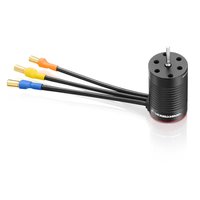
Brand : Hobbywing
Model : XeRun XR10 Stock Spec 1S
Category : Remote control toy