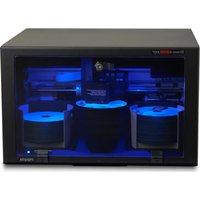
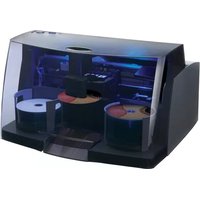
Bravo 4052 - Printer PRIMERA - Free user manual and instructions
Find the device manual for free Bravo 4052 PRIMERA in PDF.


Pick your language and provide your email: we'll send you a specifically translated version.
| Product Type | Disc Printer |
| Model | Bravo 4052 |
| Brand | Primera |
| Dimensions (W x D x H) | 17.8 x 21.0 x 29.0 inches (45.2 x 53.3 x 73.7 cm) |
| Weight | 26.5 lbs (12.0 kg) |
| Power Requirements | 100-240 VAC, 50/60 Hz, 60W |
| Print Technology | Inkjet (HP thermal) |
| Maximum Resolution | 4800 x 1200 dpi |
| Print Speed | Up to 60 discs per hour (standard mode) |
| Media Support | CD, DVD, BD (printable surface) |
| Input Tray Capacity | 100 discs |
| Output Tray Capacity | 20 discs |
| Interface | USB 2.0 (Type B) |
| Operating Systems | Windows 7/8/10, macOS 10.12 or later |
| Software Included | SureThing CD Labeler, PTPublisher |
| Maintenance | Clean printhead regularly; use recommended ink cartridges |
| Safety Certifications | FCC, CE, UL |
| Spare Parts Availability | Printhead, ink cartridges, pickup rollers available |
| Reparability Index | 7.5 / 10 (user-replaceable parts) |
Frequently Asked Questions - Bravo 4052 PRIMERA
What types of discs can the Primera Bravo 4052 print on?
The Bravo 4052 is designed to print on printable-surface CDs, DVDs, and Blu-ray discs.
How do I install the printer software?
Download the latest drivers from Primera's website. Connect the printer via USB and run the installer. Ensure the printer is powered on.
What is the maximum print resolution?
The maximum resolution is 4800 x 1200 dpi for high-quality disc labels.
How many discs can the input tray hold?
The input tray holds up to 100 discs (12cm). The output tray holds up to 20.
Can I print directly onto thermal discs?
No, the Bravo 4052 is an inkjet printer. It requires discs with a printable (inkjet-receptive) coating.
How do I clean the printhead?
Use the cleaning utility in the PTPublisher software. You can also manually clean with a lint-free cloth and distilled water if needed.
What ink cartridges does it use?
It uses HP 953XL or compatible high-yield ink cartridges (cyan, magenta, yellow, black).
Is the printer compatible with macOS?
Yes, it supports macOS 10.12 or later. Download the Mac driver from Primera's support site.
Why are my labels smudging?
Ensure you're using the correct disc type and that the printhead is clean. Also allow the ink to dry before handling.
How do I troubleshoot a paper jam?
Open the top cover, gently remove any jammed discs. Check the pickup rollers for debris. Restart the printer.
User questions about Bravo 4052 PRIMERA
0 question about this device. Answer the ones you know or ask your own.
Ask a new question about this device
No questions yet. Be the first to ask one.
Download the instructions for your Printer in PDF format for free! Find your manual Bravo 4052 - PRIMERA and take your electronic device back in hand. On this page are published all the documents necessary for the use of your device. Bravo 4052 by PRIMERA.
USER MANUAL Bravo 4052 PRIMERA


Manual assistant
Powered by Anthropic
Waiting for your message
Product information
Brand : PRIMERA
Model : Bravo 4052
Category : Printer