WX200 - Microphone CAD Audio - Free user manual and instructions
Find the device manual for free WX200 CAD Audio in PDF.


Pick your language and provide your email: we'll send you a specifically translated version.
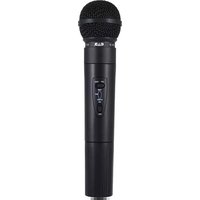
| Product Type | Wireless Handheld Microphone |
| Brand | CAD Audio |
| Model | WX200 |
| Capsule Type | Dynamic |
| Frequency Range | UHF 600-900 MHz (typical) |
| Operating Range | Up to 100 meters (line of sight) |
| Power Source | 2 x AA batteries (not included) |
| Battery Life | Approximately 8 hours (alkaline) |
| Dimensions (L x D) | 250 mm x 50 mm |
| Weight (with batteries) | Approximately 300 g |
| Body Material | Metal |
| Polar Pattern | Cardioid |
| On/Off Switch | Yes, on the handle |
| Battery Indicator | LED low battery warning |
| Included Accessories | Receiver, microphone clip, power adapter |
| Cleaning | Wipe with dry cloth; avoid liquids |
| Storage | Cool, dry place; remove batteries if not used for long periods |
| Safety Warnings | Do not drop or expose to moisture; keep away from heat sources |
| Repairability | Replaceable capsule and batteries; contact CAD Audio for service |
Frequently Asked Questions - WX200 CAD Audio
How do I pair the microphone with the receiver?
Turn on the receiver and then the microphone. They should auto-pair via UHF sync. If not, press the pair button on the receiver and bring the microphone close.
What type of batteries does the WX200 use?
The microphone requires 2 AA batteries (alkaline recommended). Rechargeable batteries are also compatible.
How long do the batteries last?
With fresh alkaline batteries, you can expect approximately 8 hours of continuous use.
What is the maximum operating range?
The WX200 can transmit up to 100 meters (330 feet) in open line-of-sight conditions. Walls and interference may reduce range.
How do I clean the microphone?
Use a soft, dry cloth to wipe the exterior. Avoid liquids or abrasive cleaners. The mesh grille can be gently brushed.
Can I use the microphone with multiple receivers?
Each microphone is typically paired to a single receiver. For multiple receivers, you need separate microphones on different frequencies.
What should I do if there is no sound?
Check that the microphone and receiver are both powered on and paired. Ensure the mute switch (if present) is off and the audio cables are connected properly.
How do I change the frequency to avoid interference?
Refer to the manual. Usually, you can change the channel via a button on the receiver or microphone. Look for a channel select or frequency scan function.
Is the microphone compatible with other CAD Audio receivers?
The WX200 is designed to work with its dedicated receiver. Compatibility with other models is not guaranteed; check the frequency band.
How should I store the microphone when not in use?
Remove the batteries to prevent leakage. Store in a cool, dry place away from extreme temperatures and humidity. Use the included carrying case if available.
User questions about WX200 CAD Audio
0 question about this device. Answer the ones you know or ask your own.
Ask a new question about this device
No questions yet. Be the first to ask one.
Download the instructions for your Microphone in PDF format for free! Find your manual WX200 - CAD Audio and take your electronic device back in hand. On this page are published all the documents necessary for the use of your device. WX200 by CAD Audio.
USER MANUAL WX200 CAD Audio
Manual assistant
Powered by Anthropic
Waiting for your message
Product information
Brand : CAD Audio
Model : WX200
Category : Microphone