GM2711 - Monitor COOLER MASTER - Free user manual and instructions
Find the device manual for free GM2711 COOLER MASTER in PDF.


Pick your language and provide your email: we'll send you a specifically translated version.
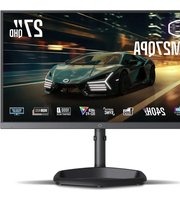
| Product Type | 27-inch LED Monitor |
| Model | GM2711 |
| Brand | Cooler Master |
| Panel Type | IPS (In-Plane Switching) |
| Screen Size | 27 inches (68.6 cm) |
| Resolution | 1920 x 1080 (Full HD) |
| Refresh Rate | 165 Hz |
| Response Time | 1 ms (MPRT) |
| Brightness | 250 cd/m² |
| Contrast Ratio | 1000:1 (Static) |
| Viewing Angle | 178° Horizontal / 178° Vertical |
| Color Support | 16.7 Million Colors |
| Input Ports | 2x HDMI 2.0, 1x DisplayPort 1.2, 1x 3.5mm Audio Out |
| VESA Mount | 100 x 100 mm |
| Tilt Adjustment | -5° to +20° |
| Built-in Speakers | No |
| Power Consumption | 20 W (Typical), 0.5 W (Standby) |
| Dimensions (with Stand) | 612 x 455 x 200 mm |
| Weight (with Stand) | 5.5 kg |
| Cable Included | HDMI Cable, Power Cable |
| Cleaning Instructions | Wipe with a soft dry cloth. Do not use liquid cleaners. |
| Safety Precautions | Avoid exposing to direct sunlight or moisture. Ensure proper ventilation. |
| Replacement Parts | Contact Cooler Master support for compatible replacement parts. |
| Warranty | 3 Years Limited Warranty |
Frequently Asked Questions - GM2711 COOLER MASTER
How do I access the on-screen display (OSD) menu?
Press the joystick button located at the bottom of the monitor to open the OSD menu. Navigate using the joystick to adjust brightness, contrast, and other settings.
Can I mount this monitor on a VESA arm?
Yes, the monitor supports a 100x100 mm VESA mount. Use the included screws or appropriate hardware for mounting.
What is the recommended cleaning method?
Turn off the monitor and unplug it. Use a soft, lint-free cloth slightly dampened with water to gently wipe the screen. Do not use alcohol or abrasive cleaners.
How do I enable FreeSync or G-Sync?
Connect via DisplayPort and enable Adaptive Sync in the OSD menu under 'Gaming' settings. Ensure your graphics card supports FreeSync or G-Sync Compatible mode.
What are the optimal viewing angles?
The IPS panel provides 178° horizontal and vertical viewing angles, allowing consistent color and brightness from almost any position.
Does the monitor have built-in speakers?
No, the monitor does not include built-in speakers. Use the 3.5mm audio out port to connect external speakers or headphones.
How do I adjust the height or rotate the screen?
The stand offers tilt adjustment only (-5° to +20°). It does not support height, swivel, or pivot adjustments. Consider a VESA arm for more flexibility.
What is the default refresh rate?
The monitor defaults to 60 Hz. To enable 165 Hz, go to your operating system's display settings and select 165 Hz under advanced display properties.
Can I use HDMI for 165 Hz?
Yes, using HDMI 2.0 you can achieve up to 165 Hz at Full HD resolution. For best performance, use DisplayPort 1.2.
What should I do if the monitor does not power on?
Check the power cable connection and ensure the power outlet is working. If using a power strip, try plugging directly into a wall outlet. If the issue persists, contact Cooler Master support.
User questions about GM2711 COOLER MASTER
0 question about this device. Answer the ones you know or ask your own.
Ask a new question about this device
No questions yet. Be the first to ask one.
Download the instructions for your Monitor in PDF format for free! Find your manual GM2711 - COOLER MASTER and take your electronic device back in hand. On this page are published all the documents necessary for the use of your device. GM2711 by COOLER MASTER.
USER MANUAL GM2711 COOLER MASTER


Manual assistant
Powered by Anthropic
Waiting for your message
Product information
Brand : COOLER MASTER
Model : GM2711
Category : Monitor