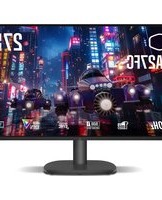
GA27FC - Monitor COOLER MASTER - Free user manual and instructions
Find the device manual for free GA27FC COOLER MASTER in PDF.


Pick your language and provide your email: we'll send you a specifically translated version.
| Product Type | Monitor |
| Brand | Cooler Master |
| Model | GA27FC |
| Screen Size | 27 inches |
| Panel Type | VA |
| Resolution | 1920 x 1080 (Full HD) |
| Refresh Rate | 165 Hz |
| Response Time | 1 ms (MPRT) |
| Contrast Ratio | 3000:1 typical |
| Brightness | 250 cd/m² |
| Viewing Angle | 178° horizontal / 178° vertical |
| Connectivity | 2x HDMI 2.0, 1x DisplayPort 1.4, 1x 3.5mm audio out |
| VESA Mount | 100 x 100 mm |
| Dimensions (with stand) | 548 x 454 x 259 mm (21.6 x 17.9 x 10.2 in) |
| Weight (with stand) | 5.6 kg (12.3 lbs) |
| Power Consumption (typical) | 30 W |
| Power Consumption (standby) | <0.5 W |
| Main Functions | Adaptive-Sync (FreeSync), Low Blue Light, Flicker-Free, OnScreen Control |
| Cleaning Instructions | Wipe with a soft, dry cloth. Do not use alcohol or solvents. |
| Safety Precautions | Use only the supplied power adapter. Avoid liquids. Ensure adequate ventilation. |
| Spare Parts | Power adapter, stand, HDMI cable, DisplayPort cable |
| Reparability | Stand and external power supply are replaceable. Internal components are not user-serviceable. |
| Warranty | 3 years |
Frequently Asked Questions - GA27FC COOLER MASTER
How do I adjust the brightness on my GA27FC monitor?
Press the joystick button at the back of the monitor to open the OSD menu. Navigate to Brightness using the joystick and adjust to your preference.
Does the GA27FC support VESA mounting?
Yes, it supports 100 x 100 mm VESA mounts. Remove the stand and attach the mount to the monitor using compatible screws.
What is the native refresh rate of this monitor?
The native refresh rate is 165 Hz, which can be selected in your display settings on PC or console.
Can I use the GA27FC with a gaming console like PlayStation or Xbox?
Yes, it works with consoles via HDMI. For optimal performance, use the included HDMI cable and enable FreeSync if supported by your console.
How do I enable FreeSync on the GA27FC?
Connect the monitor via DisplayPort or HDMI. Then go to the OSD menu, find Adaptive-Sync (or FreeSync) and set it to On. Ensure your GPU supports it.
What cables are included in the box?
The package includes: 1x HDMI cable, 1x DisplayPort cable, 1x power adapter and cable, and the monitor stand. Audio cable not included.
How should I clean the screen?
Use a soft, dry microfiber cloth to gently wipe the screen. For stubborn smudges, slightly dampen the cloth with water. Do not use alcohol, ammonia, or abrasive cleaners.
Is this monitor suitable for competitive gaming?
Yes, with a 165 Hz refresh rate, 1 ms response time, and FreeSync support, it provides smooth, tear-free gameplay ideal for fast-paced titles.
How do I reset the monitor to factory settings?
Open the OSD menu, go to System or Settings, and select Factory Reset. Confirm the reset. All settings will revert to defaults.
What is the response time of the GA27FC?
It features a response time of 1 ms MPRT (Moving Picture Response Time), which reduces motion blur for a clearer image in fast-moving scenes.
User questions about GA27FC COOLER MASTER
0 question about this device. Answer the ones you know or ask your own.
Ask a new question about this device
No questions yet. Be the first to ask one.
Download the instructions for your Monitor in PDF format for free! Find your manual GA27FC - COOLER MASTER and take your electronic device back in hand. On this page are published all the documents necessary for the use of your device. GA27FC by COOLER MASTER.
USER MANUAL GA27FC COOLER MASTER


Manual assistant
Powered by Anthropic
Waiting for your message
Product information
Brand : COOLER MASTER
Model : GA27FC
Category : Monitor