2575DF - Safe FIRST ALERT - Free user manual and instructions
Find the device manual for free 2575DF FIRST ALERT in PDF.


Pick your language and provide your email: we'll send you a specifically translated version.
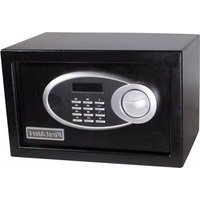
| Product Type | Fire Safe with Digital Lock |
| Brand | First Alert |
| Model | 2575DF |
| Exterior Dimensions (H x W x D) | 13.5 x 8.5 x 8.5 inches |
| Interior Dimensions (H x W x D) | 11.5 x 7.0 x 7.0 inches |
| Weight | 15 lbs |
| Power Source | 4 x AA batteries (not included) |
| Lock Type | Electronic keypad with override key |
| Override Key | Yes, 2 override keys included |
| Fire Rating | 1 hour at 1700°F |
| Number of Live Locking Bolts | 4 |
| Interior Features | Carpeted floor, removable shelf |
| Mounting | Pre-drilled holes for floor or wall mounting |
| Color | Dark gray/black |
| Warranty | Limited lifetime warranty |
| Maintenance and Cleaning | Wipe with damp cloth; do not use solvents. |
| Battery Life | Approximately 1 year under normal use |
| Low Battery Warning | Audible beep and LED indicator |
| Repairability | Replaceable battery tray; key override always works |
Frequently Asked Questions - 2575DF FIRST ALERT
How do I change the batteries in my First Alert 2575DF safe?
Open the safe using your code or override key. Locate the battery compartment on the inside of the door, remove the old batteries, and replace with 4 fresh AA batteries. Close the compartment and test the keypad.
What should I do if I forget my safe's code?
Use the override key to open the safe. Insert the key into the lock on the front panel and turn. Once open, you can reset the code by following the instructions in the manual. Always keep the override key in a secure but accessible location.
Can I mount the safe to the floor or wall?
Yes, the safe has pre-drilled holes on the bottom and back. You can use appropriate anchors and screws (not included) to secure it. Mounting is recommended to prevent theft.
What is the fire rating of this safe?
The First Alert 2575DF has a fire rating of 1 hour at 1700°F, meaning it can protect your valuables in a fire for up to one hour at that temperature.
How do I reset the factory default code?
To reset to the factory default code (typically 1-5-9 on many models), open the safe, press the red reset button inside, enter the default code, and press 'A' or 'LOCK'. Refer to your manual for exact steps.
The keypad is beeping and not accepting my code. What's wrong?
This usually indicates low batteries. Replace the 4 AA batteries immediately. If the problem persists, use the override key to open and check for any obstructions or damage.
Does the safe come with a warranty?
Yes, First Alert offers a limited lifetime warranty covering defects in materials and workmanship. Keep your proof of purchase and contact customer support for claims.
How many locking bolts does the safe have?
The safe is equipped with 4 live locking bolts (2 on the side and 2 on the top/bottom) for enhanced security against prying.
Can I store documents and digital media in the safe?
Yes, the interior is carpeted and includes a removable shelf. Items like passports, cash, external hard drives, and small electronics are suitable. However, the fire rating is for documents; for prolonged media protection, consider additional data backups.
What should I do if I lose the override key?
Contact First Alert customer service with your model number and serial number. They can provide replacement keys. You may also need to drill out the lock as a last resort. Always store the key safely.
User questions about 2575DF FIRST ALERT
0 question about this device. Answer the ones you know or ask your own.
Ask a new question about this device
No questions yet. Be the first to ask one.
Download the instructions for your Safe in PDF format for free! Find your manual 2575DF - FIRST ALERT and take your electronic device back in hand. On this page are published all the documents necessary for the use of your device. 2575DF by FIRST ALERT.
USER MANUAL 2575DF FIRST ALERT
Manual assistant
Powered by Anthropic
Waiting for your message
Product information
Brand : FIRST ALERT
Model : 2575DF
Category : Safe