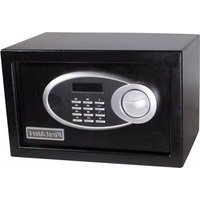
4009DFB - Safe FIRST ALERT - Free user manual and instructions
Find the device manual for free 4009DFB FIRST ALERT in PDF.


Pick your language and provide your email: we'll send you a specifically translated version.
| Product Type | Digital Security Safe |
| Brand | First Alert |
| Model | 4009DFB |
| Color | Black |
| Material | Heavy-duty steel |
| Exterior Dimensions (H x W x D) | 9.5 x 13.5 x 11.8 inches |
| Interior Dimensions (H x W x D) | 9.3 x 13.3 x 8.5 inches |
| Weight | 18.5 lbs |
| Locking Mechanism | Electronic keypad with backup key override |
| Number of Bolts | 4 live locking bolts |
| Power Source | 4 AA batteries (includes 2 sets) |
| Battery Life Indicator | Yes – low battery warning on keypad |
| Programming Codes | Up to 6 user codes (3-8 digits) |
| Mounting Option | Pre-drilled holes for floor or wall mounting |
| Fire Resistance | Not fire-rated (for security only) |
| Water Resistance | No |
| Warranty | 1 year limited |
| Included Accessories | 2 backup keys, 4 AA batteries, mounting hardware, user manual |
| Maintenance & Cleaning | Wipe exterior with a soft damp cloth; avoid solvents |
| Security Features | Anti-pry hinges, concealed hinges, recessed door, solid steel construction |
Frequently Asked Questions - 4009DFB FIRST ALERT
How do I change the battery in the First Alert 4009DFB safe?
Slide the battery compartment cover (usually on the inside of the door) to access the battery holder. Replace the 4 AA batteries with new ones, ensuring correct polarity. The safe will automatically detect the new batteries.
What do I do if I forget the combination code?
Use the emergency backup key that came with the safe. Insert it into the keyhole (hidden behind a cover near the keypad) and turn to open. Once open, you can reset the code following the manual instructions.
How do I reset the code on the 4009DFB safe?
With the door open and batteries installed, press the [P] or [Program] button (or follow the manual). Enter the current master code (default is 1-5-9-0), then press [P]. Enter a new 3-8 digit code, then press [P] again. Test multiple times.
What are the dimensions and weight of this safe?
Exterior: 9.5 x 13.5 x 11.8 inches. Interior: 9.3 x 13.3 x 8.5 inches. Weight: approximately 18.5 lbs. Perfect for storing documents, jewelry, and small valuables.
Can the First Alert 4009DFB be bolted down?
Yes, the safe has pre-drilled holes on the bottom and back. Use the included mounting hardware to secure it to a floor or wall for added theft protection.
Is the 4009DFB fireproof or fire-resistant?
No, this model is designed for security only, not fire protection. It is not rated for high temperatures. For fire safety, consider a First Alert fire safe.
How many user codes can I program?
You can store up to 6 different user codes, each 3 to 8 digits long. This allows family members or trusted individuals to have their own entry codes.
What happens if the batteries die while the door is locked?
You can still open the safe using the backup key. Always keep the key in a secure but accessible location away from the safe. Replace batteries as soon as the low battery warning appears.
Does the safe have an interior light?
Yes, the 4009DFB includes a soft interior light that activates when the door is opened, making it easy to see contents in low light.
What is the warranty on the First Alert 4009DFB?
First Alert offers a 1-year limited warranty covering defects in materials and workmanship. Keep your receipt and user manual for warranty service.
User questions about 4009DFB FIRST ALERT
0 question about this device. Answer the ones you know or ask your own.
Ask a new question about this device
No questions yet. Be the first to ask one.
Download the instructions for your Safe in PDF format for free! Find your manual 4009DFB - FIRST ALERT and take your electronic device back in hand. On this page are published all the documents necessary for the use of your device. 4009DFB by FIRST ALERT.
USER MANUAL 4009DFB FIRST ALERT
Manual assistant
Powered by Anthropic
Waiting for your message
Product information
Brand : FIRST ALERT
Model : 4009DFB
Category : Safe