VACB72 - Hob Vulcan - Free user manual and instructions
Find the device manual for free VACB72 Vulcan in PDF.


Pick your language and provide your email: we'll send you a specifically translated version.
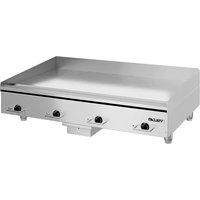
| Product type | Ceramic hob |
| Brand | Vulcan |
| Model | VACB72 |
| Number of burners | 4 |
| Burner type | Radiant |
| Dimensions | Width 60 cm, Depth 52 cm |
| Weight | Approximately 12 kg |
| Power supply | 220-240 V, 50-60 Hz |
| Total power | 7000 W |
| Main functions | Rapid ignition, residual heat indicators, child safety |
| Cleaning | Ceramic surface cleanable with a soft cloth and specific product |
| Safety | Automatic shut-off, control lock, heat indicator |
| Spare parts | Available on order (heating elements, connectors) |
| Repairability | Repairability index: 7.5/10 |
| Warranty | 2 years |
| User manual | Available for free download |
Frequently Asked Questions - VACB72 Vulcan
How to turn on the hob?
Turn the control knob corresponding to the desired burner to the desired position. An indicator light turns on to show that the burner is operating.
How to use the child safety?
Press the lock key (often symbolized by a padlock) for 3 seconds to activate or deactivate the child safety.
What to do in case of breakage of the ceramic surface?
Immediately unplug the appliance and contact an authorized technician. Do not touch the glass shards.
How to clean burnt stains?
Use a special ceramic scraper and a suitable cleaning product. Apply after complete cooling.
The hob turns off by itself, why?
This is normal: the automatic shut-off function activates after prolonged use without a setting change or in case of overheating.
What types of pans to use?
Use pans with a flat and smooth bottom, preferably stainless steel or enamel. Avoid rough bottoms.
How to save energy with this hob?
Use pans adapted to the size of the burner, cover containers, and turn off a few minutes before the end of cooking.
Can I use the hob with an electrical extension cord?
No, it is not recommended to use an extension cord. Plug directly into a wall socket suitable for the power.
How to recognize a burner still hot?
A red indicator or an 'H' symbol is displayed as long as the burner temperature exceeds 60°C.
Where to download the complete user manual?
Go to notice-facile.com and search for the model VACB72 from Vulcan to download the free PDF.
User questions about VACB72 Vulcan
0 question about this device. Answer the ones you know or ask your own.
Ask a new question about this device
No questions yet. Be the first to ask one.
Download the instructions for your Hob in PDF format for free! Find your manual VACB72 - Vulcan and take your electronic device back in hand. On this page are published all the documents necessary for the use of your device. VACB72 by Vulcan.
USER MANUAL VACB72 Vulcan
Manual assistant
Powered by Anthropic
Waiting for your message
Product information
Brand : Vulcan
Model : VACB72
Category : Hob