VACB47 - Hob Vulcan - Free user manual and instructions
Find the device manual for free VACB47 Vulcan in PDF.


Pick your language and provide your email: we'll send you a specifically translated version.
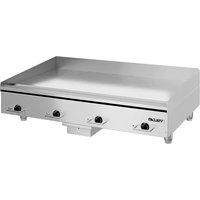
| Product type | Ceramic hob |
| Number of cooking zones | 4 |
| Dimensions (W x D x H) | 59 x 52 x 5 cm |
| Net weight | 8 kg |
| Power supply | 230 V ~ 50 Hz, 7.2 kW |
| Control type | Touch controls |
| Main functions | Automatic shut-off, child lock, pan detection, timer, booster function |
| Care and cleaning | Clean with a soft cloth and a specific ceramic hob cleaner |
| Safety | Automatic shut-off, child lock, overheat protection, safety cut-off |
| Spare parts | Available from the Vulcan authorized after-sales service |
| Repairability index | 7.9 / 10 |
| Energy class | A |
| Brand | Vulcan |
| Model | VACB47 |
Frequently Asked Questions - VACB47 Vulcan
How to install the VACB47 hob?
Installation must be carried out by a qualified professional. Make sure the worktop is cut to the dimensions indicated in the manual. Connect the appliance to a 230 V earthed socket.
How to clean the ceramic hob?
Use a specific ceramic hob cleaner and a soft cloth. Do not use abrasive sponges or acidic products. Wipe after each use once the hob has cooled down.
What to do if a cooking zone does not heat up?
Check that the cookware is suitable for induction or ceramic. Make sure the zone indicator is lit. If the problem persists, consult the troubleshooting section of the manual or contact after-sales service.
How to activate the child lock?
Press and hold the lock key (often represented by a padlock) for 3 seconds until an indicator lights up. To deactivate, repeat the operation.
The hob turns off automatically, is this normal?
Yes, the automatic shut-off function activates if a zone remains on for too long without pan detection or if the hob overheats. This is a safety measure.
What type of cookware to use?
Use flat-bottomed cookware, preferably stainless steel, cast iron or enamel. The diameter of the cookware should match the cooking zone. For induction, check that the bottom is magnetic.
How to set the timer?
After selecting a zone, press the timer key, then set the time using the + and - keys. The timer will turn off the zone automatically at the end of the set time.
Can I use the hob without the manual?
It is highly recommended to read the manual to know all the features and safety instructions. Download the manual for free from our website.
What to do if an error code appears on the display?
Note the displayed code and consult the 'Error codes' section in the manual. Common codes indicate overheating, connection fault or unsuitable cookware. If the problem persists, contact customer service.
Where to find spare parts for the VACB47 hob?
Spare parts are available from the Vulcan after-sales service. Visit our site to find an authorized dealer or order online using the model number.
User questions about VACB47 Vulcan
0 question about this device. Answer the ones you know or ask your own.
Ask a new question about this device
No questions yet. Be the first to ask one.
Download the instructions for your Hob in PDF format for free! Find your manual VACB47 - Vulcan and take your electronic device back in hand. On this page are published all the documents necessary for the use of your device. VACB47 by Vulcan.
USER MANUAL VACB47 Vulcan
Manual assistant
Powered by Anthropic
Waiting for your message
Product information
Brand : Vulcan
Model : VACB47
Category : Hob