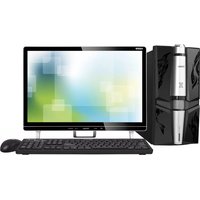
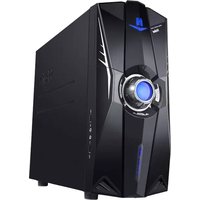
D1-D612 - Desktop computer HAIER - Free user manual and instructions
Find the device manual for free D1-D612 HAIER in PDF.


Pick your language and provide your email: we'll send you a specifically translated version.
| Product Type | Desktop Computer |
| Brand | Haier |
| Model | D1-D612 |
| Dimensions (W x D x H) | 175 x 430 x 380 mm |
| Weight | 8.5 kg |
| Power Supply | 180W AC adapter |
| Processor | Intel Celeron Dual Core |
| Memory | 4GB DDR4 |
| Storage | 500GB HDD |
| Operating System | Windows 10 Home |
| Connectivity | USB 2.0, USB 3.0, HDMI, VGA, Ethernet |
| Main Functions | Office applications, web browsing, multimedia playback |
| Cleaning Instructions | Unplug before cleaning; use a soft, dry cloth |
| Safety Precautions | Keep away from liquids; ensure proper ventilation |
| Spare Parts Availability | RAM, HDD, power supply are user-replaceable |
| Reparability | Desktop components can be upgraded or replaced |
Frequently Asked Questions - D1-D612 HAIER
How do I connect the Haier D1-D612 to a monitor?
Use the HDMI or VGA port on the back of the computer. Connect one end of the cable to the monitor and the other to the computer, then turn on both devices.
Can I upgrade the RAM on the Haier D1-D612?
Yes, the RAM is user-replaceable. Open the side panel, locate the RAM slots, and insert compatible DDR4 modules.
What should I do if the computer does not start?
Check the power cable connection and ensure the power supply switch is on. If the issue persists, try a different power outlet or consult the manual.
How often should I clean the Haier D1-D612?
Clean the exterior with a soft, dry cloth monthly. For internal dust, open the case every 6 months and use compressed air.
Can I add a dedicated graphics card?
The D1-D612 has a PCIe x16 slot for a graphics card. Ensure the power supply can support the additional load.
What operating system does the Haier D1-D612 support?
It comes with Windows 10 Home, but it can also run Linux or other compatible OS.
How do I connect to Wi-Fi?
If the model includes Wi-Fi, use the built-in adapter. Otherwise, connect via Ethernet or use a USB Wi-Fi dongle.
Is the Haier D1-D612 suitable for gaming?
It is designed for basic computing tasks. For gaming, it may handle older or less demanding titles, but a dedicated GPU may be needed.
How do I reset the computer to factory settings?
Go to Settings > Update & Security > Recovery and select 'Reset this PC'. Follow the on-screen instructions.
Where can I find spare parts for the Haier D1-D612?
Spare parts such as RAM, HDD, and power supply are available from online retailers or authorized Haier service centers.
User questions about D1-D612 HAIER
0 question about this device. Answer the ones you know or ask your own.
Ask a new question about this device
No questions yet. Be the first to ask one.
Download the instructions for your Desktop computer in PDF format for free! Find your manual D1-D612 - HAIER and take your electronic device back in hand. On this page are published all the documents necessary for the use of your device. D1-D612 by HAIER.
USER MANUAL D1-D612 HAIER

Manual assistant
Powered by Anthropic
Waiting for your message
Product information
Brand : HAIER
Model : D1-D612
Category : Desktop computer