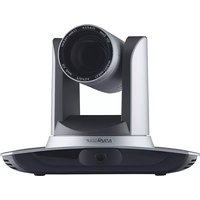
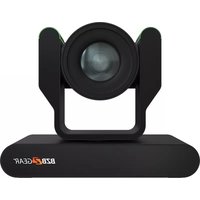
BG-VPTZ-20HSU3 - Security Camera BZBGear - Free user manual and instructions
Find the device manual for free BG-VPTZ-20HSU3 BZBGear in PDF.


Pick your language and provide your email: we'll send you a specifically translated version.
| Product Type | PTZ Security Camera |
| Model | BG-VPTZ-20HSU3 |
| Brand | BZBGear |
| Image Sensor | 1/2.8-inch Progressive Scan CMOS |
| Resolution | 1920 x 1080 (1080p Full HD) |
| Optical Zoom | 20x |
| Pan Range | 360° endless |
| Tilt Range | -5° to 90° |
| Night Vision | Up to 100m (IR) |
| Video Compression | H.265 / H.264 |
| Power Supply | DC 12V / PoE (802.3af) |
| Power Consumption | Max 12W |
| Dimensions (W x H x D) | 200 x 200 x 150 mm |
| Weight | 1.5 kg |
| Operating Temperature | -30°C to 60°C |
| Ingress Protection | IP66 |
| Interface | RJ45 10/100M, USB 3.0 (for local storage) |
| Audio | Built-in microphone & speaker |
| Motion Detection | Yes |
| Smart Features | Line crossing, intrusion detection |
| Maintenance | Clean lens with soft dry cloth; avoid moisture |
| Security | Password protection, HTTPS encryption |
| Spare Parts & Repairability | Contact BZBGear support; limited user serviceable parts |
Frequently Asked Questions - BG-VPTZ-20HSU3 BZBGear
How do I reset the camera to factory defaults?
Press and hold the reset button on the camera for 10 seconds using a paper clip. The camera will reboot and restore factory settings.
What is the maximum SD card capacity supported?
The BG-VPTZ-20HSU3 supports microSD cards up to 128GB (class 10 or higher).
Can I use the camera without PoE?
Yes, the camera can be powered via DC 12V (2A adapter not included) or PoE (802.3af).
How to set up motion detection alerts?
Access the camera's web interface, go to Events > Motion Detection, enable it, and configure the detection area and sensitivity. You can then set up email or FTP alerts.
What is the default IP address and login?
Default IP is 192.168.1.108. Username: admin, Password: admin (change immediately for security).
The camera is not showing any image. What should I check?
First, verify power and network connection. Check if the camera's IR LEDs are on (if dark). Ensure the web browser supports ActiveX or use the manufacturer's app. Try pinging the camera's IP.
How to update the firmware?
Download the latest firmware from BZBGear support site. Log in to the camera web interface, go to Maintenance > Firmware Upgrade, select the file, and click Upgrade. Do not power off during update.
Does the camera support two-way audio?
Yes, the camera has a built-in microphone and speaker, allowing two-way audio communication via the surveillance app or web interface.
What is the field of view?
Horizontal: 58.9° (wide) to 3.2° (tele), Vertical: 35.2° to 1.8°, depending on zoom level.
How to connect the camera to a NVR?
Configure the camera's IP address to be on the same subnet as the NVR. Add the camera via ONVIF (port 80) or private protocol. Use the camera's username and password.
User questions about BG-VPTZ-20HSU3 BZBGear
0 question about this device. Answer the ones you know or ask your own.
Ask a new question about this device
No questions yet. Be the first to ask one.
Download the instructions for your Security Camera in PDF format for free! Find your manual BG-VPTZ-20HSU3 - BZBGear and take your electronic device back in hand. On this page are published all the documents necessary for the use of your device. BG-VPTZ-20HSU3 by BZBGear.
USER MANUAL BG-VPTZ-20HSU3 BZBGear

Manual assistant
Powered by Anthropic
Waiting for your message
Product information
Brand : BZBGear
Model : BG-VPTZ-20HSU3
Category : Security Camera