DM-1 - DJ Equipment KORG - Free user manual and instructions
Find the device manual for free DM-1 KORG in PDF.


Pick your language and provide your email: we'll send you a specifically translated version.
| Product Type | Drum Machine / Rhythm Unit |
| Brand | Korg |
| Model | DM-1 |
| Dimensions | 14.2 x 7.6 x 3.2 inches (approx. 360 x 193 x 81 mm) |
| Weight | 2.9 lbs (1.3 kg) |
| Power Supply | DC 9V (included AC adapter) or 6 x AA batteries |
| Sound Sources | 16 PCM drum sounds (Kick, Snare, Hi-Hat, etc.) |
| Sequencer | 16-step sequencer with real-time and step recording |
| Patterns | 128 preset patterns, 64 user patterns |
| Effects | Reverb, Delay, Flanger, Distortion |
| Connectivity | Line Out (L/Mono, R), Phones, MIDI In/Out |
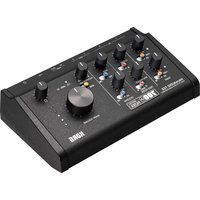
| Controls | Volume, Tempo, Mix, Effect knobs; Step buttons |
| Display | 2-digit LED for pattern/bank number |
| Main Functions | Drum kit selection, pattern chain, tap tempo, mute/solo |
| Maintenance & Cleaning | Wipe with a soft, dry cloth; avoid solvents |
| Safety Precautions | Use only the specified AC adapter; avoid moisture and extreme temperatures |
| Spare Parts & Reparability | Contact Korg authorized service centers; no user-serviceable parts inside |
| General | Designed for live performance and studio production |
Frequently Asked Questions - DM-1 KORG
How do I adjust the tempo on the Korg DM-1?
Turn the TEMPO knob clockwise to increase BPM or counterclockwise to decrease. You can also use Tap Tempo by pressing the TAP button repeatedly at the desired speed.
Can I connect the DM-1 to a computer?
Yes, via the MIDI Out port. Use a MIDI interface or a USB-to-MIDI adapter to send MIDI clock and note data to your DAW.
How do I create a custom pattern?
Press REC and then tap the step buttons to enter notes. Use the PLAY button to hear your pattern. Save it as a user pattern by holding WRITE and selecting a location.
What is the power source for the DM-1?
The DM-1 can be powered by the included DC 9V AC adapter or six AA batteries (not included). Use the power switch to turn on.
How do I mute a drum sound?
Press the MUTE button and then press the step button corresponding to the drum sound you want to mute. The sound will be muted until you press it again.
Can I chain multiple patterns together?
Yes, use Chain mode. Press CHAIN, then select the order of patterns using the step buttons. Press PLAY to start the chain.
How do I restore factory settings?
While holding WRITE and PLAY together, turn on the power. The display will show 'FACTORY' and reset all patterns to default.
What types of effects are available?
The DM-1 includes Reverb, Delay, Flanger, and Distortion. Use the EFFECT knob to select and DEPTH knob to adjust intensity.
How do I clean the DM-1?
Unplug the device and wipe the surface with a soft, dry cloth. Do not use any liquids or cleaning solvents.
What should I do if the DM-1 doesn't power on?
Check the AC adapter connection or try fresh batteries. If still not working, contact Korg support for service.
User questions about DM-1 KORG
0 question about this device. Answer the ones you know or ask your own.
Ask a new question about this device
No questions yet. Be the first to ask one.
Download the instructions for your DJ Equipment in PDF format for free! Find your manual DM-1 - KORG and take your electronic device back in hand. On this page are published all the documents necessary for the use of your device. DM-1 by KORG.
USER MANUAL DM-1 KORG

Manual assistant
Powered by Anthropic
Waiting for your message
Product information
Brand : KORG
Model : DM-1
Category : DJ Equipment