A4501 - DJ Equipment KORG - Free user manual and instructions
Find the device manual for free A4501 KORG in PDF.


Pick your language and provide your email: we'll send you a specifically translated version.
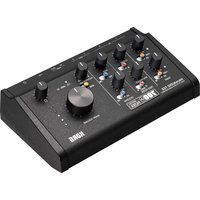
| Product Type | DJ Mixer |
| Brand | Korg |
| Model | A4501 |
| Dimensions (W x D x H) | 12.6 x 10.2 x 3.5 inches |
| Weight | 5.5 lbs |
| Power Supply | DC 12V, 500mA (AC adapter included) |
| Number of Channels | 4 |
| Input Types | RCA, 1/4" TRS, 3.5mm aux |
| Output Types | RCA, 1/4" TRS, XLR (balanced) |
| Crossfader | Replaceable, contactless |
| EQ per Channel | 3-band (high, mid, low) |
| Built-in Effects | None (pure analog mixer) |
| Headphone Output | 1/4" TRS, with cue mixing |
| Microphone Input | 1/4" TRS, with volume control |
| Recording Output | RCA (record out) |
| Frequency Response | 20 Hz – 20 kHz ±1 dB |
| Signal-to-Noise Ratio | >90 dB |
| Total Harmonic Distortion | <0.01% |
| Maintenance and Cleaning | Wipe with a soft, dry cloth. Do not use solvents. |
| Safety Precautions | Keep away from moisture and heat sources. Use only provided power adapter. |
| Spare Parts and Repairability | Contact Korg service center for replacement parts. Crossfader is user-replaceable. |
| General Information | Designed for professional DJ applications, compact and durable. |
Frequently Asked Questions - A4501 KORG
How do I connect turntables to the A4501?
Use RCA cables to connect your turntables to the Line/Phono inputs. Ensure the switch is set to Phono if using moving-magnet cartridges, or Line if using a built-in preamp.
Can I use the A4501 with a computer?
Yes, via the RCA or 1/4" TRS inputs. It does not have a USB audio interface, so you will need an external sound card.
How do I replace the crossfader?
Remove the faceplate screws, lift the faceplate, disconnect the old fader, and install a new one. The crossfader is contactless for longevity.
Why is there no sound from the headphones?
Check that the cue button is pressed for the desired channel and the headphone volume knob is turned up. Also ensure the headphones are securely plugged into the 1/4" jack.
What is the maximum input level?
Line inputs can handle up to +20 dBu, while phono inputs are for standard moving-magnet cartridges (~5 mV).
Can I use a microphone simultaneously with other inputs?
Yes, the microphone has a dedicated 1/4" input with its own volume control. It can be mixed with other channels.
How do I clean the mixer?
Use a soft, dry cloth to wipe the surface. For stubborn dirt, slightly dampen the cloth with water. Avoid any solvents or abrasive cleaners.
Is the A4501 compatible with DJ software?
It acts as a standard analog mixer, so it works with any DJ software via your audio interface. There is no MIDI or HUI control.
What power adapter do I need?
Use the included DC 12V, 500mA adapter with a center-positive plug. Using an incorrect adapter may damage the mixer.
How do I reduce feedback from the microphone?
Adjust the gain and EQ on the microphone channel. Keep the microphone away from speakers and use a directional mic.
User questions about A4501 KORG
0 question about this device. Answer the ones you know or ask your own.
Ask a new question about this device
No questions yet. Be the first to ask one.
Download the instructions for your DJ Equipment in PDF format for free! Find your manual A4501 - KORG and take your electronic device back in hand. On this page are published all the documents necessary for the use of your device. A4501 by KORG.
USER MANUAL A4501 KORG

Manual assistant
Powered by Anthropic
Waiting for your message
Product information
Brand : KORG
Model : A4501
Category : DJ Equipment