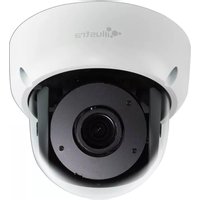
Illustra Flex IFS03B1BNWIT - Security Camera Tyco - Free user manual and instructions
Find the device manual for free Illustra Flex IFS03B1BNWIT Tyco in PDF.


Pick your language and provide your email: we'll send you a specifically translated version.
| Product Type | Fixed Dome Security Camera |
| Model | Illustra Flex IFS03B1BNWIT |
| Brand | Tyco |
| Image Sensor | 1/2.8" Progressive Scan CMOS |
| Resolution | 3 Megapixels (2048 x 1536) |
| Lens | 2.8mm fixed, F2.0 |
| Field of View | Horizontal 102°, Vertical 78° |
| Minimum Illumination | 0.02 lux (Color), 0.01 lux (B/W) |
| Day/Night | Mechanical IR cut filter, Smart IR up to 30m |
| Video Compression | H.265, H.264, MJPEG |
| Frame Rate | Up to 30 fps at 3 MP |
| Bit Rate Control | VBR, CBR, CVBR |
| Network Protocols | IPv4, IPv6, TCP, UDP, HTTP, HTTPS, FTP, SMTP, DHCP, DNS, NTP, RTSP, RTP, RTCP, ONVIF Profile S/G/T |
| Alarm I/O | 1 Input, 1 Output |
| Audio | 1-ch Line In, 1-ch Line Out, Audio compression G.711 |
| Storage | MicroSD/SDHC/SDXC slot (max 256 GB), NAS |
| Power Supply | PoE (IEEE 802.3af), or 12V DC ±10% |
| Power Consumption | ≤ 12.5 W (PoE), ≤ 10 W (DC) |
| Dimensions (ø x H) | 144 mm x 106 mm |
| Weight | 0.85 kg (1.87 lb) |
| Ingress Protection | IP67 (Weatherproof) |
| Impact Protection | IK10 (Vandal Resistant) |
| Operating Temperature | -30°C to +60°C (-22°F to +140°F) |
| Humidity | ≤ 95% non-condensing |
| Mounting | Ceiling/Wall mount, junction box compatible |
| Safety Certifications | CE, FCC, UL, RoHS |
| Spare Parts Availability | Replacement lenses, cables, and mounting brackets |
| Maintenance | Clean dome with soft cloth; keep firmware updated |
Frequently Asked Questions - Illustra Flex IFS03B1BNWIT Tyco
How do I reset the Tyco Illustra Flex IFS03B1BNWIT to factory defaults?
Press and hold the reset button (located on the camera base) for about 10 seconds until the LED flashes. The camera will reboot with default settings.
What is the maximum resolution supported?
The camera supports up to 3 megapixels (2048x1536) at 30 fps.
Is this camera suitable for outdoor use?
Yes, it has an IP67 rating for dust and water resistance, and IK10 impact protection.
Can I use Power over Ethernet (PoE)?
Yes, the camera supports IEEE 802.3af PoE. You can also use a 12V DC power supply.
How do I mount the camera?
The camera can be mounted on a ceiling or wall using the included mounting plate. It is compatible with standard junction boxes.
Does the camera have night vision?
Yes, it features Smart IR LEDs with a range of up to 30 meters (98 feet).
What video compression formats are supported?
The camera supports H.265, H.264, and MJPEG for efficient streaming.
How do I access the camera remotely?
Use a web browser (Chrome, Firefox) or ONVIF-compatible software. Enter the camera's IP address after connecting to the network.
Can I record videos directly on the camera?
Yes, insert a MicroSD card (up to 256 GB) into the slot. The camera also supports network storage (NAS) and cloud recording.
How do I clean the camera dome?
Use a soft, lint-free cloth with mild soap and water. Avoid abrasive cleaners to prevent scratches.
User questions about Illustra Flex IFS03B1BNWIT Tyco
0 question about this device. Answer the ones you know or ask your own.
Ask a new question about this device
No questions yet. Be the first to ask one.
Download the instructions for your Security Camera in PDF format for free! Find your manual Illustra Flex IFS03B1BNWIT - Tyco and take your electronic device back in hand. On this page are published all the documents necessary for the use of your device. Illustra Flex IFS03B1BNWIT by Tyco.
USER MANUAL Illustra Flex IFS03B1BNWIT Tyco

Manual assistant
Powered by Anthropic
Waiting for your message
Product information
Brand : Tyco
Model : Illustra Flex IFS03B1BNWIT
Category : Security Camera