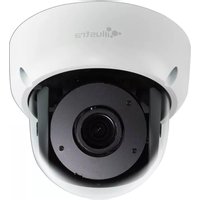
Illustra Flex IFS03D1ICWTT - Security Camera Tyco - Free user manual and instructions
Find the device manual for free Illustra Flex IFS03D1ICWTT Tyco in PDF.


Pick your language and provide your email: we'll send you a specifically translated version.
| Product Type | Security Camera |
| Brand | Tyco |
| Model | Illustra Flex IFS03D1ICWTT |
| Resolution | 3 Megapixels (2048 x 1536) |
| Lens Type | Fixed, 2.8mm |
| Field of View | Horizontal: 100°, Vertical: 75° |
| Day/Night Function | IR Cut Filter, up to 30m IR range |
| Power Supply | PoE (Power over Ethernet) IEEE 802.3af |
| Power Consumption | Max 12.95W |
| Dimensions (W x H x D) | 75mm x 180mm x 75mm |
| Weight | 0.5 kg |
| Housing Material | Aluminum with IK10 impact rating |
| Ingress Protection | IP66 |
| Operating Temperature | -40°C to 60°C (-40°F to 140°F) |
| Video Compression | H.265, H.264, MJPEG |
| Network Interface | 10/100 Base-T |
| Storage | MicroSD card slot (up to 256GB) |
| Audio | Built-in microphone and speaker |
| Alarm I/O | 1 input / 1 output |
| Mounting | Wall or ceiling mount (bracket included) |
| Compliance | CE, FCC, RoHS |
| Warranty | 3 years |
Frequently Asked Questions - Illustra Flex IFS03D1ICWTT Tyco
How do I reset the Tyco Illustra Flex IFS03D1ICWTT to factory defaults?
Press and hold the reset button on the rear panel for 10 seconds while the camera is powered on. The camera will reboot with default settings.
What is the default IP address and credentials for the camera?
Default IP is 192.168.1.168. Username is admin and password is admin. Change credentials immediately after first login.
Does the camera support Power over Ethernet (PoE)?
Yes, the camera is IEEE 802.3af compliant and can be powered via PoE. No separate power cable is needed.
How can I access the camera remotely?
Use the Illustra Flex app or any ONVIF-compatible VMS. Ensure port forwarding is configured on your router for ports 80 and 554.
What is the maximum microSD card capacity supported?
The camera supports microSD cards up to 256GB. Format the card to FAT32 before use.
How often should I clean the camera lens?
Clean the lens every 3 months with a microfiber cloth and gentle lens cleaner. Avoid rough materials to prevent scratches.
Can the camera be used outdoors in rain?
Yes, the camera has an IP66 rating, making it dust-tight and protected against heavy rain. Ensure the weatherproof connector is sealed.
What video resolutions and frame rates are available?
Supports up to 3MP (2048x1536) at 30fps. Also offers 1080p at 60fps and 720p at 60fps.
Is the camera compatible with third-party NVRs?
Yes, it is ONVIF Profile S compliant and works with most major NVR brands like Hikvision, Dahua, and Synology.
How do I update the firmware?
Download the latest firmware from Tyco's official website. Upload it via the camera's web interface under Maintenance > Upgrade.
User questions about Illustra Flex IFS03D1ICWTT Tyco
0 question about this device. Answer the ones you know or ask your own.
Ask a new question about this device
No questions yet. Be the first to ask one.
Download the instructions for your Security Camera in PDF format for free! Find your manual Illustra Flex IFS03D1ICWTT - Tyco and take your electronic device back in hand. On this page are published all the documents necessary for the use of your device. Illustra Flex IFS03D1ICWTT by Tyco.
USER MANUAL Illustra Flex IFS03D1ICWTT Tyco

Manual assistant
Powered by Anthropic
Waiting for your message
Product information
Brand : Tyco
Model : Illustra Flex IFS03D1ICWTT
Category : Security Camera