Nice DI - Receiver Phoenix Audio - Free user manual and instructions
Find the device manual for free Nice DI Phoenix Audio in PDF.


Pick your language and provide your email: we'll send you a specifically translated version.
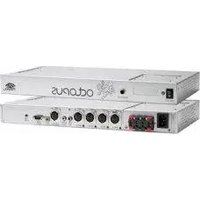
| Product Type | Direct Injection (DI) Receiver |
| Brand | Phoenix Audio |
| Model | Nice DI |
| Dimensions (approx.) | 120 x 80 x 40 mm |
| Weight (approx.) | 0.5 kg |
| Power Supply | Phantom power (48V) or 9V battery |
| Input Connectors | 1/4" TS, XLR |
| Output Connectors | XLR, 1/4" TRS |
| Frequency Response | 20 Hz – 20 kHz |
| Input Impedance | 1 MΩ |
| Output Impedance | 600 Ω |
| Ground Lift Switch | Yes |
| Pad Switch | Yes (0 dB, -20 dB) |
| Signal-to-Noise Ratio | >100 dB |
| Total Harmonic Distortion | <0.01% |
| Construction | Metal chassis |
| LED Indicator | Power/Status |
| Included Accessories | User manual, 9V battery (if powered) |
| Maintenance | Clean with dry cloth; keep away from moisture |
| Safety | Use only specified power supply; avoid electric shock |
| Spare Parts / Repairability | Contact Phoenix Audio support |
Frequently Asked Questions - Nice DI Phoenix Audio
How do I connect the Nice DI to my instrument and mixer?
Connect your instrument to the 1/4" input and the XLR output to the mixer's XLR input. Ensure phantom power is enabled on the mixer if not using a battery.
Does the Nice DI require phantom power?
It can be powered via 48V phantom power or a 9V battery. If using phantom, ensure your mixer supplies it.
What is the Ground Lift switch used for?
The Ground Lift switch disconnects the audio ground from the chassis to eliminate hum caused by ground loops.
Can I use the Nice DI with unbalanced signals?
Yes, the 1/4" input accepts both balanced (TRS) and unbalanced (TS) signals, converting them to a balanced XLR output.
What is the Pad switch for?
The Pad switch attenuates the input signal by 20 dB to prevent clipping when using high-output instruments.
How do I replace the battery in the Nice DI?
Open the battery compartment on the bottom of the unit using a screwdriver or coin. Insert a new 9V battery and close securely.
What type of cable do I need for the XLR output?
Use a standard XLR male to female microphone cable to connect the DI to the mixer or audio interface.
Is the Nice DI active or passive?
It is an active DI box requiring power (phantom or battery) for operation.
Can I use the Nice DI with a bass guitar?
Absolument! The high input impedance (1 MΩ) makes it suitable for passive pickups like those on bass guitars, preserving low-end response.
What should I do if there is no sound output?
Check power (LED on), cable connections, and ensure the Pad switch is not engaged if your source is quiet. Also verify phantom power supply.
User questions about Nice DI Phoenix Audio
0 question about this device. Answer the ones you know or ask your own.
Ask a new question about this device
No questions yet. Be the first to ask one.
Download the instructions for your Receiver in PDF format for free! Find your manual Nice DI - Phoenix Audio and take your electronic device back in hand. On this page are published all the documents necessary for the use of your device. Nice DI by Phoenix Audio.
USER MANUAL Nice DI Phoenix Audio



Manual assistant
Powered by Anthropic
Waiting for your message
Product information
Brand : Phoenix Audio
Model : Nice DI
Category : Receiver