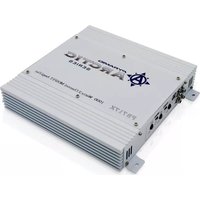
PB2518 - Receiver Pyramid - Free user manual and instructions
Find the device manual for free PB2518 Pyramid in PDF.


Pick your language and provide your email: we'll send you a specifically translated version.
| Type de produit | Receiver audio/vidéo |
| Marque | Pyramid |
| Modèle | PB2518 |
| Dimensions (L x H x P) | 430 x 140 x 320 mm |
| Poids | 7,5 kg |
| Alimentation | AC 110-240V, 50/60Hz |
| Puissance de sortie | 5 x 100 W RMS (8 ohms) |
| Entrées HDMI | 4 entrées, 1 sortie (ARC) |
| Entrées audio analogiques | 3 entrées RCA stéréo, 1 entrée phono |
| Entrées numériques | 1 optique, 1 coaxial |
| Formats audio pris en charge | Dolby Digital, DTS, PCM stéréo |
| Connectivité | Bluetooth, USB (lecture MP3) |
| Radio FM | Oui, avec RDS |
| Sorties enceintes | 5 bornes pour enceintes (avant, central, surround) |
| Sortie caisson de basses | 1 sortie préampli subwoofer |
| Télécommande incluse | Oui, avec piles |
| Consommation en veille | < 0,5 W |
| Entretien et nettoyage | Dépoussiérer avec un chiffon doux et sec. N'utiliser aucun solvant. |
| Sécurité | Débrancher avant nettoyage. Ne pas exposer à l'humidité. |
| Pièces détachées et réparabilité | Pièces disponibles via service après-vente Pyramid. Réparation possible par un technicien agréé. |
| Informations générales | Utilisation domestique. Température de fonctionnement : 5°C à 35°C. |
Frequently Asked Questions - PB2518 Pyramid
How do I connect my TV to the Pyramid PB2518 receiver?
Use an HDMI cable from your TV's HDMI ARC port to the receiver's HDMI ARC output. Ensure both devices have HDMI-CEC enabled.
My receiver turns off automatically. What should I do?
Check the auto standby setting in the receiver's menu. It may be set to a short timer. Disable or extend the auto standby time.
Why is there no sound from the speakers?
Verify that the correct input source is selected. Check speaker connections and ensure the receiver is not muted. Also confirm that the audio format from your source is supported (e.g., PCM, Dolby Digital).
Can I use Bluetooth to stream music?
Yes, press the Bluetooth button on the remote or front panel. Enable Bluetooth on your device and select 'Pyramid PB2518' from the list.
How do I reset the receiver to factory settings?
Press and hold the 'Power' and 'Source' buttons simultaneously for 5 seconds until 'RESET' appears on the display. Release and confirm.
What is the maximum power output per channel?
The Pyramid PB2518 delivers up to 100 watts per channel at 8 ohms, with two channels driven. For all channels simultaneously, it's lower.
Can I connect a turntable to this receiver?
Yes, the PB2518 has a dedicated phono input for turntables with a moving magnet cartridge. Make sure your turntable has a ground wire.
The remote control is not working. What can I do?
Replace the batteries with fresh ones. Ensure there are no obstructions between the remote and the receiver. Try pointing directly at the IR sensor.
How do I update the firmware?
Check the Pyramid website for firmware updates. Download the file to a USB drive, insert it into the receiver's USB port, and follow the on-screen instructions.
What should I do if the receiver overheats?
Ensure the receiver has adequate ventilation. Keep at least 10 cm of space above and on sides. Clean any dust from vents. If issue persists, contact support.
User questions about PB2518 Pyramid
0 question about this device. Answer the ones you know or ask your own.
Ask a new question about this device
No questions yet. Be the first to ask one.
Download the instructions for your Receiver in PDF format for free! Find your manual PB2518 - Pyramid and take your electronic device back in hand. On this page are published all the documents necessary for the use of your device. PB2518 by Pyramid.
USER MANUAL PB2518 Pyramid


Manual assistant
Powered by Anthropic
Waiting for your message
Product information
Brand : Pyramid
Model : PB2518
Category : Receiver