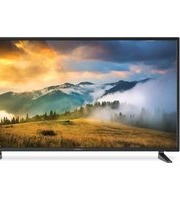
Aurora FDUB55CSA - Television Furrion - Free user manual and instructions
Find the device manual for free Aurora FDUB55CSA Furrion in PDF.


Pick your language and provide your email: we'll send you a specifically translated version.
| Product Type | LED Television |
| Brand | Furrion |
| Model | Aurora FDUB55CSA |
| Screen Size | 55 inches (diagonal) |
| Display Resolution | 1920 x 1080 (Full HD) |
| Refresh Rate | 60 Hz |
| Dimensions (with stand) | 48.8 x 30.7 x 9.1 inches |
| Weight (with stand) | 35.3 lbs |
| Power Consumption | 120V AC, 60Hz, 150W typical |
| VESA Mount Pattern | 400 x 200 mm |
| Inputs | 3 x HDMI, 1 x USB, 1 x Component, 1 x Composite, 1 x RF Antenna |
| Outputs | 1 x Digital Optical Audio, 1 x Headphone Jack |
| Tuner | ATSC / NTSC |
| Built-in Speakers | Dual 10W speakers |
| Stand Type | Fixed pedestal (included) |
| Remote Control | IR remote with batteries included |
| Wall Mountable | Yes (VESA 400x200) |
| Smart TV Platform | None (standard TV) |
| Energy Star Certified | Yes |
| Operating Temperature | 32°F to 104°F |
| Care Instructions | Clean with a soft dry cloth; avoid liquids |
| Safety Notes | Place on stable surface; keep ventilation slots clear |
| Spare Parts Availability | Remote and stand available via Furrion support |
| Repairability Index | 6.5 / 10 (modules replaceable by technician) |
Frequently Asked Questions - Aurora FDUB55CSA Furrion
How do I mount the Furrion Aurora FDUB55CSA on a wall?
The TV supports a VESA 400x200 mm pattern. Use a compatible wall mount bracket (not included) and follow the instructions provided with the mount. Ensure the wall can support the TV's weight.
What is the resolution of the FDUB55CSA TV?
It has a Full HD resolution of 1920 x 1080 pixels.
Does this TV have built-in Wi-Fi or smart features?
No, the Furrion Aurora FDUB55CSA is a standard LED TV without smart capabilities or Wi-Fi. It requires external devices for streaming.
How can I connect external devices like a DVD player or game console?
Use the HDMI ports (3 available) for HD devices, or the composite/component inputs for older equipment. The TV also has a USB port for media playback.
What type of remote control is included?
A standard IR remote control is included with the TV. It requires two AAA batteries (also included).
How do I clean the TV screen safely?
Use a soft, dry microfiber cloth to gently wipe the screen. Do not spray any liquids directly on the panel. For stubborn smudges, slightly dampen the cloth with water.
What should I do if the TV does not turn on?
First, check the power cord connection and ensure the outlet is working. Try pressing the power button on the TV itself, not just the remote. If still off, unplug for one minute and retry.
Can I use this TV in an RV or outdoors?
Yes, the Furrion Aurora series is designed for RVs and other mobile applications. It operates on standard 120V AC and can handle temperature ranges typical for indoor/outdoor use.
Is the TV wall mount included?
No, the wall mount is not included. The TV comes with a tabletop stand. You must purchase a VESA 400x200 compatible mount separately.
How do I perform a factory reset?
Go to the Menu, select Settings, then System, and choose Reset to Factory Defaults. Confirm with the remote. Note: This erases all custom settings.
User questions about Aurora FDUB55CSA Furrion
0 question about this device. Answer the ones you know or ask your own.
Ask a new question about this device
No questions yet. Be the first to ask one.
Download the instructions for your Television in PDF format for free! Find your manual Aurora FDUB55CSA - Furrion and take your electronic device back in hand. On this page are published all the documents necessary for the use of your device. Aurora FDUB55CSA by Furrion.
USER MANUAL Aurora FDUB55CSA Furrion

Manual assistant
Powered by Anthropic
Waiting for your message
Product information
Brand : Furrion
Model : Aurora FDUB55CSA
Category : Television