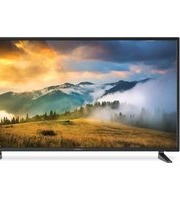
FDUP49CBR - Television Furrion - Free user manual and instructions
Find the device manual for free FDUP49CBR Furrion in PDF.


Pick your language and provide your email: we'll send you a specifically translated version.
| Product Type | LED Television |
| Model | FDUP49CBR |
| Screen Size | 49 inches (diagonal) |
| Resolution | 1920 x 1080 (Full HD) |
| Dimensions (W x H x D) with stand | Approx. 110.5 x 70.3 x 24.5 cm |
| Dimensions (W x H x D) without stand | Approx. 110.5 x 64.8 x 8.5 cm |
| Weight (with stand) | Approx. 12.5 kg |
| Weight (without stand) | Approx. 12.0 kg |
| Power Supply | AC 100-240V, 50/60Hz |
| Power Consumption (typical) | 110 W |
| Standby Power Consumption | < 0.5 W |
| Connectivity | HDMI (3x), USB (2x), Composite, Component, RF, Ethernet, Optical Audio Out |
| Main Features | Full HD display, built-in digital tuner, USB media playback, sleep timer, parental lock, VESA wall mount compatible (400x400 mm) |
| Cleaning and Maintenance | Wipe with a soft, dry cloth. Do not use liquid or abrasive cleaners. |
| Safety | Do not expose to rain or moisture. Ensure proper ventilation. Unplug during storms or long periods of non-use. |
| Spare Parts and Repairability | Contact Furrion or authorized service centers for replacement parts. Refer to user manual for disassembly instructions. |
| General Information | Operating temperature: 0°C to 40°C. Storage humidity: 10% to 80%. Intended for indoor use only. |
Frequently Asked Questions - FDUP49CBR Furrion
How do I connect my Furrion FDUP49CBR TV to external speakers?
You can connect external speakers using the optical audio out port or the HDMI ARC port. Ensure the TV audio output is set to 'External Speaker' in the sound settings.
Can I wall mount this TV? What VESA pattern does it use?
Yes, the FDUP49CBR supports VESA wall mount with a pattern of 400mm x 400mm. Use M8 screws (length not exceeding 20mm). Follow the instructions in the manual.
Why is there no sound from the TV?
Check if the TV is muted or volume is low. Verify that external speakers are properly connected and powered. Go to Audio settings and ensure the correct audio output is selected.
How do I perform a factory reset?
Press the Menu button on the remote, navigate to Settings > System > Reset. Confirm the reset. The TV will restart with factory defaults.
Can I connect my USB drive to watch movies?
Yes, insert a USB drive into the USB port. Use the remote to select USB Source from the input menu. Supported formats: MP4, AVI, MKV, JPEG, MP3.
How do I clean the screen?
Turn off the TV and let it cool. Wipe the screen gently with a soft, dry microfiber cloth. Do not use any liquids, alcohol, or abrasive cleaners.
What should I do if the remote control stops working?
Replace the batteries with two new AAA batteries. Ensure the batteries are inserted correctly (polarity). Check if the remote sensor on the TV is not obstructed.
Is the TV compatible with my cable box?
Yes, connect your cable box via HDMI for best quality. Use the Source button to select the corresponding HDMI input.
How do I enable parental controls?
Go to Menu > Settings > Parental Lock. Set a PIN code (default: 0000). You can block channels based on rating or specific content.
Why does the TV turn off by itself?
Check the Sleep Timer setting. It may be set to turn off after a certain time. Also, ensure the TV is not overheating. Provide proper ventilation around the device.
User questions about FDUP49CBR Furrion
0 question about this device. Answer the ones you know or ask your own.
Ask a new question about this device
No questions yet. Be the first to ask one.
Download the instructions for your Television in PDF format for free! Find your manual FDUP49CBR - Furrion and take your electronic device back in hand. On this page are published all the documents necessary for the use of your device. FDUP49CBR by Furrion.
USER MANUAL FDUP49CBR Furrion

Manual assistant
Powered by Anthropic
Waiting for your message
Product information
Brand : Furrion
Model : FDUP49CBR
Category : Television