Aurora FDUF65CSA - Television Furrion - Free user manual and instructions
Find the device manual for free Aurora FDUF65CSA Furrion in PDF.


Pick your language and provide your email: we'll send you a specifically translated version.
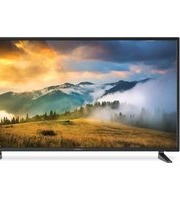
| Product Type | LED Television |
| Model | Aurora FDUF65CSA |
| Brand | Furrion |
| Screen Size | 65 inches (diagonal) |
| Display Resolution | 3840 x 2160 (4K UHD) |
| Refresh Rate | 60 Hz |
| Backlight Technology | LED |
| Dimensions (W x H x D) without stand | 57.3 x 33.0 x 2.9 inches |
| Weight without stand | 48.5 lbs |
| Power Supply | AC 100-240V, 50/60Hz; DC 12V (compatible with RV systems) |
| Power Consumption | 120W typical |
| Smart TV Platform | Yes, with built-in streaming apps |
| Connectivity | 3x HDMI, 2x USB, 1x Optical Audio, 1x Ethernet, Wi-Fi |
| Built-in Tuner | ATSC / NTSC |
| Speaker Output | 20W (2x 10W) |
| VESA Mount Pattern | 400 x 400 mm |
| Energy Star Certified | Yes |
| Cleaning Instructions | Use a soft, dry cloth; do not use liquid cleaners |
| Safety Feature | Anti-tip strap included |
| Repairability Index | 6.5 / 10 (user-replaceable components: stand, power cord) |
| Spare Parts Availability | Contact Furrion or authorized dealers |
| Operating Temperature | 32°F to 104°F (0°C to 40°C) |
Frequently Asked Questions - Aurora FDUF65CSA Furrion
How do I connect the TV to my RV's 12V power system?
The Furrion Aurora FDUF65CSA is designed with a built-in 12V DC power input. Simply connect the included DC power cable to your RV's 12V outlet. Ensure the polarity is correct (red positive, black negative). The TV will automatically switch between AC and DC power.
Can I mount this TV on a wall?
Yes, the TV supports VESA 400x400 mm mounting. Use a compatible wall mount bracket. Ensure the wall can support the TV's weight (approximately 50 lbs). Always follow the mounting instructions to avoid injury or damage.
What is the correct way to clean the screen?
Turn off the TV and let it cool. Use a soft, dry microfiber cloth to gently wipe the screen in circular motions. Do not use any liquid cleaners, as they may damage the anti-glare coating. For stubborn smudges, slightly dampen the cloth with distilled water.
How do I access the smart TV features?
Press the 'Home' button on the remote control to open the smart TV interface. From there, you can browse streaming apps, adjust settings, and connect to Wi-Fi. An internet connection is required for streaming.
What should I do if the TV does not turn on?
First, check that the power cable is securely connected to both the TV and the power source. If using DC power, confirm the voltage is 12V. Try pressing the power button on the TV itself (not just the remote). If still no response, try a different outlet or power source. If the issue persists, contact Furrion support.
Can I use the TV with external speakers?
Yes, the TV has a 3.5mm headphone jack, optical audio output, and HDMI ARC port. For wireless audio, you can connect Bluetooth speakers via the TV's Bluetooth settings. Navigate to Settings > Sound > Audio Output to choose the desired output.
Is the TV compatible with satellite TV systems?
Yes, the TV has an ATSC/NTSC tuner and supports common satellite signals. Connect your satellite receiver via HDMI or coaxial cable. The TV will automatically detect the input source. You may need to scan for channels in the TV menu.
How do I update the TV's firmware?
Ensure the TV is connected to the internet. Go to Settings > Support > Software Update. Select 'Update Now' to check for and install the latest firmware. Do not turn off the TV during the update process.
What spare parts are available for this TV?
Commonly available spare parts include the remote control, power cord, VESA mounting screws, and the stand base. For internal components like the power board or panel, contact Furrion. Use only authorized parts to maintain safety and warranty.
Can I use the TV in a cold environment?
The TV is designed to operate in temperatures between 32°F and 104°F (0°C to 40°C). If the TV is stored in freezing conditions, allow it to warm up to room temperature before turning it on to prevent condensation damage.
User questions about Aurora FDUF65CSA Furrion
0 question about this device. Answer the ones you know or ask your own.
Ask a new question about this device
No questions yet. Be the first to ask one.
Download the instructions for your Television in PDF format for free! Find your manual Aurora FDUF65CSA - Furrion and take your electronic device back in hand. On this page are published all the documents necessary for the use of your device. Aurora FDUF65CSA by Furrion.
USER MANUAL Aurora FDUF65CSA Furrion

Manual assistant
Powered by Anthropic
Waiting for your message
Product information
Brand : Furrion
Model : Aurora FDUF65CSA
Category : Television