WL-ICNAP24-074 - Access Point Mach Power - Free user manual and instructions
Find the device manual for free WL-ICNAP24-074 Mach Power in PDF.


Pick your language and provide your email: we'll send you a specifically translated version.
| Product Type | Wireless Access Point |
| Model | WL-ICNAP24-074 |
| Brand | Mach Power |
| Wireless Standard | IEEE 802.11ac, backward compatible with 802.11a/b/g/n |
| Frequency Band | Dual-band 2.4 GHz and 5 GHz |
| Maximum Data Rate | Up to 1200 Mbps (300 Mbps on 2.4 GHz + 867 Mbps on 5 GHz) |
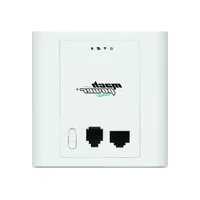
| Ethernet Ports | 1 x 10/100/1000 Mbps Gigabit Ethernet (PoE capable) |
| Power over Ethernet (PoE) | Yes, 802.3af PoE |
| Power Adapter | DC 12V / 1A (optional) |
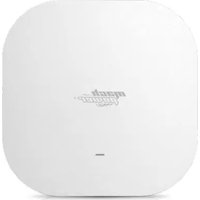
| Antenna | 2x internal dual-band antennas |
| Dimensions (W x D x H) | 200 x 200 x 50 mm |
| Weight | 500 g |
| Mounting | Wall or ceiling mountable (bracket included) |
| Operating Temperature | 0°C to 40°C |
| Humidity | 10% to 90% non-condensing |
| Security | WPA2-PSK, WPA3, MAC address filtering, SSID broadcast control |
| Management | Web-based interface, SNMP, Telnet |
| LED Indicators | Power, LAN, WLAN |
| Compliance | CE, FCC |
| Package Contents | Access Point, mounting bracket, screws, Ethernet cable, quick installation guide |
Frequently Asked Questions - WL-ICNAP24-074 Mach Power
How do I reset the Mach Power WL-ICNAP24-074 to factory defaults?
Use a paperclip to press and hold the reset button on the back of the device for 10 seconds until the LED flashes rapidly. The device will reboot with factory settings.
What is the default IP address and login credentials?
The default IP address is 192.168.1.1. The default username is admin and password is admin (both lowercase). It is recommended to change these upon initial setup.
Can I use this access point as a range extender?
Yes, the WL-ICNAP24-074 supports multiple operating modes including Access Point, Repeater, and WDS Bridge. You can switch modes via the web interface.
Does it support Power over Ethernet (PoE)?
Yes, it supports 802.3af PoE. You can power it directly from a PoE switch or injector without needing the power adapter.
What is the maximum number of connected devices?
The access point can support up to 128 concurrent wireless clients, depending on network traffic and environment.
How to update the firmware?
Download the latest firmware from the Mach Power support website. Log into the web interface, go to Administration > Firmware Upgrade, and upload the file. Do not power off during update.
Can I set up multiple SSIDs?
Yes, you can create up to 8 SSIDs, each with its own security settings and VLAN assignment if needed.
What security protocols are supported?
It supports WEP, WPA, WPA2-PSK, WPA3, and 802.1X authentication for enterprise networks.
Does it have a guest network feature?
Yes, you can enable a guest network with isolation from the main network. This can be configured under the Wireless > Guest Network menu.
How to troubleshoot if the device is not connecting to the internet?
First, check the Ethernet cable connection. Ensure the LAN port LED is lit. Then log into the web interface and verify the WAN settings (DHCP or static IP). Try rebooting the device.
User questions about WL-ICNAP24-074 Mach Power
0 question about this device. Answer the ones you know or ask your own.
Ask a new question about this device
No questions yet. Be the first to ask one.
Download the instructions for your Access Point in PDF format for free! Find your manual WL-ICNAP24-074 - Mach Power and take your electronic device back in hand. On this page are published all the documents necessary for the use of your device. WL-ICNAP24-074 by Mach Power.
USER MANUAL WL-ICNAP24-074 Mach Power

Manual assistant
Powered by Anthropic
Waiting for your message
Product information
Brand : Mach Power
Model : WL-ICNAP24-074
Category : Access Point