
DAZZLE DIGITAL VIDEO CREATOR 90 - Video capture card PINNACLE - Free user manual and instructions
Find the device manual for free DAZZLE DIGITAL VIDEO CREATOR 90 PINNACLE in PDF.


| Product Type | USB Video Capture Card |
| Brand | PINNACLE |
| Model | DAZZLE DIGITAL VIDEO CREATOR 90 |
| Dimensions (approx.) | 10 x 5 x 2 cm |
| Weight (approx.) | 100 g |
| Power Supply | Via USB port (bus power) |
| Interface | USB 2.0 |
| Video Inputs | Composite (RCA), S-Video, DV input (FireWire) via analog output |
| Audio Inputs | RCA stereo (left/right) |
| Capture Formats | MPEG-1, MPEG-2, MPEG-4, AVI, DV |
| Maximum Resolution | 720 x 576 (PAL), 720 x 480 (NTSC) |
| Included Software | Pinnacle Studio (QuickStart version), Pinnacle Studio Content CD |
| Required Operating System | Windows XP SP1 or higher |
| Minimum Configuration | Pentium IV 1.6 GHz, 256 MB RAM, DirectX 9.0a compatible graphics card, USB 2.0 port |
| Recommended Configuration | Pentium IV 2 GHz, 512 MB RAM |
| Main Functions | Capture and digitization of analog (VHS, Hi8, etc.) and digital (DV, Digital8) videos; conversion to digital file; basic video editing with Pinnacle Studio |
| Maintenance and Cleaning | Clean with a soft, dry cloth. Do not use liquid or abrasive products. |
| Safety | Avoid shocks, humidity and extreme temperatures. Disconnect before cleaning. |
| Spare Parts and Repairability | Parts not available separately. In case of failure, contact PINNACLE customer service. |
| Box Contents | DVC 90, Quick Start Guide, Pinnacle Studio QuickStart CD, Pinnacle Studio Content CD |
Frequently Asked Questions - DAZZLE DIGITAL VIDEO CREATOR 90 PINNACLE
User questions about DAZZLE DIGITAL VIDEO CREATOR 90 PINNACLE
0 question about this device. Answer the ones you know or ask your own.
Ask a new question about this device
Download the instructions for your Video capture card in PDF format for free! Find your manual DAZZLE DIGITAL VIDEO CREATOR 90 - PINNACLE and take your electronic device back in hand. On this page are published all the documents necessary for the use of your device. DAZZLE DIGITAL VIDEO CREATOR 90 by PINNACLE.
USER MANUAL DAZZLE DIGITAL VIDEO CREATOR 90 PINNACLE
This chapter tells you which computer system components are required for the operation of DVC 90 and what is included in the DVC 90 package contents.
SYSTEM REQUIREMENTS
Please make sure your system meets the following requirements before installing DVC 90:
Computer
Pentium IV 1.6 GHz (2 GHz recommended) or equivalent AMD CPU
256 MB of RAM 8 (512 MB recommended)
DirectX 9.0a or higher compatible graphics and sound adapter
CD-ROM or DVD-ROM drive
USB 2.0 Interface
Windows XP (Home and Professional Edition, Service Pack 1 or higher)
CD Burner or DVD Burner recommended
Video equipment
DVC 90 can capture from:
- Any analog (8mm, Hi8, VHS, SVHS, VHS-C or SVHS-C) camcorder or VCR
Any DV, Digital8 or MicroMV camcorder with analog outputs
PACKAGE CONTENTS
Please make sure your DVC 90 system is complete before you begin the installation. The system includes:
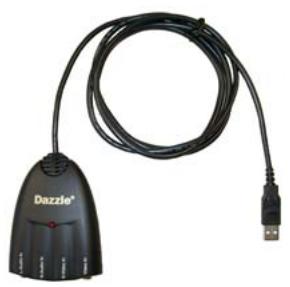
DVC 90
Dazzle DVC 90
Quick Start Guide
Pinnacle Studio QuickStart and "Content" disks
If any parts are missing, please contact your retailer.
Install DVC 90
- Insert the software installation CD.
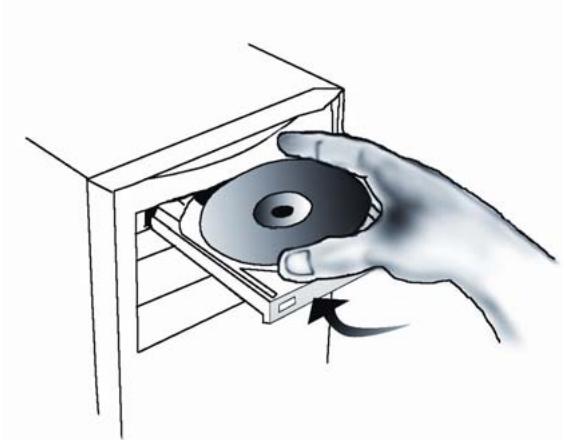
- Follow the on-screen instructions as prompted to install the software.
- Connect the Digital Video Creator 90 to the computer's USB 2.0 port.
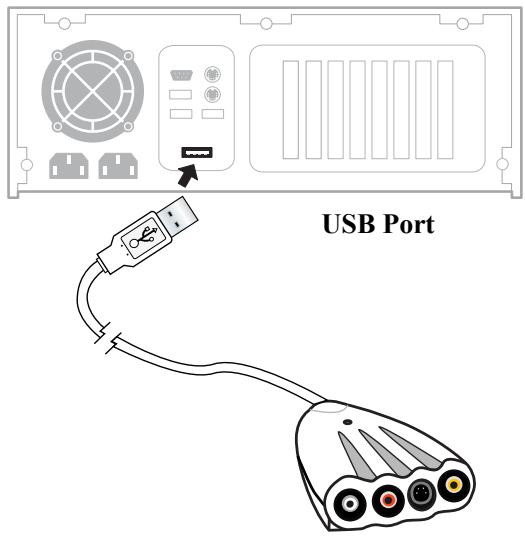
-
If the Windows Add New Hardware dialog box appears, follow the on-screen prompts.
-
Connect the outputs from your capture source to the inputs on the DVC 90 hardware.
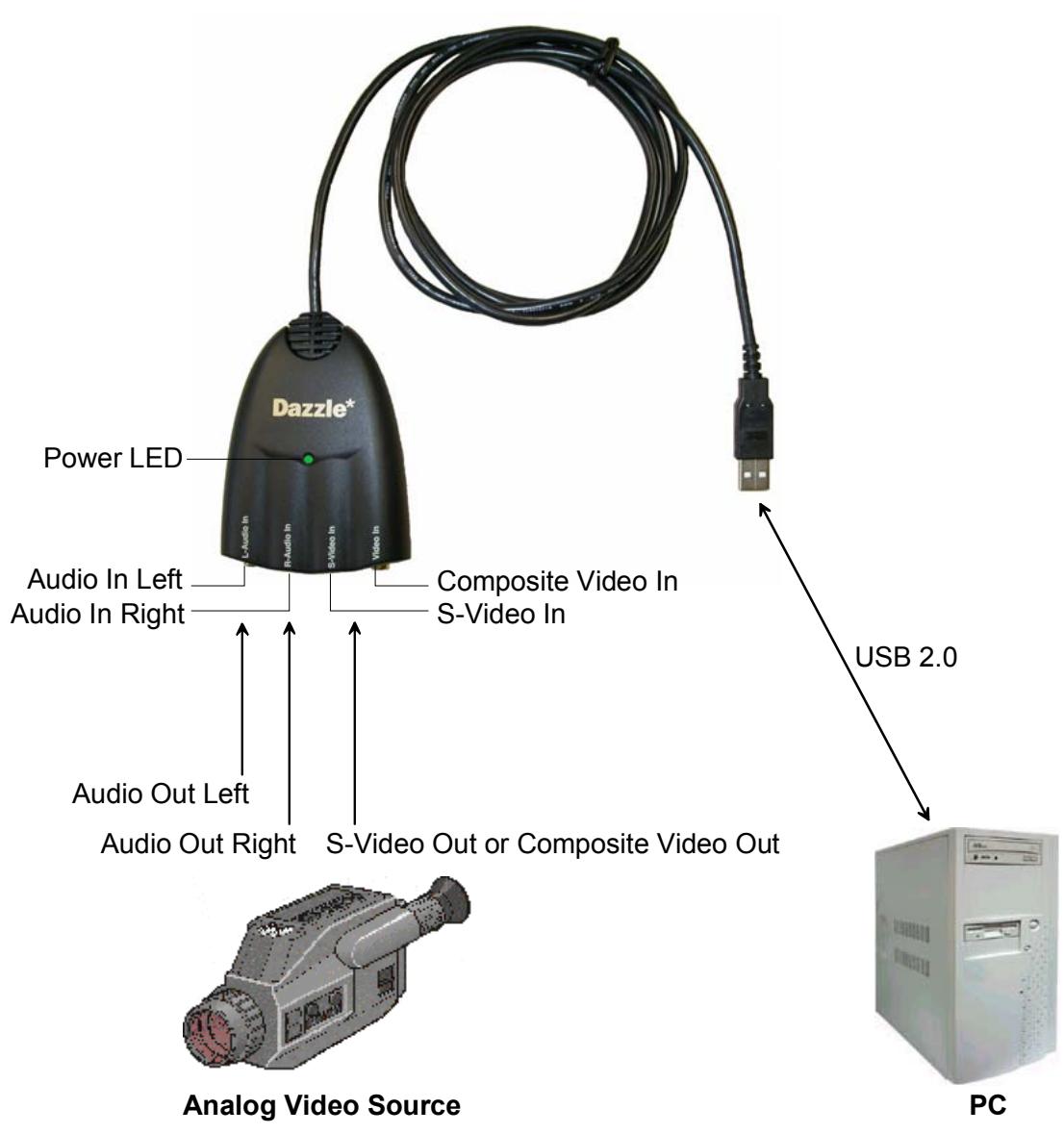
- To learn how to edit your first video, launch the Studio QuickStart software and select View Guided Tour.
Dazzle
Digital Video Creator90
KURZANLEITUNG

Bevor Sie beginnen

Brand : PINNACLE
Model : DAZZLE DIGITAL VIDEO CREATOR 90
Category : Video capture card