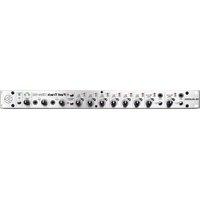
MicroTrack II - Audio recorder PINNACLE - Free user manual and instructions
Find the device manual for free MicroTrack II PINNACLE in PDF.


Pick your language and provide your email: we'll send you a specifically translated version.
| Brand | Pinnacle |
| Model | MicroTrack II |
| Product Type | Portable Digital Audio Recorder |
| Dimensions | 4.5 x 2.5 x 1.2 inches |
| Weight | 6 oz (170 g) with batteries |
| Power Source | 2 AA batteries (NiMH or alkaline) or 5V DC adapter |
| Recording Media | CompactFlash Type II, Microdrive up to 1 GB |
| Audio Formats | MP3, WAV, AIFF |
| Sampling Rates | 16, 22.05, 32, 44.1, 48 kHz |
| Bit Depth | 16-bit |
| Inputs | 2 XLR/1/4" combo, 1/8" line in, coaxial digital in |
| Outputs | 1/8" line out, 1/8" headphone out |
| Display | Backlit LCD |
| Recording Time | ~20 hours with 1 GB at 128 kbps MP3 |
| Functions | Record, Play, Pause, Stop, Track Marking, Variable Speed Playback |
| Maintenance | Keep dry; clean with a soft, dry cloth; avoid magnetic fields and extreme temperatures |
| Safety | Do not expose to moisture; use only specified batteries and adapter; replace batteries immediately if leaking |
| Spare Parts | AC adapter, battery compartment cover, protective case |
| Reparability | Not user-serviceable; contact Pinnacle authorized service center |
Frequently Asked Questions - MicroTrack II PINNACLE
What recording formats does the MicroTrack II support?
The MicroTrack II supports MP3, WAV, and AIFF formats. MP3 is best for long recordings, while WAV/AIFF offer uncompressed quality.
Can I use external microphones with the MicroTrack II?
Yes, it features two XLR/1/4" combo inputs for professional microphones, as well as a 1/8" line input for consumer mics. Phantom power is not built-in, so use self-powered or battery-powered mics.
How do I transfer files from the MicroTrack II to my computer?
Connect the recorder to your computer via USB. The CompactFlash card will appear as a removable drive, allowing you to drag and drop files. Alternatively, remove the card and use a card reader.
What type of batteries does the MicroTrack II use, and how long do they last?
It uses 2 AA batteries (alkaline or NiMH). Recording time varies: approximately 2-3 hours with alkaline, or 4-5 hours with high-capacity NiMH batteries.
How do I update the firmware on the MicroTrack II?
Download the latest firmware from the Pinnacle website. Place the firmware file on a CompactFlash card, insert into the recorder, then power on while holding the Play button. Follow on-screen prompts.
What is the maximum storage capacity supported?
The MicroTrack II supports CompactFlash Type II cards up to 1 GB and Microdrives of the same capacity. Larger cards may not be recognized.
Can I record directly from another audio device?
Yes, use the line input (1/8" stereo) or the digital coaxial input to record from CD players, mixers, or other audio sources. Adjust input level to avoid clipping.
How do I clean and maintain the MicroTrack II?
Turn off and remove batteries. Wipe the exterior with a soft, dry cloth. Avoid solvents or abrasive cleaners. Keep the card slot free of dust. Store in a dry environment.
What should I do if the device freezes or won't power on?
Remove the batteries and unplug any power source. Wait 30 seconds, then reinsert batteries. If still frozen, press the Reset button (small pinhole) using a paperclip. Refer to manual for further steps.
Is the MicroTrack II compatible with Mac and PC?
Yes, it appears as a mass storage device on both Windows (2000/XP/Vista) and Mac OS X (10.3+). No drivers are required for basic file transfer.
User questions about MicroTrack II PINNACLE
0 question about this device. Answer the ones you know or ask your own.
Ask a new question about this device
No questions yet. Be the first to ask one.
Download the instructions for your Audio recorder in PDF format for free! Find your manual MicroTrack II - PINNACLE and take your electronic device back in hand. On this page are published all the documents necessary for the use of your device. MicroTrack II by PINNACLE.
USER MANUAL MicroTrack II PINNACLE




Manual assistant
Powered by Anthropic
Waiting for your message
Product information
Brand : PINNACLE
Model : MicroTrack II
Category : Audio recorder