Delta 1010 - Audio recorder PINNACLE - Free user manual and instructions
Find the device manual for free Delta 1010 PINNACLE in PDF.


Pick your language and provide your email: we'll send you a specifically translated version.
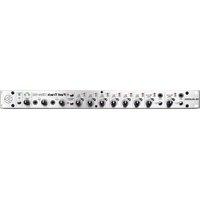
| Product Type | Digital audio recorder / PCI audio interface |
| Model | Delta 1010 |
| Brand | Pinnacle |
| Host Interface | PCI card |
| Analog Input Channels | 8 (balanced 1/4" TRS) |
| Analog Output Channels | 8 (balanced 1/4" TRS) |
| Digital I/O | 2 channels S/PDIF (RCA) |
| MIDI Interface | 1 MIDI In and 1 MIDI Out |
| Maximum Sample Rate | 96 kHz |
| Bit Depth | 24-bit audio conversion |
| Dimensions (Main Unit) | 483 × 156 × 44 mm |
| Weight (Main Unit) | 2.6 kg |
| Power Supply | External 9V AC adapter |
| Compatibility | Windows and Mac OS (with dedicated drivers) |
| Drivers | ASIO, WDM, MME, Core Audio (depending on OS) |
| Maintenance | Wipe with a soft, dry cloth; do not use solvents |
| Safety | Keep away from moisture and heat; disconnect during storms |
| Spare Parts | Power adapter and MIDI cables are available as accessories |
| Repairability | No user-serviceable components; contact qualified technicians |
Frequently Asked Questions - Delta 1010 PINNACLE
How do I install the Delta 1010 on my computer?
To install your Delta 1010, insert the PCI card into an available slot, attach the interface cable to the breakout box, and connect the external 9V power adapter. After powering on your computer, install the dedicated drivers from the included CD or download them from the manufacturer's website. The device will then be recognized as an audio interface in your DAW.
Does the Delta 1010 work with Windows 10 or 11?
The Delta 1010 was designed for older Windows systems, but it may still work on Windows 10 and 11 if you install compatible legacy drivers. Microsoft has removed some older driver support, so you may need to use the wave-extensible or ASIO drivers provided by the manufacturer. On modern Macs with Apple Silicon, compatibility is not guaranteed.
What is the maximum sample rate and bit depth?
The Delta 1010 supports up to 96 kHz sample rate with 24-bit audio conversion. This makes it suitable for high-resolution recording sessions. Lower sample rates like 44.1 kHz and 48 kHz are also available.
Can I use the Delta 1010 for live monitoring without a computer?
No, the Delta 1010 is not a standalone mixer; it requires a computer to route audio. However, the breakout box includes line-level outputs that can be connected to an external mixer for zero-latency monitoring during recording sessions if you configure your software properly.
How many simultaneous inputs and outputs does it handle?
The Delta 1010 provides 8 analog inputs and 8 analog outputs, plus 2 channels of digital S/PDIF for additional routing. That gives you a total of 10 input channels and 10 output channels at the same time.
What type of cables do I need for the analog connections?
Analog inputs and outputs are on balanced 1/4" TRS jacks. Use TRS cables for balanced connections to reduce noise, or TS cables if your equipment only supports unbalanced. This is essential for maintaining signal integrity over longer cable runs.
Why is there latency when recording, and how can I minimize it?
Latency is the delay between input and output in digital audio. To reduce it, install the ASIO driver and adjust the buffer size in your DAW settings to a lower value, such as 64 or 128 samples. A smaller buffer decreases latency but increases CPU load, so find a balance that works stably.
How do I set up the S/PDIF digital input/output?
Connect your external digital device, such as a CD player or effects unit, to the RCA S/PDIF connectors. In your audio software, select S/PDIF In or S/PDIF Out as the clock source or routing destination. Ensure both devices are synchronized to the same sample rate to avoid clock jitter.
How should I clean and maintain the Delta 1010?
For maintenance, switch off the unit and unplug the power adapter. Wipe the external surfaces with a soft, dry cloth. Never use liquid cleaners or compressed air on the circuit board. Inspect cables for damage and replace worn items to prevent crackling sounds.
Is the Delta 1010 still supported with new driver updates?
Support for the Delta 1010 has largely transitioned to legacy status. The manufacturer may not issue new drivers, but you can find community-maintained drivers and older versions from the official website. Always use an OS version that matches the driver compatibility for stable operation.
User questions about Delta 1010 PINNACLE
0 question about this device. Answer the ones you know or ask your own.
Ask a new question about this device
No questions yet. Be the first to ask one.
Download the instructions for your Audio recorder in PDF format for free! Find your manual Delta 1010 - PINNACLE and take your electronic device back in hand. On this page are published all the documents necessary for the use of your device. Delta 1010 by PINNACLE.
USER MANUAL Delta 1010 PINNACLE



Manual assistant
Powered by Anthropic
Waiting for your message
Product information
Brand : PINNACLE
Model : Delta 1010
Category : Audio recorder