X109D - Gps ALPINE - Free user manual and instructions
Find the device manual for free X109D ALPINE in PDF.


Pick your language and provide your email: we'll send you a specifically translated version.
| Product Type | GPS Navigation System |
| Brand | Alpine |
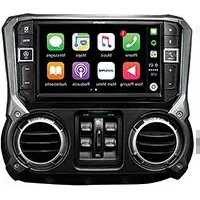
| Model | X109D |
| Display Size | 6.2 inches (diagonal) |
| Display Resolution | 800 x 480 pixels |
| Touchscreen | Yes, resistive |
| Internal Memory | 4 GB |
| Memory Expansion | microSD card slot up to 32 GB |
| GPS Chipset | SiRF Star III |
| Battery Type | Lithium-ion rechargeable |
| Battery Life | Up to 6 hours |
| Power Supply | 12V car adapter (included) |
| Dimensions (W x H x D) | 165 x 95 x 18 mm |
| Weight | 280 g |
| Main Functions | Turn-by-turn navigation, Points of Interest, Route planning, Speed camera alerts, Lane guidance |
| Maps Included | Preloaded maps of North America |
| Traffic Support | FM TMC traffic receiver |
| Audio Output | Built-in speaker, 3.5mm headphone jack |
| Connectivity | USB 2.0 |
| Mounting | Windshield suction cup mount |
| Languages Supported | English, French, Spanish, German, Italian |
| Cleaning | Wipe with a soft, dry cloth; do not use liquids |
| Spare Parts | Contact Alpine customer service for replacement mounts, chargers |
| Repairability | Battery and screen are not user-serviceable; professional service required |
Frequently Asked Questions - X109D ALPINE
How do I update the maps on my Alpine X109D?
Connect the device to a PC via USB, download the Alpine Map Updater software from the official website, and follow the on-screen instructions. Ensure you have a microSD card inserted if additional space is needed.
Why is my GPS not acquiring a satellite signal?
Make sure you are outdoors with a clear view of the sky. Restart the device and wait up to 10 minutes for initial acquisition. If the problem persists, check if the GPS antenna is unobstructed.
How can I reset the Alpine X109D to factory settings?
Go to Settings > System > Factory Reset. Confirm the reset. The device will erase all personal data and restore default settings. A backup of favorites is recommended beforehand.
Can I use the X109D without a car charger?
The device has an internal battery that lasts up to 6 hours. You can use it as a portable GPS, but for extended use or while driving, plugging it into the 12V car adapter is recommended to avoid battery drain.
How do I install the X109D on my windshield?
Clean the windshield area, press the suction cup mount firmly onto the glass, and lock the lever. Attach the device to the mount until it clicks. Adjust the angle for optimal viewing.
What should I do if the touchscreen is unresponsive?
Try a soft reset by holding the power button for 10 seconds. If the issue continues, calibrate the screen via Settings > Display > Touch Calibration. Keep the screen clean and dry.
How do I add custom Points of Interest (POIs)?
Use the Alpine POI Manager software on your PC to create or download POI files (.csv, .ov2). Transfer them to the 'POI' folder on the device or microSD card via USB.
Can I get traffic updates on the X109D?
Yes, the device supports FM TMC traffic. Connect the included TMC traffic receiver cable to the device and the car's antenna. Enable traffic in navigation settings to receive real-time updates.
Why is the battery draining quickly?
Backlight brightness and continuous GPS usage drain battery faster. Reduce brightness in Settings > Display. If the battery no longer holds charge, contact Alpine support for replacement options.
How do I clean the X109D screen?
Turn off the device and disconnect all cables. Wipe the screen gently with a soft, lint-free microfiber cloth. Do not use abrasive cleaners, sprays, or liquids that may damage the touchscreen.
User questions about X109D ALPINE
0 question about this device. Answer the ones you know or ask your own.
Ask a new question about this device
No questions yet. Be the first to ask one.
Download the instructions for your Gps in PDF format for free! Find your manual X109D - ALPINE and take your electronic device back in hand. On this page are published all the documents necessary for the use of your device. X109D by ALPINE.
USER MANUAL X109D ALPINE

Manual assistant
Powered by Anthropic
Waiting for your message
Product information
Brand : ALPINE
Model : X109D
Category : Gps