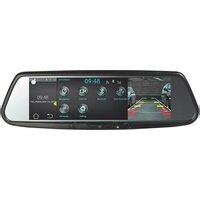
Gentex ADVGENFLCHLN - Dashboard camera AUDIOVOX - Free user manual and instructions
Find the device manual for free Gentex ADVGENFLCHLN AUDIOVOX in PDF.


Pick your language and provide your email: we'll send you a specifically translated version.
| Product Type | Dashboard Camera |
| Brand | Audiovox |
| Model | Gentex ADVGENFLCHLN |
| Dimensions (WxHxD) | 60 x 50 x 30 mm |
| Weight | ~50 g |
| Power Supply | 5V DC via USB cable |
| Video Resolution | 1920x1080p Full HD @ 30fps |
| Lens Angle | 120° wide angle |
| Display | 2.0 inch built-in LCD |
| Recording Modes | Loop recording, G-sensor emergency lock, motion detection |
| Night Vision | Infrared LEDs for low light |
| Storage | microSD card up to 32GB (Class 10 recommended) |
| Connectivity | USB 2.0 for data transfer and power |
| Installation | Suction cup mount or adhesive pad for windshield |
| Accessories Included | USB cable, car charger, mounting bracket, user manual |
| Cleaning | Use soft, lint-free cloth; avoid harsh chemicals |
| Operating Temperature | -10°C to 60°C |
| Safety Warnings | Do not obstruct driver's view; keep away from airbags; use only supplied charger |
| Spare Parts / Repairability | Replacement mount and USB cable available; device not user-serviceable |
| General Information | Full HD dashcam with loop recording and G-sensor for incident capture |
Frequently Asked Questions - Gentex ADVGENFLCHLN AUDIOVOX
How do I install the dashboard camera?
Clean your windshield, attach the suction mount or adhesive pad, insert the microSD card, connect the USB power cable to your car's 12V outlet, and secure the camera. Adjust the angle and start the engine to begin recording.
How to format the SD card?
Insert the card, turn on the camera, go to Settings > Format and confirm. Or format on a computer using FAT32 file system. Always back up important footage before formatting.
Does it record automatically when I drive?
Yes, if powered via the car charger, the camera starts recording automatically when the engine is on (if set to auto record). Some models require manual start.
How to enable night vision?
Night vision is automatic. When light levels drop, the IR LEDs turn on to illuminate the scene. Ensure the lens is clean for best results.
What does the G-sensor do?
The G-sensor detects sudden impacts or shaking. It locks the current video file so it won't be overwritten by loop recording. Adjust sensitivity in settings.
Can I use a larger SD card, like 64GB or 128GB?
The camera is tested with up to 32GB cards. Larger cards may work if formatted as FAT32 (exFAT not supported), but stability is not guaranteed. Reformat to FAT32 using third-party tools.
How to view recorded videos?
On the camera’s playback mode, use the buttons to select and play. Alternatively, connect the camera to a computer via USB and browse the microSD card as a removable drive.
What should I do if the camera freezes or does not respond?
Press the reset button (pinhole) with a paperclip. If that fails, remove the battery (if applicable) or disconnect power, wait 10 seconds, then reconnect. Ensure the SD card is not corrupted.
How to clean the lens?
Use a soft, dry microfiber cloth. For stubborn smudges, slightly dampen the cloth with water or lens cleaner. Avoid abrasive materials or liquid entering the device.
Is the camera waterproof?
No, this camera is not waterproof. Keep it inside the vehicle, away from rain or moisture. Prolonged exposure to water may damage the electronics.
User questions about Gentex ADVGENFLCHLN AUDIOVOX
0 question about this device. Answer the ones you know or ask your own.
Ask a new question about this device
No questions yet. Be the first to ask one.
Download the instructions for your Dashboard camera in PDF format for free! Find your manual Gentex ADVGENFLCHLN - AUDIOVOX and take your electronic device back in hand. On this page are published all the documents necessary for the use of your device. Gentex ADVGENFLCHLN by AUDIOVOX.
USER MANUAL Gentex ADVGENFLCHLN AUDIOVOX


Manual assistant
Powered by Anthropic
Waiting for your message
Product information
Brand : AUDIOVOX
Model : Gentex ADVGENFLCHLN
Category : Dashboard camera