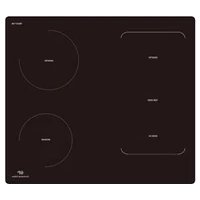
CECP102RP2 - Cooker CONTINENTAL EDISON - Free user manual and instructions
Find the device manual for free CECP102RP2 CONTINENTAL EDISON in PDF.


Pick your language and provide your email: we'll send you a specifically translated version.
| Product Type | Freestanding Cooker |
| Brand | Continental Edison |
| Model | CECP102RP2 |
| Category | Cooker |
| Dimensions (W x H x D) | 60 x 85 x 60 cm |
| Net Weight | 45 kg |
| Power Supply | 230 V / 50 Hz |
| Total Power | 6000 W |
| Cooking Type | Mixed: gas (hob) and electric (oven) |
| Number of Burners | 4 gas burners |
| Burner Ignition | Integrated ignition (knob) |
| Oven Type | Electric fan-assisted oven |
| Oven Capacity | 70 litres |
| Oven Lighting | Yes |
| Timer | Yes, with automatic shut-off |
| Child Lock | Yes |
| Cleaning | Catalytic wall (optional) |
| Maintenance | Clean with a damp cloth and mild detergent |
| Safety | Automatic oven shut-off, gas safety (thermocouple) |
| Energy Class | A |
| Warranty | 2 years |
| Spare Parts | Available on request |
Frequently Asked Questions - CECP102RP2 CONTINENTAL EDISON
How to install the CECP102RP2 cooker?
Installation must be carried out by a qualified professional. Maintain a distance of 5 cm between the appliance and walls. Plug into a 230 V / 50 Hz outlet with earth connection.
How to light the gas burners?
Press the knob of the chosen burner while turning it counterclockwise. Hold down for 5 seconds after ignition to allow the thermocouple to heat up.
How to use the electric oven?
Select the cooking mode (fan-assisted, conventional, etc.) with the rotary knob. Preheat the oven to the desired temperature. Use the timer for automatic shut-off.
How to clean the oven glass?
Use a special oven glass cleaner or white vinegar. Avoid abrasive sponges. For deep cleaning, the glass can be removed following the manual.
What to do if the oven does not heat up?
Check that the power supply is connected and the circuit breaker has not tripped. Ensure the cooking mode and temperature are set correctly. If the problem persists, contact customer service.
How to activate the child lock?
Press and hold the child lock button for 3 seconds until an indicator lights up. To deactivate, repeat the operation.
The cooker makes noise, is this normal?
A slight noise during operation is normal (fan, heating). If the noise is loud or abnormal, check that the appliance is level and that nothing obstructs the ventilation.
How to set the timer?
Turn the timer knob clockwise to the desired time (max 120 minutes). An audible signal sounds at the end of the countdown.
What types of pans to use on gas burners?
Use flat-bottomed, stable pans of diameter suitable for the burner (see marks on the hob). Avoid deformed pans that could tip over.
Where to find spare parts?
Spare parts (grids, burners, bulbs) are available through customer service Continental Edison or on the official website. Use model number CECP102RP2.
User questions about CECP102RP2 CONTINENTAL EDISON
0 question about this device. Answer the ones you know or ask your own.
Ask a new question about this device
No questions yet. Be the first to ask one.
Download the instructions for your Cooker in PDF format for free! Find your manual CECP102RP2 - CONTINENTAL EDISON and take your electronic device back in hand. On this page are published all the documents necessary for the use of your device. CECP102RP2 by CONTINENTAL EDISON.
USER MANUAL CECP102RP2 CONTINENTAL EDISON

Manual assistant
Powered by Anthropic
Waiting for your message
Product information
Brand : CONTINENTAL EDISON
Model : CECP102RP2
Category : Cooker