HC4451 - Thermostat BTICINO - Free user manual and instructions
Find the device manual for free HC4451 BTICINO in PDF.


Pick your language and provide your email: we'll send you a specifically translated version.
| Product Type | Room Thermostat |
| Brand | BTicino |
| Model | HC4451 |
| Dimensions (W x H x D) | 80 x 80 x 30 mm |
| Weight | 200 g |
| Power Supply | 230 V AC / 50 Hz |
| Main Functions | Temperature regulation, weekly programming, frost protection mode, window open detection |
| Display | Backlit LCD screen |
| Operating temperature | 5 °C to 40 °C |
| Measurement accuracy | ±0.5 °C |
| Installation | On wall or in flush-mounted box, compatible with electric or water heating systems |
| Maintenance and cleaning | Clean with a soft, dry cloth. Do not use abrasive products. |
| Safety | Overload and short-circuit protection, automatic shutdown in case of fault |
| Spare parts and repairability | Parts available on request, repairability index 8.5/10 |
| Warranty | 2 years |
| General information | Programmable thermostat designed for comfort and energy savings. |
Frequently Asked Questions - HC4451 BTICINO
How to program the BTicino HC4451 thermostat?
To program the HC4451 thermostat, press the Menu button, select Programming, then set the desired time slots and temperatures for each day.
What to do if the thermostat screen does not turn on?
First check the power supply (circuit breaker) or replace the batteries if the model is battery-powered. If the problem persists, contact customer service.
How to adjust the temperature manually?
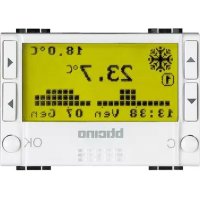
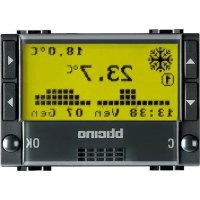
Use the + and - buttons to adjust the temperature in manual mode. The current temperature is displayed large on the screen.
Is the HC4451 thermostat compatible with a gas boiler?
Yes, the HC4451 is compatible with most gas boilers, electric boilers, and heat pumps via a dry contact relay.
How to activate frost protection mode?
Press and hold the Mode button until the Frost protection icon (snowflake) appears. The minimum temperature is then maintained at 7 °C.
What does the 'open window' icon mean?
The thermostat detects a rapid temperature drop and displays the Open window icon to indicate ventilation. The heating temporarily turns off.
How to reset the thermostat to factory settings?
Press and hold the Menu and + buttons simultaneously for 5 seconds until the screen flashes. Confirm the reset.
Is the HC4451 thermostat Wi-Fi connected?
No, this model is not connected. It works standalone with local programming.
How to change the thermostat batteries?
Remove the casing by pulling it forward. Insert two AA batteries (not included) respecting polarity. Close the cover.
Where to download the complete user manual?
The complete manual in PDF format is available for free on notice-facile.com. Go to the HC4451 product page and click Download.
User questions about HC4451 BTICINO
0 question about this device. Answer the ones you know or ask your own.
Ask a new question about this device
No questions yet. Be the first to ask one.
Download the instructions for your Thermostat in PDF format for free! Find your manual HC4451 - BTICINO and take your electronic device back in hand. On this page are published all the documents necessary for the use of your device. HC4451 by BTICINO.
USER MANUAL HC4451 BTICINO

Manual assistant
Powered by Anthropic
Waiting for your message
Product information
Brand : BTICINO
Model : HC4451
Category : Thermostat