HS4451 - Thermostat BTICINO - Free user manual and instructions
Find the device manual for free HS4451 BTICINO in PDF.


Pick your language and provide your email: we'll send you a specifically translated version.
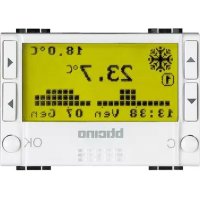
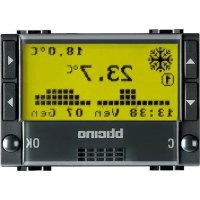
| Product type | Programmable room thermostat |
| Brand | BTicino |
| Model | HS4451 |
| Power supply | 220-240 V AC, 50/60 Hz |
| Maximum power | 16 A (resistive load) |
| Dimensions (H x W x D) | 85 x 85 x 25 mm |
| Weight | 150 g |
| Display | Backlit LCD screen |
| Temperature range | 5 °C to 35 °C |
| Accuracy | ±0.5 °C |
| Programming | Daily and weekly (up to 6 periods per day) |
| Main functions | Heating, cooling, frost protection, holiday mode |
| Connection | Wired (2-wire terminal) |
| Compatibility | Boiler, heat pump, underfloor heating |
| Protection rating | IP20 |
| Energy class | Class IV (contribution to energy efficiency) |
| Care and cleaning | Clean with a soft dry cloth. Do not use solvents. |
| Safety | Frost protection function (5 °C), child lock, overheat protection |
| Spare parts and repairability | Available from the manufacturer. Estimated lifespan: 10 years. |
| General information | Complies with CE standards. Professional installation recommended. |
Frequently Asked Questions - HS4451 BTICINO
How to install the BTicino HS4451 thermostat?
Installation must be carried out by a qualified professional. Fix the thermostat on an interior wall, about 1.5 m from the floor, away from drafts. Connect the wires according to the diagram provided in the manual.
How to program the heating time schedules?
Press the Menu button to access settings. Select Programming then set the periods (day/night) and desired temperatures for each day.
What to do if the screen shows nothing?
Check that the power supply is present (up to 240 V). If the screen remains off, turn off the power and check the wiring. If in doubt, contact an electrician.
The thermostat is not heating enough, how to adjust?
Increase the set temperature using the + and - buttons. Check that the operating mode is set to Heating and that the programming is not in Frost protection or Holiday mode.
How to activate frost protection mode?
Press and hold the Menu button for 3 seconds. Select Frost protection using the navigation buttons. The thermostat then maintains a minimum temperature of 5 °C to prevent freezing.
Is the HS4451 thermostat compatible with a heat pump?
Yes, it is compatible with heat pumps, boilers, and underfloor heating. Make sure to select the correct system type in the settings (menu Configuration).
How to lock the keypad to prevent changes?
Press and hold the + and - buttons simultaneously for 3 seconds. A padlock symbol appears on the screen. Repeat to unlock.
What does the 'low battery' symbol mean?
This symbol appears if the backup batteries (if present) are low. Replace them with two new AAA batteries. Note that the thermostat mainly operates on mains power.
How to reset the thermostat to factory settings?
Access the Settings menu then select Reset. Confirm with the OK button. All programming will be erased.
The thermostat displays 'Err', what to do?
An error code indicates a malfunction. Turn off the thermostat for 1 minute via the circuit breaker, then turn it back on. If the error persists, contact BTicino customer service.
User questions about HS4451 BTICINO
0 question about this device. Answer the ones you know or ask your own.
Ask a new question about this device
No questions yet. Be the first to ask one.
Download the instructions for your Thermostat in PDF format for free! Find your manual HS4451 - BTICINO and take your electronic device back in hand. On this page are published all the documents necessary for the use of your device. HS4451 by BTICINO.
USER MANUAL HS4451 BTICINO

Manual assistant
Powered by Anthropic
Waiting for your message
Product information
Brand : BTICINO
Model : HS4451
Category : Thermostat