SPK-86 - Soundbar Seura - Free user manual and instructions
Find the device manual for free SPK-86 Seura in PDF.


Pick your language and provide your email: we'll send you a specifically translated version.
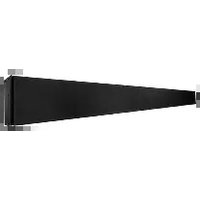
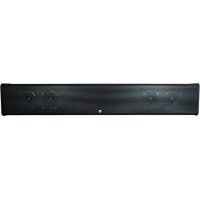
| Product Type | Soundbar |
| Brand | Seura |
| Model | SPK-86 |
| Color | Black |
| Dimensions (W x H x D) | 1000 x 60 x 80 mm |
| Weight | 2.5 kg |
| Power Supply | AC 100-240V, 50/60Hz |
| Total Power Output | 80 W RMS |
| Audio Channels | 2.0 |
| Connectivity | Bluetooth 5.0, Optical, AUX, USB |
| Bluetooth Version | 5.0 |
| Supported Audio Formats | MP3, WMA, WAV |
| Remote Control | Included (battery CR2025) |
| Wall Mountable | Yes (brackets included) |
| Frequency Range | 20 Hz - 20 kHz |
| Operating Temperature | 0°C to 40°C |
| Storage Temperature | -20°C to 60°C |
| Compliance | CE, RoHS |
| Package Contents | Soundbar, remote, batteries, optical cable, AUX cable, wall mount kit, manual |
| Cleaning Instructions | Wipe with a dry, soft cloth. Do not use liquid cleaners. |
| Safety Warnings | Do not expose to moisture or extreme temperatures. Unplug during lightning storms. |
Frequently Asked Questions - SPK-86 Seura
How do I pair my Seura SPK-86 soundbar with a Bluetooth device?
Press the Source button on the remote or soundbar until Bluetooth is selected. On your device, search for 'SPK-86' and select it. If a PIN is required, enter 0000.
Can I control the soundbar with my TV remote?
Yes, if your TV supports HDMI ARC or optical connection with CEC. Connect via HDMI ARC and enable CEC on your TV to use its remote for volume control.
What should I do if the soundbar does not turn on?
Check that the power cord is securely connected to both the soundbar and a working outlet. Press the Power button on the remote or soundbar. If still off, try a different outlet or contact support.
How do I reset the Seura SPK-86 to factory settings?
With the soundbar on, press and hold the Volume Down and Source buttons simultaneously for about 5 seconds until you hear a beep. The soundbar will restart.
Why is there no sound from the soundbar?
Ensure the correct input source is selected (e.g., Bluetooth, Optical, AUX). Check that the volume is not muted and is turned up. Verify cables are properly connected.
Can I mount the soundbar on the wall?
Yes, the SPK-86 includes a wall mount kit. Attach the brackets to the soundbar, mark the holes on the wall, drill, and secure with provided screws. Ensure the wall can support the weight.
How do I clean the soundbar?
Unplug the soundbar. Use a soft, dry cloth to wipe the exterior. Do not use any liquids, sprays, or abrasive cleaners that could damage the finish.
What is the maximum Bluetooth range?
The Bluetooth range is approximately 10 meters (33 feet) in open line-of-sight. Walls or obstacles may reduce the range.
Does the soundbar support Dolby Atmos?
No, the Seura SPK-86 is a 2.0 channel soundbar and does not support Dolby Atmos. It provides standard stereo sound enhancement.
Can I use the USB port to play music?
Yes. Insert a USB flash drive with MP3, WMA, or WAV files. Press Source to select USB mode. Use the remote to navigate and play tracks.
User questions about SPK-86 Seura
0 question about this device. Answer the ones you know or ask your own.
Ask a new question about this device
No questions yet. Be the first to ask one.
Download the instructions for your Soundbar in PDF format for free! Find your manual SPK-86 - Seura and take your electronic device back in hand. On this page are published all the documents necessary for the use of your device. SPK-86 by Seura.
USER MANUAL SPK-86 Seura


Manual assistant
Powered by Anthropic
Waiting for your message
Product information
Brand : Seura
Model : SPK-86
Category : Soundbar