
SPK-55 - Soundbar Seura - Free user manual and instructions
Find the device manual for free SPK-55 Seura in PDF.


Pick your language and provide your email: we'll send you a specifically translated version.
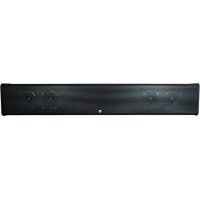
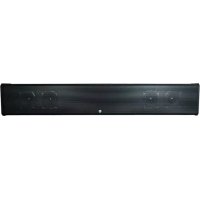
| Product Type | Soundbar |
| Brand | Seura |
| Model | SPK-55 |
| Dimensions (W x H x D) | 1000 x 80 x 120 mm |
| Weight | 3.2 kg |
| Power Supply | AC 100-240V, 50/60 Hz |
| Power Consumption | 35 W (typical) |
| Speaker Configuration | 2.0 channels |
| Total Output Power | 60 W RMS |
| Frequency Response | 80 Hz - 20 kHz |
| Connectivity | Bluetooth 5.0, HDMI ARC, Optical, AUX |
| Bluetooth Range | Up to 10 meters |
| Remote Control | Included (battery: CR2032) |
| Wall Mountable | Yes (brackets included) |
| Cleaning Instructions | Wipe with a dry, soft cloth. Do not use solvents. |
| Safety | Do not expose to moisture. Keep away from heat sources. |
| Repairability | Contact Seura support for spare parts. Do not disassemble. |
| Warranty | 1 year |
Frequently Asked Questions - SPK-55 Seura
How do I connect the soundbar to my TV?
You can connect via HDMI ARC, optical cable, or AUX. For best audio quality, use HDMI ARC.
Can I pair my phone via Bluetooth?
Yes, enable Bluetooth on your phone and select Seura SPK-55 from the list. The pairing range is up to 10 meters.
How do I control the volume?
Use the remote control or the volume buttons on the soundbar. You can also control volume via your TV remote if connected via HDMI ARC.
What do I do if there is no sound?
Check that the soundbar is powered on and the correct input is selected. Ensure the TV audio output is set to external speakers or ARC.
How do I reset the soundbar?
Press and hold the Power button for 10 seconds until the LED flashes. This will restore factory settings.
Can I mount the soundbar on the wall?
Yes, the soundbar includes wall-mount brackets. Follow the installation guide in the manual to ensure secure mounting.
How do I clean the soundbar?
Unplug the device and wipe the surface with a dry, soft cloth. Do not use liquid cleaners or abrasive materials.
What is the power consumption in standby mode?
The soundbar consumes less than 0.5 W in standby mode.
How do I update the firmware?
Firmware updates are typically done via USB. Check the official Seura website for latest firmware and instructions.
The remote is not working. What should I do?
Replace the battery with a CR2032 coin cell. Ensure you are pointing at the soundbar's IR sensor. If still not working, try resetting the device.
User questions about SPK-55 Seura
0 question about this device. Answer the ones you know or ask your own.
Ask a new question about this device
No questions yet. Be the first to ask one.
Download the instructions for your Soundbar in PDF format for free! Find your manual SPK-55 - Seura and take your electronic device back in hand. On this page are published all the documents necessary for the use of your device. SPK-55 by Seura.
USER MANUAL SPK-55 Seura
Manual assistant
Powered by Anthropic
Waiting for your message
Product information
Brand : Seura
Model : SPK-55
Category : Soundbar