SPK-65 - Soundbar Seura - Free user manual and instructions
Find the device manual for free SPK-65 Seura in PDF.


Pick your language and provide your email: we'll send you a specifically translated version.
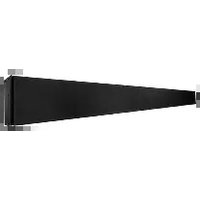
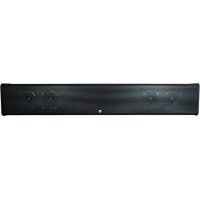
| Product Type | Soundbar |
| Brand | Seura |
| Model | SPK-65 |
| Dimensions (W x H x D) | Approx. 1000 x 65 x 90 mm |
| Weight | Approx. 2.5 kg |
| Power Supply | AC 100-240 V, 50/60 Hz |
| Power Consumption | 30 W (standby < 0.5 W) |
| Audio Channels | 2.0 |
| Total Output Power | 60 W RMS |
| Connectivity | Bluetooth 5.0, Optical, HDMI ARC, AUX, USB |
| Remote Control | Included |
| Wall Mountable | Yes (brackets included) |
| Frequency Response | 50 Hz – 20 kHz |
| Driver Units | 2 x 55 mm full-range speakers |
| Preset Sound Modes | Movie, Music, Voice, Night |
| Standby Mode | Automatic after 10 min inactivity |
| Cleaning Instructions | Wipe with a soft, dry cloth; avoid liquids |
| Safety Warning | Do not expose to rain or moisture; use only supplied power cord |
| Spare Parts Availability | Remote control and power adapter available from Seura customer service |
| Warranty | 1 year limited warranty |
Frequently Asked Questions - SPK-65 Seura
How do I connect my Seura SPK-65 soundbar to my TV?
You can connect via Bluetooth, optical cable, or HDMI ARC. For best audio quality, use HDMI ARC if your TV supports it. Simply plug in the cables and select the correct input on the soundbar.
Can I control the soundbar with my TV remote?
Yes, if you use HDMI ARC or optical connection, the soundbar can respond to your TV remote for volume and power. Enable HDMI-CEC on your TV settings.
How do I pair my phone via Bluetooth?
Press the Bluetooth button on the remote or soundbar until the indicator flashes. On your phone, select Seura SPK-65 from the Bluetooth list. Once paired, the indicator will stop flashing.
Why is there no sound from the soundbar?
Check that the soundbar is powered on, the volume is up, and the correct input is selected. Ensure the TV audio output is set to external speakers. Also, verify cables are securely connected.
How do I reset the soundbar to factory settings?
With the soundbar on, press and hold the Bluetooth button on the remote for about 10 seconds until the indicator turns off and on again. The device will reboot with default settings.
Can I mount the soundbar on the wall?
Yes, the SPK-65 comes with wall-mounting brackets. Attach the brackets to the back of the soundbar, mark the wall holes, drill and insert anchors, then secure the brackets with screws.
What sound modes are available?
The soundbar offers Movie, Music, Voice, and Night modes. Cycle through them using the Sound Mode button on the remote. Night mode reduces bass for quieter listening.
How do I clean the soundbar?
Unplug the soundbar and wipe the exterior with a soft, dry cloth. Do not use any liquids or harsh chemicals, as they may damage the finish or electronics.
Is the soundbar compatible with a subwoofer?
The SPK-65 is a 2.0 channel soundbar and does not have a dedicated subwoofer output. However, it has built-in bass enhancement and can be paired with a separate wireless subwoofer if supported via Bluetooth, but this is not officially listed as a feature.
What is the standby power consumption?
In standby mode, the soundbar consumes less than 0.5 W. It automatically enters standby after approximately 10 minutes of inactivity.
User questions about SPK-65 Seura
0 question about this device. Answer the ones you know or ask your own.
Ask a new question about this device
No questions yet. Be the first to ask one.
Download the instructions for your Soundbar in PDF format for free! Find your manual SPK-65 - Seura and take your electronic device back in hand. On this page are published all the documents necessary for the use of your device. SPK-65 by Seura.
USER MANUAL SPK-65 Seura


Manual assistant
Powered by Anthropic
Waiting for your message
Product information
Brand : Seura
Model : SPK-65
Category : Soundbar