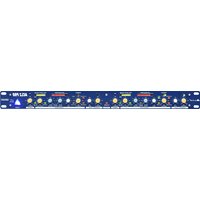
DIGAN 2.7 - Processor ALTO - Free user manual and instructions
Find the device manual for free DIGAN 2.7 ALTO in PDF.


Pick your language and provide your email: we'll send you a specifically translated version.
| Product Type | Digital Audio Processor (DSP) |
| Model | DIGAN 2.7 |
| Brand | ALTO |
| Dimensions (W x H x D) | 482 x 44 x 200 mm (19" rack mount, 1U) |
| Weight | 2.5 kg |
| Power Supply | 100-240 VAC, 50/60 Hz, 20 W |
| Audio Inputs | 2x XLR balanced, 2x RCA unbalanced |
| Audio Outputs | 2x XLR balanced, 2x RCA unbalanced |
| Sample Rate | 48 kHz / 24-bit |
| Frequency Response | 20 Hz - 20 kHz (±0.5 dB) |
| Signal-to-Noise Ratio | > 110 dB (A-weighted) |
| Total Harmonic Distortion | < 0.005% @ 1 kHz |
| DSP Processing | EQ, crossover, delay, compression, limiting |
| Controls | Front panel knobs, LCD display, USB for PC control |
| Connectors | Ethernet, USB, RS-232, GPI/O |
| Rack Mountable | Yes, 1U |
| Operating Temperature | 0°C to 40°C |
| Storage Temperature | -20°C to 60°C |
| Certifications | CE, RoHS |
| Included Accessories | Power cable, USB cable, rack ears, user manual |
| Maintenance | Keep dry, clean with soft cloth, no solvents |
| Safety | Do not expose to rain or moisture, use grounded outlet |
| Spare Parts | Power supply, fan, knobs (contact support) |
| Reparability | Serviceable by qualified technician, parts available |
Frequently Asked Questions - DIGAN 2.7 ALTO
How do I connect the DIGAN 2.7 to my mixer?
Use balanced XLR cables from your mixer's outputs to the processor's inputs. Ensure the processor is powered off during connections to avoid pops.
Can I control the DIGAN 2.7 via computer?
Yes, connect via USB and use the provided software for full DSP control including EQ and crossover settings.
What is the default password for the web interface?
The default IP address is 192.168.1.100 and the login credentials are 'admin' for both username and password (lowercase). Change it for security.
How do I reset the DIGAN 2.7 to factory settings?
Press and hold the 'Preset' button while powering on the unit until the display shows 'Factory Reset'. Release the button.
What is the maximum input level?
The maximum input level is +20 dBu. Exceeding this may cause clipping or damage.
Can I use the DIGAN 2.7 as a crossover for my speakers?
Yes, the DSP provides configurable crossover filters (Butterworth, Linkwitz-Riley) up to 24 dB/octave. Set the frequencies according to your speaker specifications.
Does the unit have a limiter?
Yes, it includes a limiter with adjustable threshold, attack, and release times. It is useful for protecting speakers from overload.
How do I update the firmware?
Download the latest firmware from the ALTO website, connect the processor via USB, and use the update tool in the control software.
My unit has no power, what should I check?
First, verify the power cord is securely connected and the outlet works. Check the fuse on the rear panel (IEC socket) and replace if blown (same rating).
Can I store my own presets?
Yes, you can store up to 30 user presets. Save them via the front panel or software. To recall, use the 'Preset' button and turn the encoder.
User questions about DIGAN 2.7 ALTO
0 question about this device. Answer the ones you know or ask your own.
Ask a new question about this device
No questions yet. Be the first to ask one.
Download the instructions for your Processor in PDF format for free! Find your manual DIGAN 2.7 - ALTO and take your electronic device back in hand. On this page are published all the documents necessary for the use of your device. DIGAN 2.7 by ALTO.
USER MANUAL DIGAN 2.7 ALTO
Manual assistant
Powered by Anthropic
Waiting for your message
Product information
Brand : ALTO
Model : DIGAN 2.7
Category : Processor