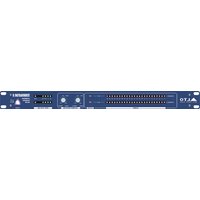
Terminator II - Processor ALTO - Free user manual and instructions
Find the device manual for free Terminator II ALTO in PDF.


Pick your language and provide your email: we'll send you a specifically translated version.
| Product Type | Digital Signal Processor |
| Brand | Alto |
| Model | Terminator II |
| Form Factor | 19-inch rackmount, 1U |
| Dimensions (W x H x D) | 19 x 1.75 x 8 inches (483 x 44 x 203 mm) |
| Weight | 5.5 lbs (2.5 kg) |
| Power Supply | 100-240V AC, 50/60Hz, 20W |
| Sample Rate | 48 kHz / 24-bit |
| Inputs | 2 x XLR-1/4" combo, 2 x RCA |
| Outputs | 2 x XLR, 2 x RCA |
| Audio Functions | Compressor, Limiter, Equalizer, Crossover, Feedback Suppressor |
| Presets | Factory presets for various applications |
| Display | 2-line LCD with backlight |
| Controls | Rotary encoder, push buttons |
| Connectivity | USB for firmware updates and control via software |
| Fan | No fan, passive cooling |
| Operating Temperature | 0°C to 40°C (32°F to 104°F) |
| Cleaning | Wipe with a dry, lint-free cloth. Do not use solvents. |
| Safety | Do not expose to rain or moisture. Use only supplied power cord. |
| Spare Parts & Repairability | No user-serviceable parts inside. Contact qualified service personnel. |
Frequently Asked Questions - Terminator II ALTO
How do I reset the Terminator II to factory defaults?
Press and hold the Preset button while powering on the unit until the display shows 'Factory Reset'. Confirm with the encoder.
Can I use the Terminator II in a live sound setup?
Yes, it is designed for live sound and installation applications, providing feedback suppression, equalization, and dynamics processing.
What is the maximum input level?
The maximum input level is +22 dBu on the XLR/TRS combo inputs.
How do I update the firmware?
Connect the unit to a computer via USB and use the Alto Update Tool software available from the Alto website.
Does the Terminator II have a built-in crossover?
Yes, it includes a 2-way crossover with adjustable frequency and slope.
Can I save my own presets?
Yes, you can save up to 50 user presets in addition to the 50 factory presets.
What type of power supply does it use?
It uses an internal switching power supply that accepts 100-240V AC, 50/60Hz.
How do I connect the Terminator II to a mixer?
Use balanced XLR or 1/4' TRS cables from the mixer's outputs to the Terminator II's inputs, and from its outputs to the amplifier or speakers.
Is the Terminator II rack-mountable?
Yes, it is 1U rack height and comes with rack ears for standard 19-inch racks.
What should I do if the unit does not power on?
Check the power cord connection, ensure the outlet is working, and verify the power switch is on. If it still doesn't power on, contact Alto support.
User questions about Terminator II ALTO
0 question about this device. Answer the ones you know or ask your own.
Ask a new question about this device
No questions yet. Be the first to ask one.
Download the instructions for your Processor in PDF format for free! Find your manual Terminator II - ALTO and take your electronic device back in hand. On this page are published all the documents necessary for the use of your device. Terminator II by ALTO.
USER MANUAL Terminator II ALTO
Manual assistant
Powered by Anthropic
Waiting for your message
Product information
Brand : ALTO
Model : Terminator II
Category : Processor