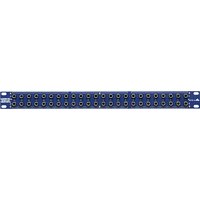
PATCH.B - Processor ALTO - Free user manual and instructions
Find the device manual for free PATCH.B ALTO in PDF.


Pick your language and provide your email: we'll send you a specifically translated version.
| Product Type | Audio Processor |
| Brand | Alto |
| Model | PATCH.B |
| Category | Processor |
| Power Supply | AC 100-240V, 50/60Hz |
| Power Consumption | 15W |
| Dimensions (W x H x D) | 483 mm x 44 mm x 150 mm (19" 1U rackmount) |
| Weight | 2.5 kg |
| Input Connectors | 2 x XLR balanced, 2 x 1/4" TRS |
| Output Connectors | 2 x XLR balanced, 2 x 1/4" TRS |
| Sampling Rate | 48 kHz / 24-bit |
| Frequency Response | 20 Hz - 20 kHz, ±0.5 dB |
| Dynamic Range | 110 dB |
| Processor Type | Digital Signal Processor (DSP) |
| Built-in Effects | EQ, Compression, Reverb, Delay, Chorus |
| Presets | 50 user-definable presets |
| Display | 2-line LCD backlit |
| Controls | Rotary encoders, push buttons |
| Cooling | Fanless design |
| Operating Temperature | 0°C to 40°C |
| Cleaning | Use a dry, soft cloth. Do not use solvents. |
| Safety | Read the manual before use. Do not expose to moisture. |
| Spare Parts & Repairability | Contact authorized service center. No user-serviceable parts inside. |
Frequently Asked Questions - PATCH.B ALTO
How do I connect the Alto PATCH.B processor to my mixer?
Use balanced XLR or 1/4" TRS cables. Connect the output of your mixer to the input of the PATCH.B, and the output of the PATCH.B to the next device or amplifier. Ensure both devices are powered off before connecting.
Can I use the PATCH.B with a guitar?
Yes, but you may need a DI box to convert the guitar's high-impedance signal to a low-impedance balanced signal compatible with the XLR inputs. Alternatively, use the 1/4" TRS inputs which accept line-level signals.
How do I save a preset?
After adjusting the parameters, press the Save button. Use the rotary encoder to select a preset number (1-50), then press Save again to confirm. The preset is stored in non-volatile memory.
What does the 'Bypass' button do?
The Bypass button switches the processed signal out of the audio path, sending the dry input signal directly to the output. This is useful for comparing processed and unprocessed sound during setup.
The PATCH.B is not powering on. What should I check?
First, ensure the power cord is securely connected to the unit and to a working AC outlet. Check the power switch on the rear panel. If it still doesn't power on, the internal fuse may be blown. Refer to the manual for fuse replacement instructions.
How do I reset the PATCH.B to factory settings?
Turn off the unit. Press and hold the Preset and Save buttons simultaneously while turning the power back on. Hold until the display shows 'Factory Reset'. Release the buttons and confirm by pressing Save.
Can I use the PATCH.B in a live performance?
Yes, the PATCH.B is designed for both studio and live use. Its rugged 1U rackmount chassis withstands transport. Ensure it is securely mounted and powered via a reliable AC source.
What is the latency of the processor?
The latency is typically less than 2 ms at 48 kHz sampling rate, which is imperceptible in live and recording applications. This is due to the high-speed DSP architecture.
How do I update the firmware?
Alto periodically releases firmware updates via USB. Connect the PATCH.B to a computer via the USB port on the rear panel. Download the update tool from the Alto website and follow the instructions provided.
The display shows 'No Input'. What does that mean?
This indicates that no audio signal is detected at the inputs. Check your cable connections and ensure the source device is sending audio. If using a mic, ensure phantom power is enabled if required (the PATCH.B provides +48V phantom power on XLR inputs).
User questions about PATCH.B ALTO
0 question about this device. Answer the ones you know or ask your own.
Ask a new question about this device
No questions yet. Be the first to ask one.
Download the instructions for your Processor in PDF format for free! Find your manual PATCH.B - ALTO and take your electronic device back in hand. On this page are published all the documents necessary for the use of your device. PATCH.B by ALTO.
USER MANUAL PATCH.B ALTO
Manual assistant
Powered by Anthropic
Waiting for your message
Product information
Brand : ALTO
Model : PATCH.B
Category : Processor