B125-101-60-IRU - AV Extender Tripp Lite - Free user manual and instructions
Find the device manual for free B125-101-60-IRU Tripp Lite in PDF.


Pick your language and provide your email: we'll send you a specifically translated version.
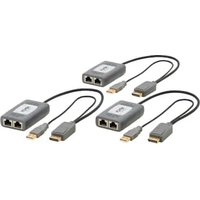
| Product Type | AV Extender (HDMI over CAT5e/6) |
| Manufacturer | Tripp Lite |
| Model | B125-101-60-IRU |
| Dimensions (H x W x D) | Approximately 1.0 x 3.0 x 2.5 inches (25 x 76 x 64 mm) |
| Weight | Approximately 0.3 lbs (140 g) |
| Power Supply | External power adapter (5V DC, 2A) |
| Maximum Resolution | 1080p (1920x1080) at 60 Hz |
| Maximum Transmission Distance | Up to 100 meters (328 feet) over CAT6 |
| Video Input Interface | HDMI (Type A female) |
| Video Output Interface | RJ45 (female) for CAT5e/6 cable |
| Audio Support | Embedded audio (pass-through) |
| Compliance | RoHS, REACH |
| Operating Temperature | 32°F to 104°F (0°C to 40°C) |
| Storage Humidity | 10% to 85% RH (non-condensing) |
| Maintenance | Keep connectors clean; avoid dust and moisture |
| Safety | Use only included power supply; do not expose to liquids |
| Spare Parts & Repairability | Contact Tripp Lite support for replacement units; no user-serviceable parts |
| Warranty | Limited lifetime warranty (subject to terms) |
Frequently Asked Questions - B125-101-60-IRU Tripp Lite
What is the maximum distance the B125-101-60-IRU can extend HDMI signals?
The extender can transmit HDMI signals up to 100 meters (328 feet) over CAT6 cable.
Performance may vary with cable quality and resolution.
Performance may vary with cable quality and resolution.
Does this extender require an external power supply?
Yes, the unit is powered by an external 5V DC, 2A adapter. The receiver side typically requires power as well (if a separate unit).
What types of cable can I use with this extender?
The extender uses CAT5e or CAT6 twisted pair cable for transmission. It supports both straight-through and crossover cables (auto-detection).
Can I use this extender with a 4K source?
No, this model supports a maximum resolution of 1080p (1920x1080) at 60 Hz. For 4K extension, consider Tripp Lite's higher-end models.
How do I clean the connectors?
Use a dry, lint-free cloth to gently wipe HDMI and RJ45 connectors. Avoid using liquids or abrasive cleaners.
Is the extender plug-and-play?
Yes, the device is plug-and-play without need for drivers or software installation. Connect the source, cable, and display, then power on.
What should I do if the video signal is intermittent or absent?
Check cable connections, ensure the power adapter is working, and try a shorter or better quality CAT5e/6 cable. Also verify your source and display support the selected resolution.
Can I daisy-chain multiple extenders?
The B125-101-60-IRU is designed for single point-to-point extension. For multiple displays, consider a splitter or matrix extender.
Does this device support audio return channel (ARC)?
No, it does not support ARC. It only transmits unidirectional audio from the source to the display via HDMI embedded audio.
What is the warranty coverage?
Tripp Lite offers a limited lifetime warranty. Details are provided in the user manual. Contact support for repairs or replacements.
User questions about B125-101-60-IRU Tripp Lite
0 question about this device. Answer the ones you know or ask your own.
Ask a new question about this device
No questions yet. Be the first to ask one.
Download the instructions for your AV Extender in PDF format for free! Find your manual B125-101-60-IRU - Tripp Lite and take your electronic device back in hand. On this page are published all the documents necessary for the use of your device. B125-101-60-IRU by Tripp Lite.
USER MANUAL B125-101-60-IRU Tripp Lite


Manual assistant
Powered by Anthropic
Waiting for your message
Product information
Brand : Tripp Lite
Model : B125-101-60-IRU
Category : AV Extender