M.2 - SSD Drive Crucial - Free user manual and instructions
Find the device manual for free M.2 Crucial in PDF.


Pick your language and provide your email: we'll send you a specifically translated version.
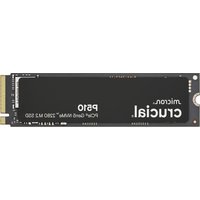
| Product Type | Solid State Drive (SSD) |
| Form Factor | M.2 2280 |
| Interface | NVMe PCIe Gen3 x4 |
| Available Capacities | 500GB, 1TB, 2TB |
| Sequential Read Speed | Up to 2400 MB/s |
| Sequential Write Speed | Up to 1800 MB/s |
| Dimensions (L x W x H) | 80mm x 22mm x 2.38mm |
| Weight | 8 grams |
| Operating Temperature | 0°C to 70°C |
| Storage Temperature | -40°C to 85°C |
| Power Consumption (Active) | ~3.5W |
| Power Consumption (Idle) | ~0.2W |
| Key Features | High-speed data access, low power consumption, no moving parts |
| Maintenance | None required; handle with care to avoid electrostatic discharge |
| Safety Precautions | Do not expose to moisture; keep away from magnets |
| Spare Parts | Not applicable (integrated component) |
| Reparability | Not user-serviceable; replace only |
| General Information | Brand: Crucial (a Micron brand); compatible with M.2 slot supporting NVMe |
Frequently Asked Questions - M.2 Crucial
How do I install the Crucial M.2 SSD?
Insert the SSD at a 30-degree angle into the M.2 slot, then press down and secure with the screw. Ensure the motherboard supports NVMe M.2.
Is the Crucial M.2 SSD compatible with my laptop?
It depends on the M.2 slot type. Check if your laptop has an M.2 slot that supports NVMe interface and the 2280 form factor.
What is the expected lifespan of this SSD?
Crucial M.2 SSDs typically have a Mean Time Between Failures (MTBF) of 1.5 million hours and are rated for hundreds of terabytes written (TBW) depending on capacity.
Do I need to format the SSD before use?
New SSDs may come unformatted. You can initialize and format it using Disk Management in Windows or Disk Utility on macOS. Choose GPT partition style for modern systems.
How do I check the health of my Crucial M.2 SSD?
Use Crucial Storage Executive software or third-party tools like CrystalDiskInfo to monitor drive health, temperature, and remaining lifespan.
What is the warranty period for Crucial M.2 SSDs?
Crucial offers a 5-year limited warranty on most M.2 SSDs, but always verify with your specific model and region.
Can I use this SSD as a boot drive?
Yes, the Crucial M.2 SSD is ideal as a boot drive due to its high read and write speeds. Ensure your BIOS is set to UEFI mode and boot from the SSD.
Does it support TRIM command?
Yes, the Crucial M.2 SSD supports the TRIM command, which helps maintain performance over time. TRIM is enabled by default in Windows and macOS.
How do I update the firmware?
Download and run the Crucial Storage Executive tool. It will scan for firmware updates and guide you through the update process. Backup your data before updating.
What should I do if my computer does not recognize the SSD?
Check if the SSD is fully seated in the slot, try a different M.2 slot, update motherboard BIOS, and ensure the drive is initialized in Disk Management. For macOS, use Disk Utility.
User questions about M.2 Crucial
0 question about this device. Answer the ones you know or ask your own.
Ask a new question about this device
No questions yet. Be the first to ask one.
Download the instructions for your SSD Drive in PDF format for free! Find your manual M.2 - Crucial and take your electronic device back in hand. On this page are published all the documents necessary for the use of your device. M.2 by Crucial.
USER MANUAL M.2 Crucial

Manual assistant
Powered by Anthropic
Waiting for your message
Product information
Brand : Crucial
Model : M.2
Category : SSD Drive