MX500 M.2 - SSD Crucial - Free user manual and instructions
Find the device manual for free MX500 M.2 Crucial in PDF.


Pick your language and provide your email: we'll send you a specifically translated version.
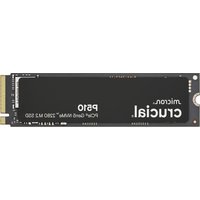
| Product Type | Internal Solid State Drive (SSD) |
| Brand | Crucial |
| Model | MX500 M.2 |
| Form Factor | M.2 2280 |
| Interface | SATA III (6 Gb/s) |
| Capacity | 250GB, 500GB, 1TB, 2TB |
| Sequential Read Speed | Up to 560 MB/s |
| Sequential Write Speed | Up to 510 MB/s |
| Random Read (IOPS) | Up to 95,000 |
| Random Write (IOPS) | Up to 90,000 |
| NAND Type | Micron 3D NAND |
| Controller | Silicon Motion SM2258 |
| DRAM Cache | Yes |
| Encryption | Hardware-based AES 256-bit |
| Power Loss Protection | Integrated Power Loss Immunity |
| Dimensions | 80.0 x 22.0 x 2.3 mm (M.2 2280) |
| Weight | Approx. 8 g |
| Operating Temperature | 0°C to 70°C |
| Storage Temperature | -40°C to 85°C |
| Power Consumption (Active) | 125 mW typical |
| Power Consumption (Idle) | 50 mW typical |
| Warranty | 5 years limited |
| Maintenance | No special maintenance required; keep firmware updated |
| Safety | Handle with care; avoid static discharge; do not disassemble |
| Spare Parts & Repairability | Non-repairable; replace unit if faulty |
Frequently Asked Questions - MX500 M.2 Crucial
What is the form factor of the Crucial MX500 M.2?
The Crucial MX500 M.2 uses the M.2 2280 form factor, which is 80 mm long and 22 mm wide.
What interface does the MX500 M.2 use?
It uses the SATA III interface with a speed of up to 6 Gb/s, backward compatible with SATA II and SATA I.
How do I install the Crucial MX500 M.2 SSD?
Insert the SSD at a 30-degree angle into the M.2 slot on your motherboard, then secure it with the screw provided. Ensure your motherboard supports M.2 SATA drives.
Does the MX500 M.2 support hardware encryption?
Yes, it supports AES 256-bit hardware encryption for data security, compliant with TCG Opal 2.0.
What is the warranty period for the Crucial MX500 M.2?
Crucial offers a 5-year limited warranty for the MX500 M.2 SSD from the date of purchase.
Can I use the MX500 M.2 in a PS4 or Xbox?
The MX500 M.2 is designed for laptops and desktops with an M.2 SATA slot. Most gaming consoles do not support M.2 SATA drives.
How do I check the health of my MX500 M.2 SSD?
Use Crucial's Storage Executive software to monitor drive health, temperature, and enable features like Momentum Cache.
What is the typical power consumption of the MX500 M.2?
Active power consumption is typically 125 mW, and idle power is about 50 mW, making it energy-efficient for laptops.
Does the MX500 M.2 have DRAM cache?
Yes, it includes an on-board DRAM cache for improved performance and consistent speeds during heavy workloads.
How do I migrate my OS to the Crucial MX500 M.2?
Use Crucial's Acronis True Image cloning software (free download) to clone your existing drive to the new SSD.
User questions about MX500 M.2 Crucial
0 question about this device. Answer the ones you know or ask your own.
Ask a new question about this device
No questions yet. Be the first to ask one.
Download the instructions for your SSD in PDF format for free! Find your manual MX500 M.2 - Crucial and take your electronic device back in hand. On this page are published all the documents necessary for the use of your device. MX500 M.2 by Crucial.
USER MANUAL MX500 M.2 Crucial


Manual assistant
Powered by Anthropic
Waiting for your message
Product information
Brand : Crucial
Model : MX500 M.2
Category : SSD