P2 SSD - SSD Crucial - Free user manual and instructions
Find the device manual for free P2 SSD Crucial in PDF.


Pick your language and provide your email: we'll send you a specifically translated version.
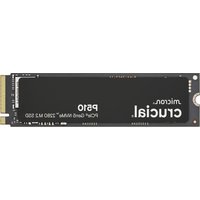
| Product Type | Internal Solid State Drive (SSD) |
| Form Factor | M.2 2280 |
| Interface | PCIe NVMe Gen3 x4 |
| Capacity | Available in 250GB, 500GB, 1TB, 2TB |
| Sequential Read Speed | Up to 2400 MB/s |
| Sequential Write Speed | Up to 1800 MB/s (varies by capacity) |
| NAND Type | Micron 3D NAND |
| Controller | Phison E13T |
| Dimensions (LxWxH) | 22mm x 80mm x 2.3mm |
| Weight | 7g |
| Power Consumption (Active) | ~5W |
| Power Consumption (Idle) | ~0.2W |
| Operating Temperature | 0°C to 70°C |
| Storage Temperature | -40°C to 85°C |
| Endurance (500GB model) | 150 TBW |
| MTBF | 1.5 million hours |
| Warranty | 5 years limited |
| Supported Features | TRIM, S.M.A.R.T., NVMe 1.3 |
| Compatibility | Windows, macOS, Linux |
Frequently Asked Questions - P2 SSD Crucial
How to install the Crucial P2 SSD?
Insert the M.2 SSD into the M.2 slot on your motherboard at a 30-degree angle, then gently press down and secure with the screw. Ensure the notch aligns correctly.
Is the Crucial P2 compatible with my laptop?
It requires an M.2 slot that supports PCIe NVMe and key M. Most modern laptops (2016+) with an M.2 slot are compatible. Check your laptop's specifications.
How to clone my existing drive to the Crucial P2?
Use cloning software like Acronis True Image (included with some Crucial drives) or other tools. Connect the SSD via a USB adapter, clone the source drive, then install the P2 internally.
How to check the health of my Crucial P2 SSD?
Use the Crucial Storage Executive software to monitor drive health, S.M.A.R.T. status, and update firmware.
What should I do if my Crucial P2 is not detected?
First, ensure the drive is properly seated. Then check BIOS settings to enable NVMe support. Update your motherboard BIOS and try a different M.2 slot if available.
Can I use the Crucial P2 as an external drive?
Yes, with an M.2 NVMe USB enclosure. Note that performance may be limited by the enclosure's interface speed.
Does the Crucial P2 support TRIM?
Yes, TRIM is supported when used with an operating system that enables it. Windows, macOS, and Linux automatically enable TRIM for NVMe drives.
How to update the firmware on the Crucial P2?
Download and run Crucial Storage Executive from the official website. The software will check for firmware updates and guide you through the process.
What is the warranty for the Crucial P2?
The Crucial P2 comes with a 5-year limited warranty. Store your receipt for proof of purchase.
How to optimize performance of the Crucial P2?
Ensure your system is set to AHCI/NVMe mode in BIOS, enable write caching, and regularly run TRIM. Avoid filling the drive beyond 90% capacity for optimal performance.
User questions about P2 SSD Crucial
0 question about this device. Answer the ones you know or ask your own.
Ask a new question about this device
No questions yet. Be the first to ask one.
Download the instructions for your SSD in PDF format for free! Find your manual P2 SSD - Crucial and take your electronic device back in hand. On this page are published all the documents necessary for the use of your device. P2 SSD by Crucial.
USER MANUAL P2 SSD Crucial


Manual assistant
Powered by Anthropic
Waiting for your message
Product information
Brand : Crucial
Model : P2 SSD
Category : SSD