BT-210FB - Hi-Fi System Boytone - Free user manual and instructions
Find the device manual for free BT-210FB Boytone in PDF.


Pick your language and provide your email: we'll send you a specifically translated version.
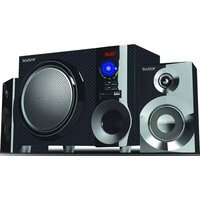
| Product Type | Hi-Fi System |
| Brand | Boytone |
| Model | BT-210FB |
| Dimensions (W x H x D) | Approximately 20 x 10 x 15 inches (50 x 25 x 38 cm) |
| Weight | Approximately 5.5 lbs (2.5 kg) |
| Power Supply | AC 100-240V, 50/60Hz |
| Power Output | 20W RMS |
| Supported Media | CD, CD-R, CD-RW |
| Radio Tuner | FM with PLL tuning |
| Connectivity | Bluetooth, USB, AUX input, Headphone jack |
| Other Functions | Remote control, Clock, Alarm, Sleep timer |
| Maintenance | Wipe with soft, dry cloth; avoid solvents and moisture |
| Safety | Do not expose to water or heat sources; unplug during thunderstorms |
| Spare Parts | Contact Boytone customer service |
| Repairability | Refer to service manual; no user-serviceable parts inside |
| General Information | Full user manual available for download at notice-facile.com |
Frequently Asked Questions - BT-210FB Boytone
How do I pair my phone via Bluetooth?
Ensure the system is in Bluetooth mode (press the Source button until Bluetooth appears). Enable Bluetooth on your phone and select BT-210FB from the list.
Can I play MP3 files from a USB drive?
Yes, insert a USB drive formatted in FAT32 with MP3 files. The system will automatically detect and play them. Use the remote or front panel controls to navigate tracks.
What type of CD does the system support?
It supports standard audio CDs, CD-R, and CD-RW discs. Do not use scratched or damaged discs as they may skip or cause playback errors.
How do I set the clock?
Press and hold the Clock button on the remote. Use the +/- buttons to adjust hours, press again to set minutes, then press Clock to confirm.
Can I connect an external device via AUX?
Yes, connect your device using a 3.5mm audio cable to the AUX input on the front panel. Select AUX source on the system.
Why is FM reception poor?
Extend the FM antenna fully. Try repositioning the system or adjusting the antenna orientation. Avoid placing the system near large metal objects.
How do I replace the remote control battery?
Slide the battery compartment cover on the back of the remote and insert one CR2025 lithium coin cell battery with the positive side facing up.
What should I do if the CD tray does not open?
First, ensure the system is powered on. Press the Open/Close button. If still stuck, unplug the system for 30 seconds, then plug back in and try again.
Can I use the system as a speaker for my TV?
Yes, if your TV has a headphone or audio output, connect it to the AUX input of the system using a 3.5mm audio cable.
How do I reset the system to factory settings?
While the system is on, press and hold the Power button for 5 seconds until the display shows Reset. Release the button to confirm.
User questions about BT-210FB Boytone
0 question about this device. Answer the ones you know or ask your own.
Ask a new question about this device
No questions yet. Be the first to ask one.
Download the instructions for your Hi-Fi System in PDF format for free! Find your manual BT-210FB - Boytone and take your electronic device back in hand. On this page are published all the documents necessary for the use of your device. BT-210FB by Boytone.
USER MANUAL BT-210FB Boytone
Manual assistant
Powered by Anthropic
Waiting for your message
Product information
Brand : Boytone
Model : BT-210FB
Category : Hi-Fi System