
WII METROID OTHER M - Video game NINTENDO - Free user manual and instructions
Find the device manual for free WII METROID OTHER M NINTENDO in PDF.



| Product type | Video game for Wii console |
| Brand | Nintendo |
| Model | WII METROID OTHER M |
| Platform | Nintendo Wii |
| Genre | Action-adventure, science fiction |
| Number of players | 1 player |
| Available languages | French, English, Spanish (subtitles) |
| Required controller | Wii Remote (remote controller) |
| Required system update | Yes, the console may request a Wii menu update before first use |
| Main functions | Exploration, combat, use of normal view and observation view, concentration to recover energy and missiles |
| Equipments and techniques | Power suit, Varia suit, Gravity suit, Morph Ball, Bombs, Beams (Normal, Ice, Wave, Plasma, Spread, Grapple), Missiles, Speed Booster, Jumps, Intuitive dodge |
| Save | Up to 3 save files, requires 1 free block in Wii memory |
| Maintenance and cleaning | Wipe hands if they become sweaty; use wrist strap to avoid dropping the controller |
| Safety | Warning about risk of epileptic seizure (flashing lights), injuries from repetitive movements, nausea; stay at least 1 meter from TV, play in a well-lit room, take breaks of 10 to 15 minutes per hour |
| Spare parts and repairability | Nintendo customer service at 1 800 255-3700 or support.nintendo.com; express repair under warranty (12 months console, 3 months game/accessories) |
| General information | Game developed by Nintendo, featuring Samus Aran; story following Metroid II and Super Metroid; Dolby Pro Logic II surround sound compatible |
Frequently Asked Questions - WII METROID OTHER M NINTENDO
User questions about WII METROID OTHER M NINTENDO
0 question about this device. Answer the ones you know or ask your own.
Ask a new question about this device
Download the instructions for your Video game in PDF format for free! Find your manual WII METROID OTHER M - NINTENDO and take your electronic device back in hand. On this page are published all the documents necessary for the use of your device. WII METROID OTHER M by NINTENDO.
USER MANUAL WII METROID OTHER M NINTENDO
NEED HELP WITH INSTALLATION, MAINTENANCE OR SERVICE?
Nintendo Customer Service
SUPPORT.NINTENDO.COM
or call 1-800-255-3700
Recorded tips for many titles are available on Nintendo's Power Line at (425) 885-7529.
This may be a long-distance call, so please ask permission from whoever pays the phone bill. If the information you need is not on the Power Line, you may want to try using your favorite Internet search engine to find tips for the game you are playing. Some helpful words to include in the search, along with the game's title, are: "wall through," "FAQ," "codes," and "tips."
BESOIN D'AIDE POUR L'INSTALLATION, L'ENTRETIEN OU LA RÉPARATION?
The Official Seal is your assurance that this product is licensed or manufactured by Nintendo. Always look for this seal when buying video game systems, accessories, games and related products.
- Some people (about 1 in 4000) may have seizures or blackouts triggered by light flashes or patterns, and this may occur while they are watching TV or playing video games, even if they have never had a seizure before.
- Anyone who has had a seizure, loss of awareness, or other symptom linked to an epileptic condition should consult a doctor before playing a video game.
- Parents should watch their children play video games. Stop playing and consult a doctor if you or your child has any of the following symptoms:
Convulsions
Eye or muscle twitching
Altered vision
Loss of awareness
Involuntary movements
Disorientation
-
To reduce the likelihood of a seizure when playing video games:
-
Sit or stand as far from the screen as possible.
- Play video games on the smallest available television screen.
- Do not play if you are tired or need sleep.
- Play in a well-lit room.
- Take a 10 to 15 minute break every hour.
WARNING - Repetitive Motion Injuries and Eyestrain
Playing video games can make your muscles, joints, skin or eyes hurt. Follow these instructions to avoid problems such as tendinitis, carpal tunnel syndrome, skin irritation or eyestrain.
- Avoid excessive play. Parents should monitor their children for appropriate play.
Take a 10 to 15 minute break every hour, even if you don't think you need it. - If your hands, wrists, arms or eyes become tired or sore while playing, or if you feel symptoms such as tingling, numbness, burning or stiffness, stop and rest for several hours before playing again.
- If you continue to have any of the above symptoms or other discomfort during or after play, stop playing and see a doctor.
CAUTION - Motion Sickness
Playing video games can cause motion sickness in some players. If you or your child feel dizzy or nauseous when playing video games, stop playing and rest. Do not drive or engage in other demanding activity until you feel better.
IMPORTANT LEGAL INFORMATION
This Nintendo game is not designed for use with
any unauthorized device. Use of any such device will invalidate your Nintendo product warranty. Copying of any Nintendo game is illegal and is strictly prohibited by domestic and international intellectual property laws. "Back-up" or "archival" copies are not authorized and are not necessary to protect your software. Violators will be prosecuted.
WARRANTY & SERVICE INFORMATION
You may need only simple instructions to correct a problem with your product. Try our website at support.nintendo.com or call our Consumer Assistance Hotline at 1-800-255-3700, rather than going to your retailer. Hours of operation are 6 a.m. to 7 p.m., Pacific Time, Monday - Sunday (times subject to change). If the problem cannot be solved with the troubleshooting information available online or over the telephone, you will be offered express factory service through Nintendo. Please do not send any products to Nintendo without contacting us first.
HARDWARE WARRANTY
Nintendo of America Inc. ("Nintendo") warrants to the original purchaser that the hardware product shall be free from defects in material and workmanship for twelve (12) months from the date of purchase. If a defect covered by this warranty occurs during this warranty period, Nintendo will repair or replace the defective hardware product or component, free of charge.* The original purchaser is entitled to this warranty only if the date of purchase is registered at point of sale or the consumer can demonstrate, to Nintendo's satisfaction, that the product was purchased within the last 12 months.
GAME & ACCESSORY WARRANTY
Nintendo warrants to the original purchaser that the product (games and accessories) shall be free from defects in material and workmanship for a period of three (3) months from the date of purchase. If a defect covered by this warranty occurs during this three (3) month warranty period, Nintendo will repair or replace the defective product, free of charge.*
SERVICE AFTER EXPIRATION OF WARRANTY
Please try our website at support.nintendo.com or call the Consumer Assistance Hotline at 1-800-255-3700 for troubleshooting information and repair or replacement options and pricing.*
*In some instances, it may be necessary for you to ship the complete product, FREIGHT PREPAID AND INSURED FOR LOSS OR DAMAGE, to Nintendo. Please do not send any products to Nintendo without contacting us first.
WARRANTY LIMITATIONS
THIS WARRANTY SHALL NOT APPLY IF THIS PRODUCT: (a) IS USED WITH PRODUCTS NOT SOLD OR LICENSED BY NINTENDO (INCLUDING, BUT NOT LIMITED TO, NON-Licensed GAME ENHANCEMENT AND COPIER DEVICES, ADAPTERS, SOFTWARE, AND POWER SUPPLIES); (b) IS USED FOR COMMERCIAL PURPOSES (INCLUDING RENTAL); (c) IS MODIFIED OR TAMPERED WITH; (d) IS DAMAGED BY NEAGLIGENCE, ACCIDENT, UNREASONABLE USE, OR BY OTHER CAUSES UNRELATED TO DEFECTIVE MATERIALS OR WORKMANSHIP; OR (e) HAS HAD THE SERIAL NUMBER ALTERED, DEFACED OR REMOVED.
ANY APPLICABLE IMPLIED WARRANTYES, INCLUDING WARRANTYES OF MERCHANTABILITY AND FITNESS FOR A PARTICULAR PURPOSE, ARE HEREBY LIMITED IN DURATION TO THE WARRANTY PERIODS DESCRIBED ABOVE (12 MONTHS OR 3 MONTHS, AS APPLICABLE). IN NO EVENT SHALL NINTENDO BE LIABLE FOR CONSEQUENTIAL OR INCIDENTIAL DAMAGES RESULTING FROM THE BREACH OF ANY IMPLIED OR EXPRESS WARRANTYES. SOME STATES DO NOT ALLOW LIMITATIONS ON HOW LONG AN IMPLIED WARRANTY LASTS OR EXCLUSION OF CONSEQUENTIAL OR INCIDENTIAL DAMAGES, SO THE ABOVE LIMITATIONS MAY NOT APPLY TO YOU.
This warranty gives you specific legal rights. You may also have other rights which vary from state to state or province to province.
Nintendo's address is: Nintendo of America Inc., P.O. Box 957, Redmond, WA 98073-0957 U.S.A.
This warranty is only valid in the United States and Canada.
DOLBY
PRO LOGIC II

CONTENT RATED BY
ESRB
Dolby, Pro Logic, and the double-D symbol are trademarks of Dolby Laboratories. Manufactured under license from Dolby Laboratories.
This game is presented in Dolby® Pro Logic® II surround sound. Connect your game console to a sound system with Dolby Pro Logic, Dolby Pro Logic II, or Dolby Pro Logic IIx decoding to experience the excitement of surround sound. You may need to enable "Surround" in the audio options menu of the game.
© 2010 Nintendo. Codeveloped by TECMO / Team NINJA. TM, © and the Wii logo are trademarks of Nintendo. © 2010 Nintendo.
STORY
I had gone to planet SR388 to destroy the Metroids. After a deadly struggle I managed to defeat the Queen Metroid, and as I was preparing to return, a baby Metroid hatched before my eyes.
As I was the first thing the baby saw, it took me to be its mother.
I felt that studying the baby might produce some peaceful applications, so I took it back to the Galactic Federation.
But that baby Metroid was attacked in the middle of an experiment and fell into the hands of the Space Pirates, who were led by Mother Brain.
In the hopes of rescuing the baby, I infiltrated the stronghold controlled by Mother Brain on planet Zebes.
But Mother's overwhelming power brought me to the brink of death.
And then the strangest thing began to restore vigor to my spirit's light, which was so close to going out.
"Why am I still alive..."
The baby protected me from Mother Brain's attack.
It gave me power.
And then the baby was destroyed above my head...
"Mother... Time to go!"
Mother Brain, the Space Pirates, and the Metroids were terminated along with the planet Zebes.
I don't know how much time passed since then. I was traveling in my Star Ship when I unexpectedly received a signal.
Code name: "Baby's Cry."
A common SOS with the urgency of a baby crying...
The nickname comes from the fact that the purpose of the signal is to draw attention.
The signal was coming from a remote part of space. I altered the course of my ship as if this detour had already been part of my flight plan.
Baby's Cry...
It was as though it was crying specifically for me...
-Samus Aran-
LANGUAGE SELECTION
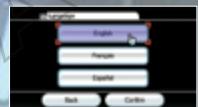
To play this game in English, change your language settings in the Wi System Settings.
SYSTEM MENU UPDATE
Please note that when first loading the Game Disc into the Wii console, the system will check if you have the latest version of the system menu, and if necessary a Wii system menu update screen will appear. Select OK to proceed with the update. Please note that the Wii console must have the latest version of the Wii system menu in order to play the Game Disc.
Using the not-yet data we find Pmax(t) is consistent
When the system menu is updated, unauthorized hardware and/or software modifications may be detected and unauthorized content may be removed causing the immediate or delayed inoperability of your console. Failure to accept the update may render this game, and future games, unplayable. Please note that Nintendo cannot guarantee that unauthorized software or accessories will continue to function with the Wii console after this or future updates of the Wii system menu.

CAUTION: WRIST STRAP USE
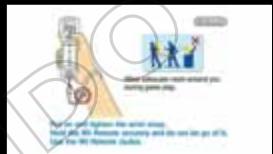
Please use the wrist strap to help prevent injury to other people or damage to surrounding objects or the Wii Remote in case you accidentally let go of the Wii Remote during game play.
Also remember the following:
- Make sure all players put on the wrist strap properly when it is their turn.
- Do not let go of the Wii Remote during game play.
- Dry your hands if they become moist.
- Allow adequate room around you during game play and make sure that all areas you might move into are clear of other people and objects.
- Stay at least three feet from the television.
- Use the Wii Remote Jacket.
BABY'S CRY... IT WAS AS THOUGH IT WAS CRYING SPECIFICALLY FOR ME...
STARTING THE GAME
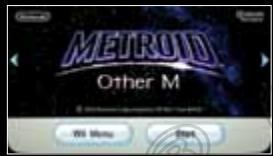
1 Insert the Metroid: Other M Game Disc in the disc slot of the Wii system. The power will turn on. When the screen on the right appears, read the contents and press A.

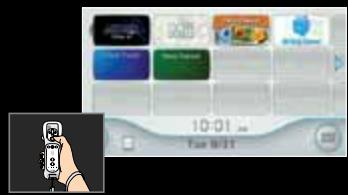
2 Hold the Wii Remote™ controller vertically, point at the Disc Channel, and press A. The Channel Preview screen will appear.
Note: If the game title does not appear, please see the Wii Operations Manual.
Point at START and press A. The Strap Usage screen will appear.
When the strap is on and you're ready, press A.
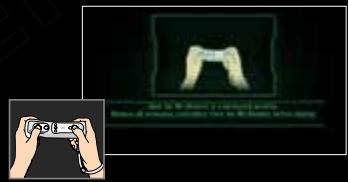
Please hold the Wii Remote sideways. The title screen will appear.
FIRST PLAY
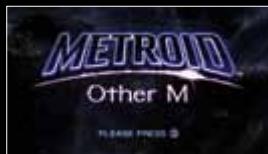
When playing this software for the first time, the title screen on the right will appear. Press ② to go to the Options screen. Use ① to select your subtitle settings, then press ① to start the game.
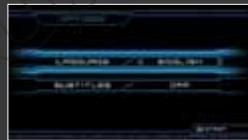
TITLE SCREEN
When you have save data, a screen like the one on the right will appear. Press ② to go to the Game Select screen.
> GAME SELECT
When playing a game from the beginning, use to select a slot marked NO DATA, or when continuing a game, select the saved-data slot and press ②. The Select screen will appear.
Note: See p. 14 for information on how to save.
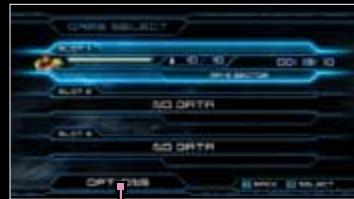
OPTIONS8
Change the subtitle settings here.
SELECT
START GAME Start the game.
COPY Copy the save data to another slot.
DELETE Delete save data.
Note: Save data that has been erased cannot be recovered. Please be careful.
SHIFTING THE WII REMOTE
By changing the way you hold the Wii Remote while playing, you can switch between normal view and search view. Depending on what's happening in the game, you can progress by using whatever view the situation calls for.
NORMAL VIEW
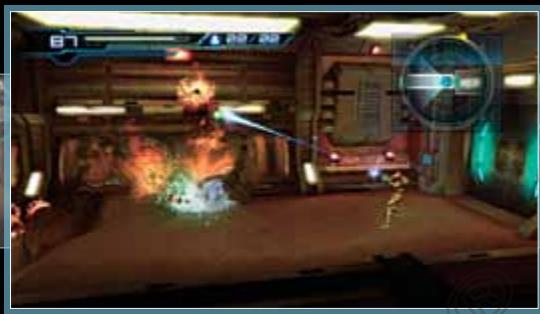
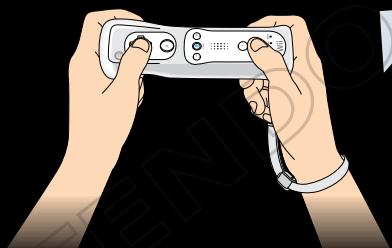
When holding the Wii Remote sideways, you will go into the normal view. This objective view is the basic perspective for this game.
Please see p. 9 for detailed control information.
SEARCH VIEW
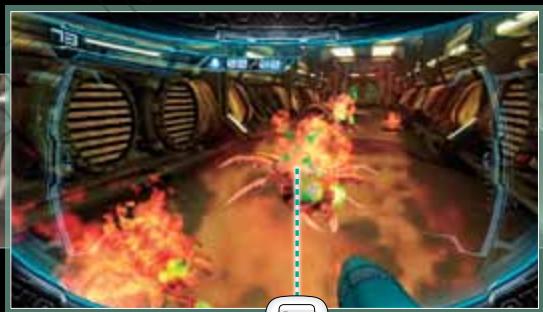
By holding the Wii Remote vertically and pointing at the screen, you can switch to search view.
This changes the screen to Samus's perspective.
See p. 11 for detailed control information.
Wii Remote™ controller Horizontal Style

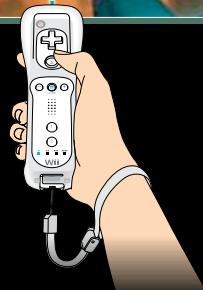
Wii Remote controller Vertical Style
PLAY IN NORMAL VIEW AT THESE TIMES:
When moving around the stage.
When firing beams or engaging in basic battles with enemies.
When in Morph Ball mode or when using bombs.
PLAY IN SEARCH VIEW AT THESE TIMES:
When you want to lock on an enemy and shoot a missile.
When your path is obstructed or when you want to inspect something.
When you want to look around and check the conditions of your surroundings.
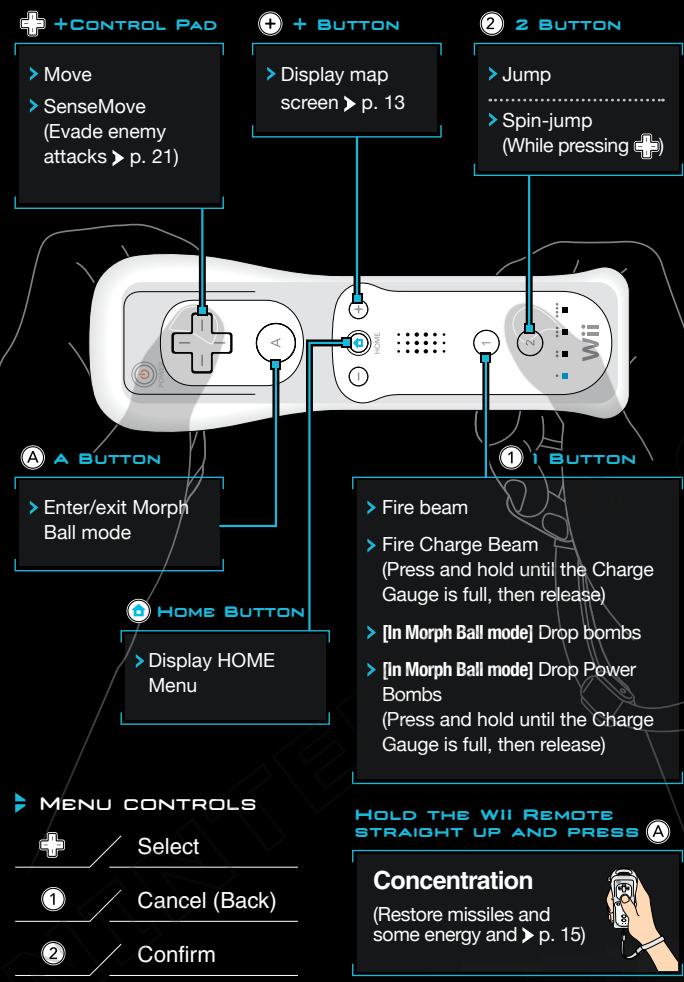
CONTROLS (NORMAL VIEW)
In normal view, hold the Wii Remote sideways to control Samus™. You will acquire more abilities as the game progresses. Please see p. 17-22 for more information.
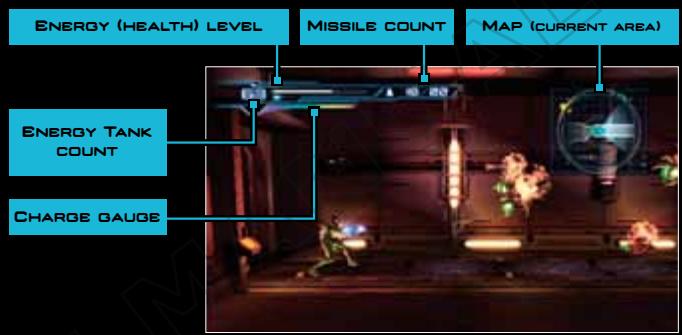
VIEWING THE SCREEN
Energy If you run out of energy and your Energy Tanks (health) level are empty, your game will be over p. 15.
Energy One tank contains 99 units of energy. This will increase as you acquire more Energy Tanks p.16.
Charge gauge If you press and hold ① until this is full, you can fire Charge Beams and set Power Bombs.
Current missile count/Max missile count.
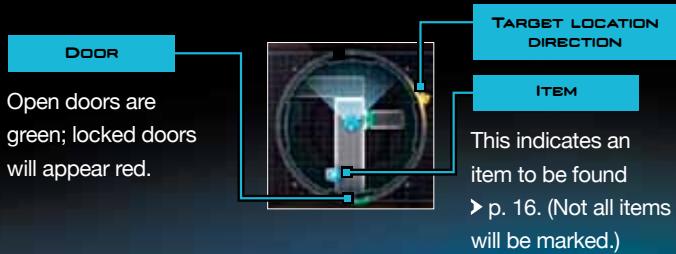
MAP (CURRENT AREA)
The in the center is Samus. The marks a target location.
CONTROLS (SEARCH VIEW)
In search view, point at the screen while holding the Wii Remote vertically. You will acquire more abilities as you progress in the game. For more information, see p. 17-22.
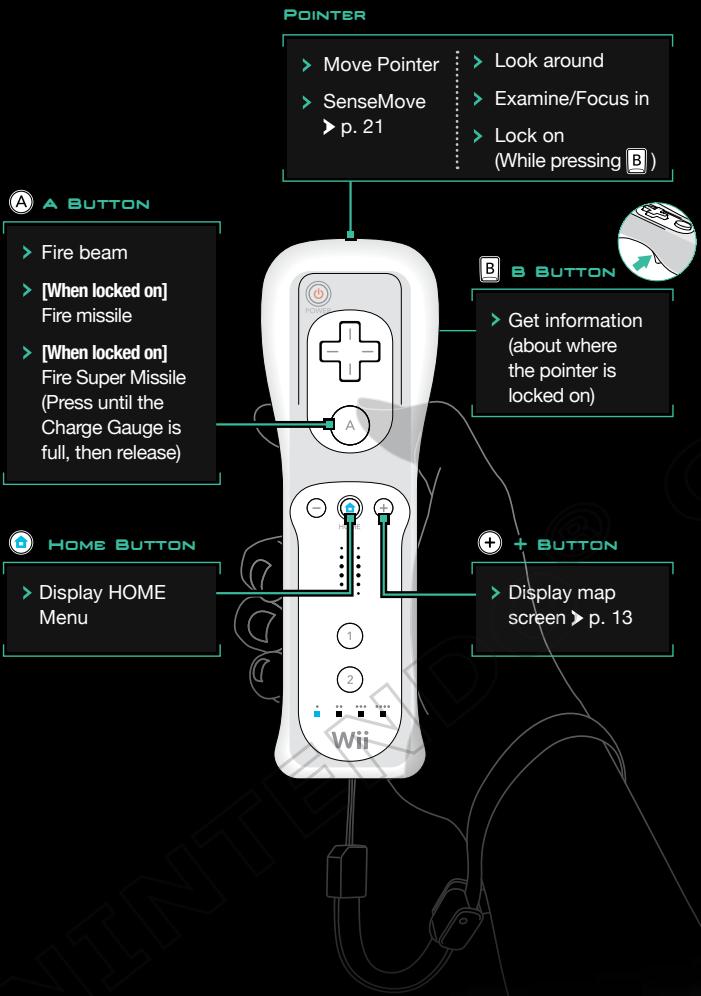
B BUTTON CONTROLS
In search view, you can do a number of things by moving the pointer while pressing B.
LOOK AROUND
Change your viewing area by moving the pointer around the screen while pressing B.
Note: If you press B while pointing at certain objects in the environment, you can acquire information about them.
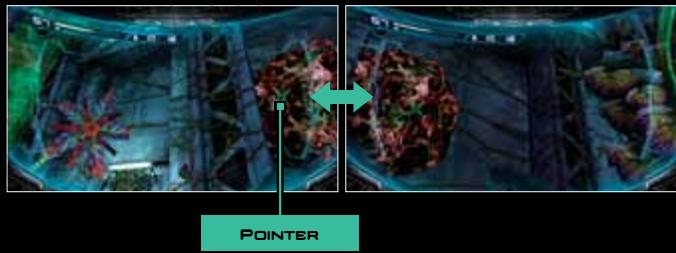
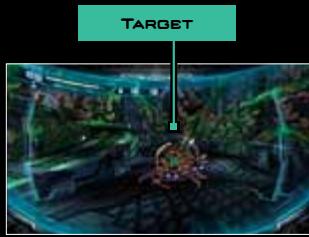
TARGET
If you aim the pointer near an enemy or certain objects while pressing B, you will target them and bring them to the center of the field of vision.
Note: Items you can target will appear marked in red.
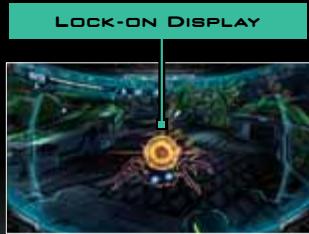
> LOCK-ON DISPLAY
If you point at a target while pressing B, you'll lock on to it. You can fire missiles by pressing A while locked on.
MAP SCREEN
If you press while playing, you'll go to the map screen, where you can check Samus's current and target locations. Press ① to access a variety of information.
Scroll with +, zoom in/out with A.
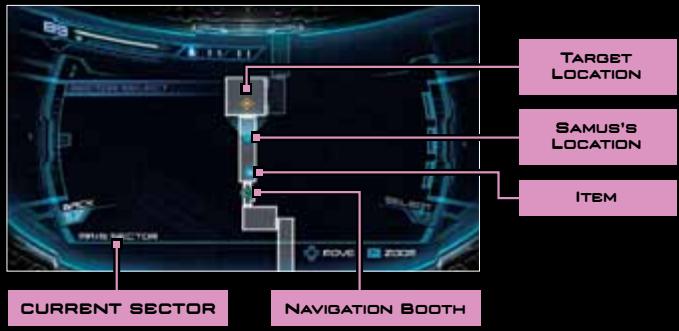
VIEWING THE MAP SCREEN
> SECTOR SELECT
The sectors (locations) you've been to will display. Pick a sector to change the displayed map.
STATUS
View Samus's current abilities, her suit features, and the controls.
CHARACTERS
Access profiles and current conditions of characters in the game.
STORY
Select this to read an outline of the story up to where you've played.
SAVING THE GAME
SAVE
- Stand in the center of a navigation booth to save your game progress. At the same time, your energy and missiles will be fully restored.
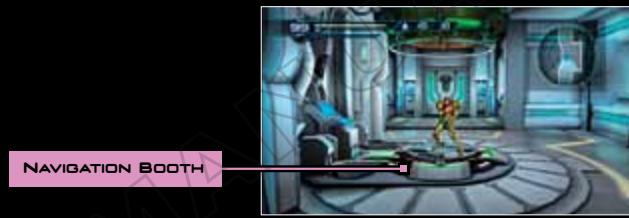
ABOUT SAVING
You can create three save files. In order to save your game progress, you will need 1 block of open space in your Wii system memory.
Do not turn the power off or press RESET while saving.
For information on how to erase files in your Wii system memory or how to copy them to an SD Card (sold separately), please check the Wii Operations Manual: Channels and Settings.
GAME OVER
If all of your energy runs out, your game will end and the Continue screen will appear. By choosing YES, you can restart your game from either the last place you saved or the last checkpoint you passed.
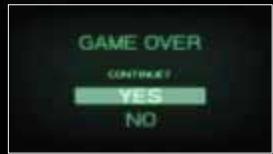
By choosing NO, you will end your game and return to the title screen.
ABOUT CHECKPOINTS
You can restart your game from these spots as you progress. Checkpoints are not saved, so if you choose NO on the Continue screen or turn the power off, the next time you play the game, you will start from the last save point.

CONCENTRATION
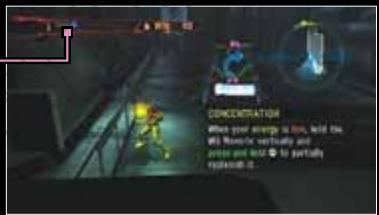
If you hold the Wii Remote upright and press and hold A for a given length of time, you will restore a certain amount of energy and all of your missiles. Though you can restore your missiles at any time, you can only restore your energy when your energy bar glows red (when your energy drops below a certain level).
- When restoring your energy, press and hold until your energy gauge is full.
- If you receive damage while performing Concentration, your restoration will be interrupted.
ENERGY GUAGE
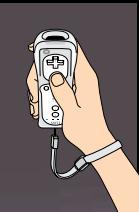
ITEMS
Items are hidden in a variety of places. Every item you find will augment Samus's abilities.

ENERGY TANK
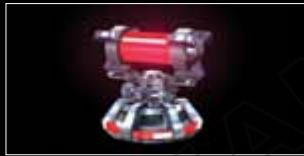
Increases your Energy Tank count by one.

MISSILE TANK
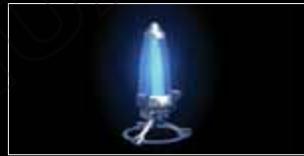
Increase the maximum number of missiles you can hold by one.

E-RECOVERY TANK
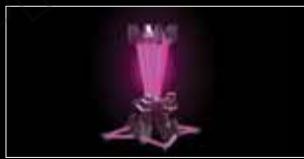
Increases the amount of energy you can restore through Concentration. The energy threshold required to make energy recovery possible will also increase.

ENERGY PART
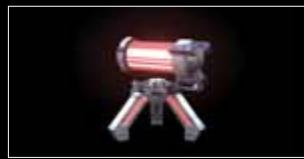
Collect four of these to create one Energy Tank.

ACCEL CHARGE
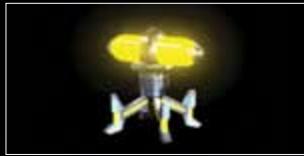
Increases how fast the Charge Gauge fills.
FEATURES AND ACTIONS
As you progress through the game and more suit features are authorized or acquired, Samus will be able to perform more actions and her suits and beams will become more powerful.
SUITS
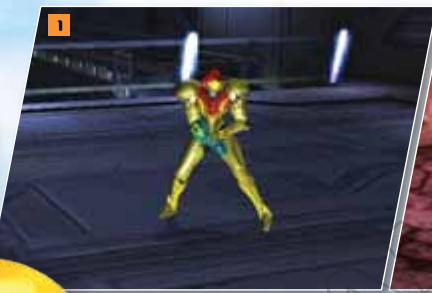
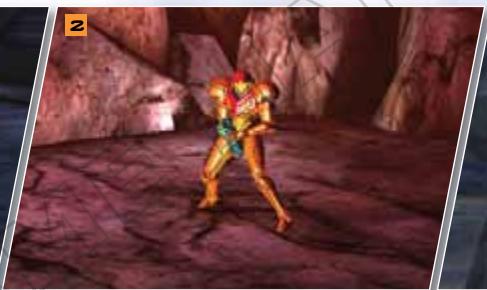
1 POWER SUIT
The Power Suit that Samus is wearing will acquire new features as you progress through the game.
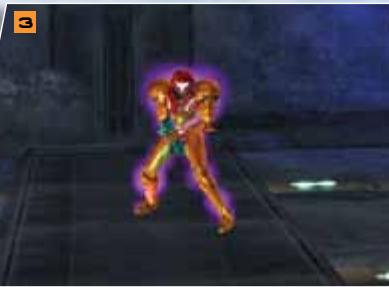
2 VARIA FEATURE
Cuts damage from high temperatures and reduces damage from enemy attacks.
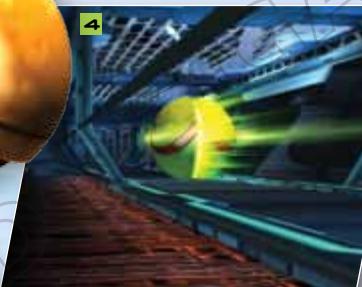
3 GRAVITY FEATURE
Negates the effects of liquids and extreme gravity and further reduces damage from enemy attacks.
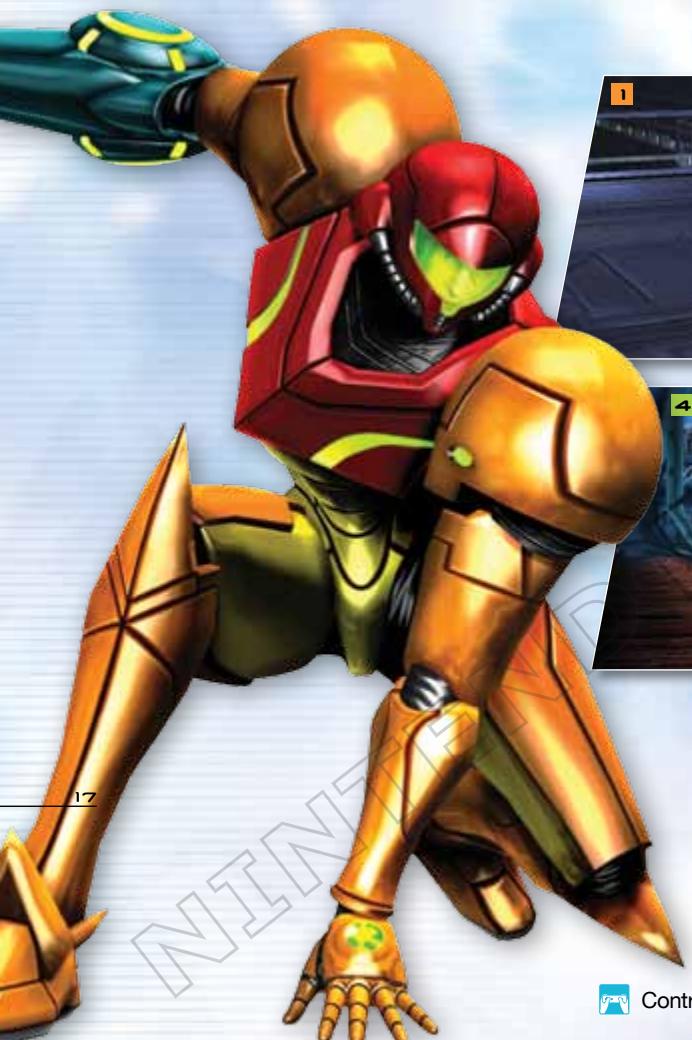
4 MORPH BALL

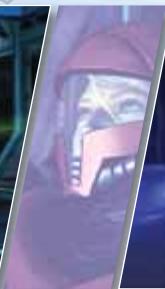
MORPH BALL
Press A to go into Morph Ball mode and move around small spaces. Press A again to change back.
5 NORMAL BOMBS

Press and release ① in Morph Ball mode to set bombs that will damage enemies and break some floors and walls.

POWER BOMBS

Press and hold ① until the Charge Gauge is full and release to set a powerful Power Bomb.
BEAMS
1 NORMAL BEAM/ CHARGE BEAM

Press ① to fire a beam. Press and hold ① and release to fire a powerful Charge Beam.
2 ICE BEAM

Adds the ability to freeze enemies.
Effective against hot creatures, it also increases the beam's attack power. You can also fire Charge Beams.
3 WAVE BEAM

Adds the ability to penetrate transparent and semi-transparent objects. This powerful beam can also be shot as a Charge Beam.
4PLASMA BEAM

Adds the ability to pass through enemies to Samus's beam. This most powerful beam can also be shot as a Charge Beam.


5 DIFFUSION BEAM

If you fire a Charge Beam, the beam will scatter around the point of impact.
6 GRAPPLE BEAM

Press A when locked on to certain Grapple Points to hook on to them with a ropelike beam. Samus can then swing around while hanging with the beam.
7 NORMAL MISSILE/ SUPER MISSILE

Press and release A while locked on to release a missile. If you press and release A when the Charge Gauge is fully charged, five missiles will be used and you'll shoot a powerful Super Missile.
SEEKER MISSILE

If you press and hold until the Charge Gauge is fully charged, you'll lock on multiple targets. Release to fire a Super Missile along with four normal missiles toward up to four additional targets.
MISC.

SPEED BOOSTER

Press and hold + and move in a single direction for a certain period of time to start to run fast. You can also cause damage to enemies that you run into.

SHINESPARK

While speed boosting, press and release ② to perform a powerful jump. If you are pressing + in any direction when you re ② , you'll jump straight up. Press + when you release ② to jump in any direction.

SPACE JUMP

Press ② during a spin jump to perform another spin jump. Note: If you continue to press ② , you w continue to space-jump.

SCREW ATTACK

Causes Samus's body to emit energy waves while doing a spin attack, causing damage to enemies they touch.



KICK CLIMB

If you press and hold + in the direction of the wall and press ② with good timing, you'll kick your way up the wall.
Note: You don't have to change the direction you're pressing on.

SENSEMOVE

#
Press right before getting hit by an enemy attack (or move the Pointer off-screen if in search view) to dodge and evade the attack.
Note: Use Sense Move while pressing ① , to reach a full charge quickly.

LETHAL STRIKE

Press in the direction of a downed enemy while pressing ① to build up a charge. When fully charged, you'll launch a powerful attack.

OVERBLAST

Jump toward an enemy to ride on top of it and the Charge Gauge will fill.
Once it's full, press ① to attack.
Note: This might not be possible, depending on the type of enemy and the battle conditions.
VEUILLEZ LIRE ATTENTIVEMENT L'INTÉGRAlité DU MODE D'EMPLOI DE LA Wii™ AVANT D'UTILISER VOTRE CONSOLE, VOTRE DISQUE DE JEU OU VOS ACCESSOIRS Wii. CE MODE D'EMPLOI CONTIENT D'IMPORTANTES INFORMATIONS SUR VOTURE SANTÉ ET VOTURE SECURITÉ.
INFORMATIONS IMPORTANTES CONCERNANT VOITE SECURITE : VEVUILLEZ LIRE LES PRECAUTIONS SUIVANTES AVANT QUE VOUS OU QUE VOITE ENFANT NE JOUIEZ À DES JEUX VIDEO.
Movements involontaires
Perte de conscience
Désorientation
When λ is non-zero, Y is regular in the co-convex (0,∞) domain, that is,

- NEED HELP WITH INSTALLATION, MAINTENANCE OR SERVICE
- BESOIN D'AIDE POUR L'INSTALLATION, L'ENTRETIEN OU LA RÉPARATION
- WARNING - REPETITIVE MOTION INJURIES AND EYESTRAIN
- CAUTION - MOTION SICKNESS
- IMPORTANT LEGAL INFORMATION
- WARRANTY & SERVICE INFORMATION
- HARDWARE WARRANTY
- GAME & ACCESSORY WARRANTY
- SERVICE AFTER EXPIRATION OF WARRANTY
- WARRANTY LIMITATIONS
- DOLBY
- PRO LOGIC II
- STORY
- LANGUAGE SELECTION
- SYSTEM MENU UPDATE
- CAUTION: WRIST STRAP USE
- ALSO REMEMBER THE FOLLOWING
- STARTING THE GAME
- FIRST PLAY
- TITLE SCREEN
- GAME SELECT
- OPTIONS8
- SELECT
- START GAME START THE GAME
- COPY COPY THE SAVE DATA TO ANOTHER SLOT
- DELETE DELETE SAVE DATA
- SHIFTING THE WII REMOTE
- NORMAL VIEW
- SEARCH VIEW
- PLAY IN NORMAL VIEW AT THESE TIMES
- PLAY IN SEARCH VIEW AT THESE TIMES
- CONTROLS (NORMAL VIEW)
- MAP (CURRENT AREA)
- CONTROLS (SEARCH VIEW)
- B BUTTON CONTROLS
- LOOK AROUND
- TARGET
- LOCK-ON DISPLAY
- MAP SCREEN
- SECTOR SELECT
- STATUS
- CHARACTERS
- SAVING THE GAME
- SAVE
- ABOUT SAVING
- GAME OVER
- ABOUT CHECKPOINTS
- CONCENTRATION
- ITEMS
- ENERGY TANK
- MISSILE TANK
- E-RECOVERY TANK
- ENERGY PART
- ACCEL CHARGE
- FEATURES AND ACTIONS
- SUITS
- 1 POWER SUIT
- 2 VARIA FEATURE
- 3 GRAVITY FEATURE
- 4 MORPH BALL
- MORPH BALL
- 5 NORMAL BOMBS
- POWER BOMBS
- BEAMS
- 1 NORMAL BEAM/ CHARGE BEAM
- 2 ICE BEAM
- 3 WAVE BEAM
- 4PLASMA BEAM
- 5 DIFFUSION BEAM
- 6 GRAPPLE BEAM
- 7 NORMAL MISSILE/ SUPER MISSILE
- SEEKER MISSILE
- MISC
- SPEED BOOSTER
- SHINESPARK
- SPACE JUMP
- SCREW ATTACK
- KICK CLIMB
- SENSEMOVE
- LETHAL STRIKE
- OVERBLAST
Brand : NINTENDO
Model : WII METROID OTHER M
Category : Video game