
SUPER PAPER MARIO - Video game NINTENDO - Free user manual and instructions
Find the device manual for free SUPER PAPER MARIO NINTENDO in PDF.


| Product type | Video game |
| Platform | Nintendo Wii |
| Genre | Action-adventure, platformer |
| Number of players | 1 player |
| PEGI rating | 7+ (estimated) |
| Case dimensions | 13.5 x 19 x 1.5 cm |
| Weight | Approximately 100 g |
| Power supply | Not applicable (disc game) |
| Main features | Save worlds by collecting Pure Hearts, use Pixls, switch between 2D and 3D dimensions, control multiple characters (Mario, Peach, Bowser) |
| Care and cleaning | Wipe the disc with a soft, dry cloth, avoid scratches |
| Safety | Observe warnings about epileptic seizures, injuries from repetitive motion, and eye strain; use the Wii Remote wrist strap |
| Spare parts and repairability | Not applicable (disc game); contact Nintendo for disc replacement in case of defects |
| General information | Requires a Wii console, a Wii Remote and a Nunchuk; game disc; saves to internal Wii memory; manufacturer: Nintendo |
Frequently Asked Questions - SUPER PAPER MARIO NINTENDO
User questions about SUPER PAPER MARIO NINTENDO
0 question about this device. Answer the ones you know or ask your own.
Ask a new question about this device
Download the instructions for your Video game in PDF format for free! Find your manual SUPER PAPER MARIO - NINTENDO and take your electronic device back in hand. On this page are published all the documents necessary for the use of your device. SUPER PAPER MARIO by NINTENDO.
USER MANUAL SUPER PAPER MARIO NINTENDO
NEED HELP WITH INSTALLATION, MAINTENANCE OR SERVICE?
Nintendo Customer Service
WWW.NINTENDO.COM
or call 1-800-255-3700
Nintendo's game pages, at
www.nintendocom/games,feature
walkthroughs, frequently-asked questions, and
codes for many of our games. If your answer
isn't there, check out our forums where you can
exchange tips with other ga
For more information about our forums, visit
www.nintendocom/community.
If you don't have access to the web-site, recorded
tips for many titles are available on Nintendo's
Power Line at (425) 885-7529. This may be a
long-distance call, so please ask permission from
BESOIN D'AIDE POUR L'INSTALLATION, L'ENTRETIEN OU LA REPARATION?
ligne, visitez www.nintendo.com/community.
www.nintendocom/games,induyen instruetiones
The Official Seal is your assurance
that this product is licensed on
manufactured by Nintendo. Alwayslook for this seal when buying
look for this seal when buyingvideo game systems accessories
video game systems, accessories, games and related products.
P.O. BOX 957, REDMOND, WA
98073-0957 U.S.A.
www.nintendo.com
PRINTED IN USA
超级MARIO
PLEASE CAREFULLY READ THE Wii™ OPERATIONS MANUAL COMPLETELY BEFORE USING YOUR Wii HARDWARE SYSTEM, GAME DISC OR ACCESSORY. THIS MANUAL CONTAINS IMPORTANT HEALTH AND SAFETY INFORMATION.
IMPORTANT SAFETY INFORMATION: READ THE FOLLOWING WARNINGS BEFORE YOU OR YOUR CHILD PLAY VIDEO GAMES.
WARNING - Seizures
- Some people (about 1 in 4000) may have seizures or blackouts triggered by light flashes or patterns, and this may occur while they are watching TV or playing video games, even if they have never had a seizure before.
- Anyone who has had a seizure, loss of awareness, or other symptom linked to an epileptic condition, should consult a doctor before playing a video game.
- Parents should watch their children play video games. Stop playing and consult a doctor if you or your child has any of the following symptoms:
Convulsions Loss of awareness
Eye or muscle twitching Involuntary movements
Altered vision Disorientation
-
To reduce the likelihood of a seizure when playing video games:
-
Sit or stand as far from the screen as possible.
- Play video games on the smallest available television screen.
- Do not play if you are tired or need sleep.
- Play in a well-lit room.
- Take a 10 to 15 minute break every hour.
WARNING - Repetitive Motion Injuries and Eyestrain
Playing video games can make your muscles, joints, skin or eyes hurt. Follow these instructions to avoid problems such as tendonitis, carpal tunnel syndrome, skin irritation or eyestrain:
- Avoid excessive play. Parents should monitor their children for appropriate play.
- Take a 10 to 15 minute break every hour, even if you don't think you need it.
- If your hands, wrists, arms or eyes become tired or sore while playing or if you feel symptoms such as tingling, numbness, burning or stiffness, stop and rest for several hours before playing again.
- If you continue to have any of the above symptoms or other discomfort during or after play, stop playing and see a doctor.
CAUTION - Motion Sickness
Playing video games can cause motion sickness in some players. If you or your child feels dizzy or nauseous when playing video games, stop playing and rest. Do not drive or engage in other demanding activity until you feel better.
IMPORTANT LEGAL INFORMATION
This Nintendo game is not designed for use with
any unauthorized device. Use of any such device will invalidate your Nintendo product warranty. Copying of any Nintendo game is illegal and is strictly prohibited by domestic and international intellectual property laws. "Back-up" or "archival" copies are not authorized and are not necessary to protect your software. Violators will be prosecuted.
REV-E
WARRANTY & SERVICE INFORMATION
You may need only simple instructions to correct a problem with your product. Try our website at www.nintendo.com or call our Consumer Assistance Hotline at 1-800-255-3700, rather than going to your retailer. Hours of operation are 6 a.m. to 7 p.m., Pacific Time, Monday - Sunday (times subject to change). If the problem cannot be solved with the troubleshooting information available online or over the telephone, you will be offered express factory service through Nintendo. Please do not send any products to Nintendo without contacting us first.
HARDWARE WARRANTY
Nintendo of America Inc. ("Nintendo") warrants to the original purchaser that the hardware product shall be free from defects in material and workmanship for twelve (12) months from the date of purchase. If a defect covered by this warranty occurs during this warranty period, Nintendo will repair or replace the defective hardware product or component, free of charge. The original purchaser is entitled to this warranty only if the date of purchase is registered at point of sale or the consumer can demonstrate, to Nintendo's satisfaction, that the product was purchased within the last 12 months.
GAME & ACCESSORY WARRANTY
Nintendo warrants to the original purchaser that the product (games and accessories) shall be free from defects in material and workmanship for a period of three (3) months from the date of purchase. If a defect covered by this warranty occurs during this three (3) month warranty period, Nintendo will repair or replace the defective product, free of charge.
SERVICE AFTER EXPIRATION OF WARRANTY
Please try our website at www.nintendo.com or call the Consumer Assistance Hotline at 1-800-255-3700 for troubleshooting information and repair or replacement options and pricing. In some instances, it may be necessary for you to ship the complete product, FREIGHT PREPAID AND INSURED FOR LOSS OR DAMAGE, to Nintendo. Please do not send any products to Nintendo without contacting us first.
WARRANTY LIMITATIONS
THIS WARRANTY SHALL NOT APPLY IF THIS PRODUCT: (a) IS USED WITH PRODUCTS NOT SOLD OR LICENSED BY NINTENDO (INCLUDING, BUT NOT LIMITED TO, NON-Licensed GAME ENHANCEMENT AND COPIER DEVICES, ADAPTERS, AND POWER SUPPLIES); (b) IS USED FOR COMMERCIAL PURPOSES (INCLUDING RENTAL); (c) IS MODIFIED OR TAMPERED WITH; (d) IS DAMAGED BY NEGLIGENCE, ACCIDENT, UNREASONABLE USE, OR BY OTHER CAUSES UNRELATED TO DEFECTIVE MATERIALS OR WORKMANSHIP; OR (e) HAS HAD THE SERIAL NUMBER ALTERED, DEFACED OR REMOVED.
ANY APPLICABLE IMPLIED WARRANTYES, INCLUDING WARRANTY OF MERCHANTABILITY AND FITNESS FOR A PARTICULAR PURPOSE, ARE HEREBY LIMITED IN DURATION TO THE WARRANTY PERIODS DESCRIBED ABOVE (12 MONTHS OR 3 MONTHS, AS APPLICABLE). IN NO EVENT SHALL NINTENDO BE LIABLE FOR CONSEQUENTIAL OR INCIDENTIAL DAMAGE RESULTING FROM THE BREACH OF ANY IMPLIED OR EXPRESS WARRANTY. SOME STATES DO NOT ALLOW LIMITATIONS ON HOW LONG AN IMPLIED WARRANTY LASTS OR EXCLUSION OF CONSEQUENTIAL OR INCIDENTIAL DAMAGE, SO THE ABOVE LIMITATIONS MAY NOT APPLY TO YOU.
This warranty gives you specific legal rights. You may also have other rights which vary from state to state or province to province.
Nintendo's address is: Nintendo of America Inc., P.O. Box 957, Redmond, WA 98073-0957 U.S.A.
This warranty is only valid in the United States and Canada.
Manufactured under license from Dolby Laboratories. Dolby, Pro Logic, and the double-D symbol are trademarks of Dolby Laboratories.
This game is presented in Dolby Pro Logic II. To play games that carry the Dolby Pro Logic II logo in surround sound, you will need a Dolby Pro Logic II, Dolby Pro Logic or Dolby Pro Logic Ilx receiver. These receivers are sold separately.

DOLBY PRO LOGIC II
© 2007 Nintendo/INTELLIGENT SYSTEMS.
Copyrights of all Characters and Music reserved by Nintendo. Copyrights of Game, Scenario and Program, except Copyrights owned by Nintendo, reserved by Nintendo and INTELLIGENT SYSTEMS.
TM, © and the Wii logo are trademarks of Nintendo. © 2007 Nintendo. All rights reserved.
SYSTEM MENU UPDATE
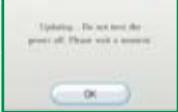
Please note that when first loading the Game Disc into the Wii console, the Wii will check if you have the latest system menu, and if necessary a Wii system update screen will appear. Press OK to proceed.
MISEÀJOUR DU MENU DU SYSTEME
Starting a New Game 4
Controls 5
Save the Worlds! 6
Basic Actions 7
Pix1 Actions 10
French Manual 13
Spanish Manual 24
Starting a New Game
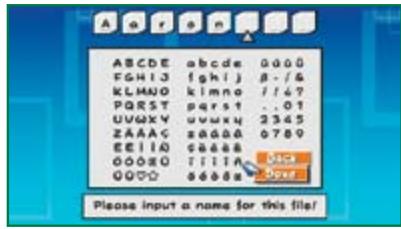
When you play for the first time, a game file will be created on your Wii system memory. All save data will be saved here. After that, press (2) on the title screen, then select a save file slot with and press (2) to create a new save file. Then put your name on this save file.
Putting Your Name on Save Data
Choose letters with l , then enter them with ② . Use ① to go back a space. When you have finished, choose "Done." Once you have entered your name, the game will begin.
Continuing a Saved Game
You can choose to resume a game from the last point you saved. Simply choose the save file you want to play on the file-selection screen.

About Saving
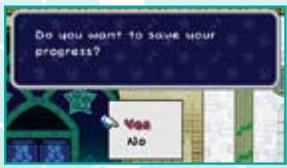
You can save your game by hitting a Save Block or by clearing a chapter. You will need at least one free block of memory on your Wii system memory to save a game.
- Please see your Wii Operations Manual for more information about how to free up memory on your Wii.
- You can create up to four save files.
- Please do not turn off the power while saving. This could damage your console.


Save Block
- Press the HOME Button to change the Wii Remote volume or adjust Rumble features on the Wii Remote Settings screen. Please see your Wii Operations Manual for more information.
Controls
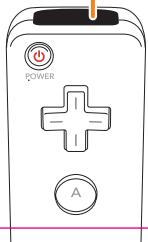
You will mostly be holding the Wii Remote sideways to play this game, but some portions will require you to point the Wii Remote at the screen as well. For more
information, please see the page that explains various
game actions.

A Button

-
(When using Mario) Flip
-
(When there is a long explanation in the menu) Scroll description text
1 Button
-
Use a Pixel
-
(When is displayed)
Read the rest of
a message

2 Button
- (When using Peach and in
midjump) Open the
parasol and float
-
jump
-
Select an item
-
(When is displayed)
Read the rest of a message

Power Button
Control Pad

-
Walk/Crouch
-
Move the cursor
(Using Peach) Guard
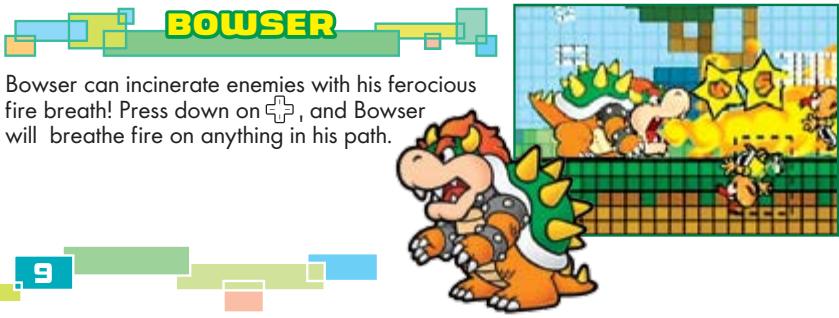
- (Using Bowser) Breathe fire
(When is displayed)
Talk to a nearby character.
Talk to a nearby, enclosed room.
(When is displayed)
Examine a door or chest
- (During a conversation)
View previous
dialogue messages
*When Mario is flipped, you can also just
tilt toward a person or object


+ Plus Button
- Display the menu screen

HOME Button

Minus Button
- Display the controls
Buttons at the same time
- Display the quick menu
Pointer
- (When pointing and pressing(A))
View Tippi's hints and explan
examine people and things
*Using some items may require that you hold
the pointer forward and take some action.
*You may need to face the pointer forward to
play some minigames as well.
5
Basic Actions

These are the basic actions you can perform in the game. Mario, Peach, Bouser, and other
characters can all perform these actions.

Walk/Run/Crouch/Move cursor
Use to move your character or the cursor. Press to move in that direction. Press to make Mario crouch. You cannot crouch while flipped.
(2) Jump/Swim
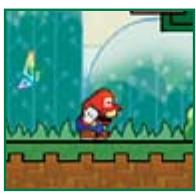
Press ② while on the ground to jump. You can use your jump to deftly avoid enemies and pitfalls or to hit blocks from below. You can get a running start or just hold the button longer to jump higher. Press ② underwater to swim.

Point at screen to view hints
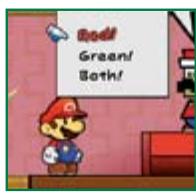
Point the Wii Remote toward the screen until you see the cursor appear there. Point at something of interest and press A to have Tippi explain it. Point at the character you are controlling and press A for a game hint.
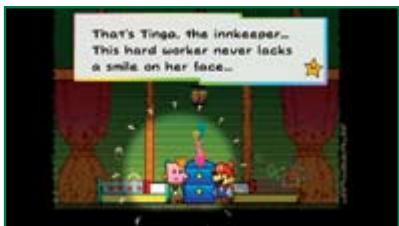
Save the Worlds!
In order to save the worlds, Mario must embark on an adventure to find all of the Pure Hearts. Use your friend Tippi's helpful advice and just keep going!

Basic Rules
Super Paper Mario is an action-adventure game where you control Mario, Peach, and friends. You will gain points and coins by defeating enemies. Collecting points will allow you to level up, which will increase your HP (Heart Points) and Attack power. There are many stages to explore, and each one has more fearsome enemies than the last, so be sure to level up as you go.

Clearing a Chapter
Hit the Star Block at the end of a chapter to clear it.

Game Over
If your HP falls to 0 after touching enemies or spikes, or falling into pits, or sometimes when you make the wrong choice in a dialogue selection, your game will end. When your game ends, you will have to continue from your last save point.
The Game Screen
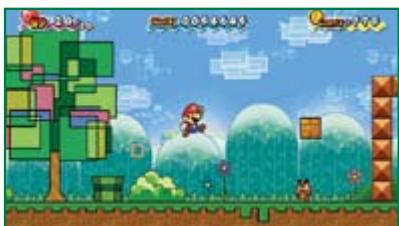
The game screen has various helpful features. When Mario flips, you toggle between the 2-D and 3-D game screens.
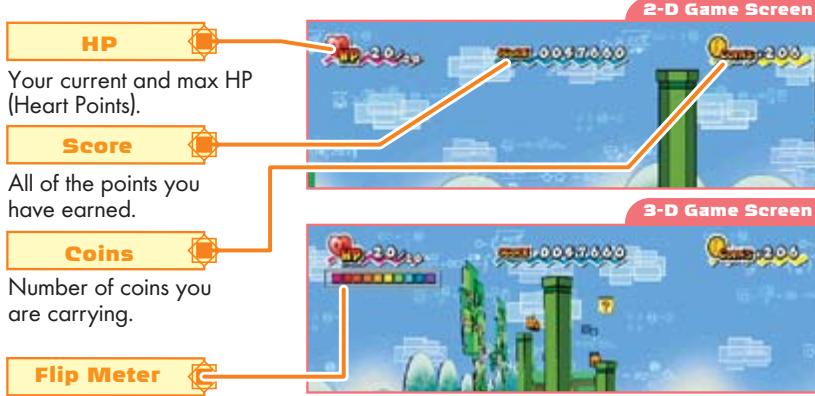
Only appears when you flip. It will slowly decrease while you stay in 3-D.
When the meter is empty, you will lose one HP.
6
When appears, you can press to talk to someone in front of you or examine a door or chest. Also, you can press while talking to someone to read the last thing they said again.
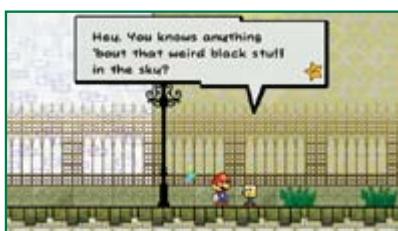
2 Talk/Examine

Status Ailments
Some enemy attacks will cause you to suffer a status ailment. You can remove these by using a certain item or by shaking the Wii Remote to
remove the oilment.
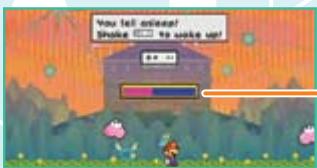

Meter
Sleep
You cannot move while asleep.
Frozen
You cannot move while frozen.
Poison
You will receive periodic damage for a short time.
Cursed
You will move at half speed.
Tech Curse
You cannot use any character techniques.
Heavy Curse
You cannot jump high.
Backwards Curse
All of the directions on will be reversed.
CAUTION: Wrist STRAP USE
This game can involve vigorous motion while using the Wii Remote. Please use the wrist strap to help prevent injury to other people or damage to surrounding objects or the Wii Remote in case you accidentally let go of the Wii Remote during game play.
Also remember the following:
- Make sure all players put on the wrist strap properly when it is their turn.
- Do not let go of the Wii Remote during game play.
- Dry your hands if they become moist.
- Allow adequate room around you during game play and make sure that all areas that you might move into are clear of other people and objects.
- Stay at least three feet from the television.
Character Techniques
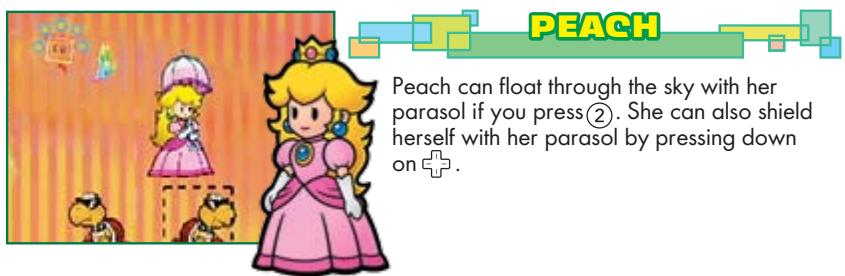
Each character has a unique ability. Experiment with their abilities to find the best character for the situation.
MARIO
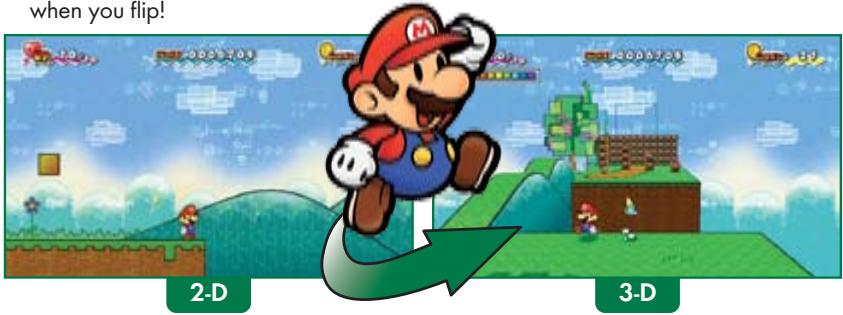
Mario has the amazing ability to flip between dimensions using ! When Mario flips, everything shifts between 2-D and 3-D, revealing interesting secrets, hidden enemies, and a whole new perspective on the world. Most enemies appear only in one dimension, but some can flip between them. You never know what you'll see when you flip!
PixelActions
There are other Pixls besides just your helpful friend Tippi. Lots of Pixs out there have various helpful abilities. These are just a few of the Pixs you may find. There are others out there sleeping in the various worlds, waiting to become your friend.

① Use Pixl Abilities
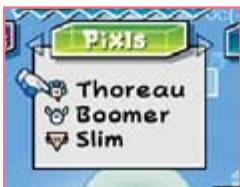
You can travel around with Tippi and one other Pixl at your side. You can use ① to activate the powers of Pixls other than Tippi. Also, open the Pixs tab of your menu to swap out Pixs.
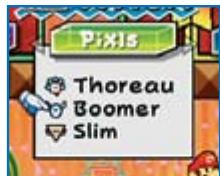
The Various Pixels
You will find the Pixels in lots of different places. Each new Pixl may have a power that lets you open up a previously inaccessible area.
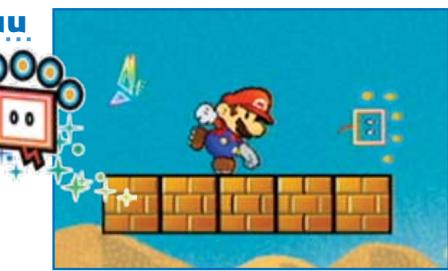
Thoreau
Use ① to grab objects and enemies and press ① again to throw them. Just remember, you can't pick up spiky enemies. You can also press ① to throw Thoreau and activate switches at a distance.
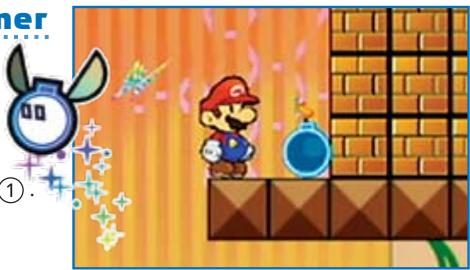
Boomer
Press ① to set down Boomer, and press ① again to detonate him. You can do this to attack enemies or break blocks. If you wait long enough, Boomer will explode even if you don't press
Menu
Press ① on any stage to open the menu screen, where you can swap characters or peruse various bits of information.

Viewing the Menu Screen
You can display the Characters/Pixels/Items portions of the menu by pressing ① and ② at the same time in the game. This is called the "quick menu."
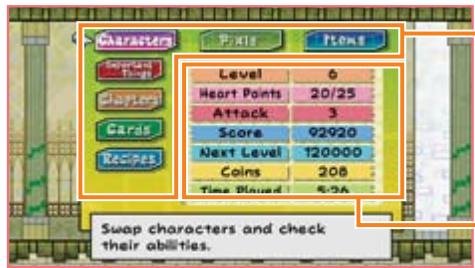
Menu
As the game progresses, new menu tabs with different types of information will appear here.
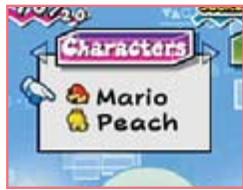
Characters
You can swap out characters or learn about character techniques here.
Play Information
You can view character info and time played here.

You can swap out Pixels here. You can choose this option as soon as you befriend a Pixl other than Tippi.
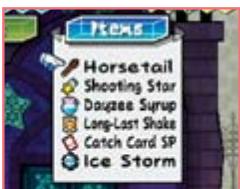
Items
You can use items in your possession here. You can also learn how each item is used by viewing it in this menu. You can buy items at shops or receive them by defeating enemies.
Important Items
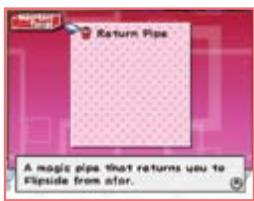
These are items you will need to advance in the game. Some you can only use in a certain place - others, like the Return Pipe that takes you back to Flipside from anywhere, will not disappear when you use them. The Return Pipe works one way back to flipside. You can't use it to return to your previous location.
Chapters
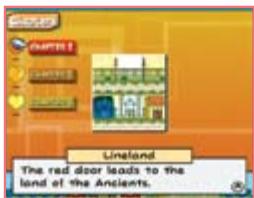
Here you can view descriptions of all the chapters you've visited. Select a chapter and press ② to see a detailed description.
Cards
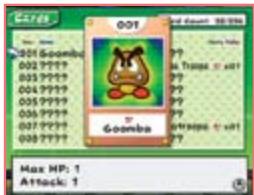
You can view all of the Catch Cards that you have collected here. Cards will contain enemy information, and just possessing one can double your Attack against that enemy. (You can even triple or quadruple your Attack against an enemy if you have 2 or 3 of its cards.)
Recipes
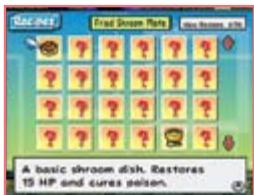
You can view all of the recipes you've made here. Use recipes to help you cook items in your inventory and make them more potent.
Maps
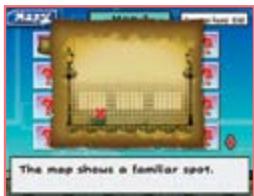
Display a map you have obtained by pressing ② You can buy maps from a mysterious map seller and use them to find hidden treasure. Go to the place shown on the maps and use a certain Pixl to find the treasure.
VEUILLEZ LIRE ATTENTIVEMENT L'INTEGRALITE DU MODE D'EMPLOI DE LA Wii AVANT D'UTILISER VOITE SYSTème, VOITE DISQUE DE JEU, OU VOS ACCESSOIRS Wii. CE MODE D'EMPLOI COMPEND D'IMPORTANTES INFORMATIONS SUR VOITE SANTÉ ET VOITE SECURITÉ. INFORMATIONS IMPORTANTES CONCERNANT VOITE SECURITÉ: VEUILLEZ LIRE LES PRECAUTIONS SUIVANTES AVANT QUE VOUS OU VOITE ENFANT NE JOUIÉZ À VOS JOEUX VIDÉO.
Copyrights of all Characters and Music reserved by Nintendo. Copyrights of Game, Scenario and Program, except Copyrights owned by Nintendo, reserved by Nintendo and INTELLIGENT SYSTEMS.
TM, @ and the Wii logo are trademarks of Nintendo. © 2007 Nintendo. All rights reserved.