ENTRWI-G - Router ENCORE - Free user manual and instructions
Find the device manual for free ENTRWI-G ENCORE in PDF.


Pick your language and provide your email: we'll send you a specifically translated version.
| Type | Wireless Router |
| Model | ENTRWI-G |
| Brand | ENCORE |
| Wireless Standard | IEEE 802.11b/g/n |
| Frequency Band | 2.4 GHz |
| Maximum Wireless Speed | 300 Mbps |
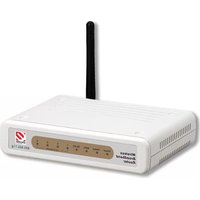
| Antennas | 2 external antennas |
| LAN Ports | 4 x 10/100 Mbps |
| WAN Port | 1 x 10/100 Mbps |
| Power Supply | DC 12V, 1A |
| Dimensions | Approx. 200 x 130 x 30 mm |
| Weight | Approx. 0.3 kg |
| Security | WPA/WPA2, WEP |
| Management | Web interface |
| Operating Temperature | 0°C to 40°C |
| Storage Temperature | -20°C to 60°C |
| Humidity | 10% to 90% non-condensing |
| Indicators | Power, WLAN, LAN, WAN |
| Buttons | Reset, WPS |
| Certifications | CE, FCC |
Frequently Asked Questions - ENTRWI-G ENCORE
How do I reset my ENCORE ENTRWI-G router to factory defaults?
Locate the Reset button on the back panel. Use a paperclip to press and hold it for about 10 seconds until the power LED blinks. The router will reboot with default settings.
How can I change the Wi-Fi password?
Log into the router's web interface via 192.168.1.1 (default IP). Go to Wireless Settings > Security. Enter a new passphrase and save. Reconnect devices with the new password.
What is the default IP address and login credentials?
The default IP is 192.168.1.1. Username: admin, Password: admin (or blank). Check the label on the router if different.
How do I update the firmware?
Download the latest firmware from the ENCORE support page. In the router admin panel, go to System Tools > Firmware Upgrade, select the file, and click Upgrade. Do not power off during the process.
Why is my internet slow through the router?
Check for interference from other devices, move the router to a central location, or change the wireless channel. Also ensure your ISP plan matches the router's speed. Try restarting both modem and router.
Can I use this router as a wireless repeater?
Yes, if the firmware supports WDS or Repeater mode. In the admin panel, look for Wireless > WDS and enter the MAC address of the main router.
How do I set up parental controls?
Access the router settings and navigate to Access Control or Parental Control. You can block specific websites or limit internet access times for connected devices.
I forgot the admin password. What can I do?
Perform a factory reset by holding the Reset button for 10 seconds. This will restore the default username and password (usually admin/admin). Note that all settings will be lost.
How many devices can connect simultaneously?
The ENTRWI-G typically supports up to 16-32 wireless clients depending on network conditions. For best performance, limit to about 10-15 active devices.
Is this router compatible with my ISP?
The router supports PPPoE, Dynamic IP, and Static IP connection types. Check your ISP requirements. If using DSL, you may need a separate modem; this router is a wireless router only.
User questions about ENTRWI-G ENCORE
0 question about this device. Answer the ones you know or ask your own.
Ask a new question about this device
No questions yet. Be the first to ask one.
Download the instructions for your Router in PDF format for free! Find your manual ENTRWI-G - ENCORE and take your electronic device back in hand. On this page are published all the documents necessary for the use of your device. ENTRWI-G by ENCORE.
USER MANUAL ENTRWI-G ENCORE

Manual assistant
Powered by Anthropic
Waiting for your message
Product information
Brand : ENCORE
Model : ENTRWI-G
Category : Router