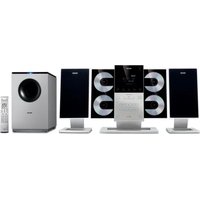
AZ1301 - Hi-Fi System PHILIPS - Free user manual and instructions
Find the device manual for free AZ1301 PHILIPS in PDF.


Pick your language and provide your email: we'll send you a specifically translated version.
| Product Type | Portable Hi-Fi System |
| Brand | Philips |
| Model | AZ1301 |
| Disc Playback | CD, CD-R, CD-RW |
| Radio Bands | FM, AM |
| Tuning | Digital PLL |
| Output Power | 2 x 5W RMS |
| Speaker System | 2-way bass reflex |
| Power Supply | AC 230V, 50Hz |
| Battery Operation | 8 x D-size batteries (optional) |
| Dimensions (W x H x D) | 420 x 250 x 280 mm |
| Weight | 4.2 kg |
| Connectivity | Headphone jack 3.5mm, Auxiliary input 3.5mm |
| Additional Features | Dynamic Bass Boost, Auto Stop, Program Play |
| Disc Loading | Top-loading |
| Display | LCD with backlight |
| Remote Control | Yes (included) |
| Antenna | FM wire antenna, AM loop antenna |
| Power Consumption | 20W |
| Standby Power | <1W |
| Included Accessories | Remote control, FM antenna, AM loop, user manual |
| Color | Black/Silver |
| Maintenance | Clean with soft dry cloth; use lens cleaner for CD lens |
Frequently Asked Questions - AZ1301 PHILIPS
How do I set the clock on the Philips AZ1301?
Press and hold the CLOCK button until the hour digits flash. Use the TUNE+/TUNE- buttons to set the hour, then press CLOCK again to set minutes. Press CLOCK a third time to confirm.
Can I play MP3 CDs on this system?
The Philips AZ1301 supports playback of CD-R/CD-RW discs with standard audio tracks (CDDA). MP3 playback is not supported unless specifically stated in the manual.
How do I program radio stations?
Tune to the desired station manually or via auto search. Press the PROG button, then select a preset number using the number buttons or TUNE+/-. Press PROG again to store. Repeat for other stations.
What type of batteries does the remote require?
The remote control uses two AAA (1.5V) batteries. Open the battery compartment on the back, insert batteries with correct polarity, and close the cover.
Why is there no sound from the speakers?
Check that the volume is turned up, the system is not on mute, and headphones are not plugged in. Also ensure the source (CD, radio, etc.) is playing and the speakers are connected properly.
How do I clean the CD lens?
Use a commercially available CD lens cleaner disc. Insert it into the CD compartment and play it. Alternatively, gently clean the lens with a soft, dry cloth if accessible.
Can I connect my smartphone to this system?
Yes, use the AUX IN jack (3.5mm) on the front panel. Connect your smartphone with a 3.5mm audio cable, select AUX as the source, and adjust volume.
How do I use the sleep timer?
Press the SLEEP button repeatedly to set the time (e.g., 15, 30, 45, 60, 90, 120 minutes). The system will automatically turn off after the set time.
What should I do if the CD skips or does not play?
Check if the disc is scratched or dirty. Clean the disc with a soft cloth. Ensure the disc is inserted correctly with the label facing up. Also, the lens may need cleaning.
Where can I find replacement parts or service?
Contact Philips customer support or visit the official Philips website for authorized service centers. For minor parts, check online retailers or electronics stores.
User questions about AZ1301 PHILIPS
0 question about this device. Answer the ones you know or ask your own.
Ask a new question about this device
No questions yet. Be the first to ask one.
Download the instructions for your Hi-Fi System in PDF format for free! Find your manual AZ1301 - PHILIPS and take your electronic device back in hand. On this page are published all the documents necessary for the use of your device. AZ1301 by PHILIPS.
USER MANUAL AZ1301 PHILIPS


Manual assistant
Powered by Anthropic
Waiting for your message
Product information
Brand : PHILIPS
Model : AZ1301
Category : Hi-Fi System