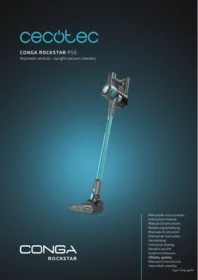
Conga Rockstar P50 X Treme - Stick vacuum CECOTEC - Free user manual and instructions
Find the device manual for free Conga Rockstar P50 X Treme CECOTEC in PDF.


| Product type | Cordless stick vacuum |
| Brand | Cecotec |
| Model | Conga Rockstar P50 X Treme |
| Dimensions (L x W x H) | Approximately 25 x 25 x 115 cm |
| Weight | Approximately 2.5 kg |
| Power supply | Lithium-ion battery 22.2 V, 2500 mAh |
| Runtime | Up to 45 minutes in standard mode |
| Charging time | Approximately 4 to 5 hours |
| Dust container capacity | 0.6 L |
| Filtration | Washable HEPA and cyclonic filter |
| Suction power | Up to 150 AW |
| Speed modes | 3 modes: Eco, Standard, Turbo |
| Included accessories | Motorized brush for hard floors and carpets, crevice tool, mini brush, telescopic tube |
| Additional features | Touch LED screen, dirt detection, hands-free function, wall mount |
| Maintenance and cleaning | Washable water filter and container, removable brushes |
| Noise level | Approximately 75 dB |
| Materials | ABS plastic and aluminum |
| Color | Black and orange |
| Warranty | 2 years |
| Country of manufacture | China |
Frequently Asked Questions - Conga Rockstar P50 X Treme CECOTEC
User questions about Conga Rockstar P50 X Treme CECOTEC
0 question about this device. Answer the ones you know or ask your own.
Ask a new question about this device
Download the instructions for your Stick vacuum in PDF format for free! Find your manual Conga Rockstar P50 X Treme - CECOTEC and take your electronic device back in hand. On this page are published all the documents necessary for the use of your device. Conga Rockstar P50 X Treme by CECOTEC.
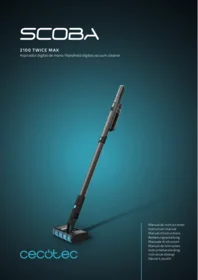
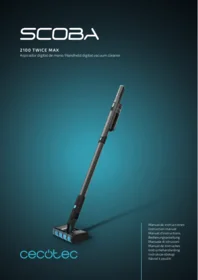
USER MANUAL Conga Rockstar P50 X Treme CECOTEC
Aspirador vertical / Upright vacuum cleaners

CONGA
ROCKSTAR
- Parts and components 9
- Before use 9
- Operation 10
- Cleaning and maintenance 10
- Troubleshooting 11
- Copyright 12
- Simplified EU Declaration of Conformity 12
SOMMAIRE
EN • The coding in this manual is generic and applies to all code variants of the appliance.
- Control panel
- Dust container opening button
- Suction tube release button
- Suction tube
- Floor brush release button
- Floor brush head
NOTE:
The graphics in this manual are schematic representations and may not exactly match the product.
2. BEFORE USE
- This appliance comes in a packaging designed to protect it during transport. Remove the appliance from its box. You can keep the original box and other packaging materials in a safe place to prevent damage to the appliance if you need to transport it in the future. If you wish to dispose of the original packaging, make sure all items are recycled properly.
- Check that all parts and components are included and in good condition. If any of them are missing or damaged, please contact Cecotec's Official Technical Support Service immediately.
Box content:
- Vacuum cleaner
- 2-in-1 accessory
- Brush
- Floor brush head
- Suction tube
- Wall bracket
- Power adapter
- Instruction manual
- Do not remove the product's serial number in order to keep proper traceability if technical
assistance is required.
3. OPERATION
Before using the vacuum cleaner for the first time, make sure the battery is fully charged. During charging, the LED indicator lights will illuminate one by one until all are lit. Charging time is approximately 4 hours.
Assembling the suction tube and floor brush head.
- To attach the floor brush head to the suction tube, align both parts so that the tab on the brush head matches the guides on the tube, and insert the tube into the brush head until it clicks into place.
- To disassemble them, press the floor brush release button and pull the suction tube while firmly holding the brush head.
Assembling the suction tube, floor brush head and main body.
To complete the vacuum cleaner assembly, once the floor brush head is attached to the suction tube, keep the tube in a vertical position and insert it into the main body.
This vacuum cleaner can be used in two different ways:
- As a handheld vacuum cleaner, by attaching accessories directly to the main body.
- As an upright vacuum cleaner, using the suction tube with accessories attached to it.
Press the power button to turn on the vacuum cleaner and the mode button to switch between the 3 available settings: low, medium and high.
4. CLEANING AND MAINTENANCE
Emptying the dust container
Press the dust container opening button to open the lid and empty the container.
Cleaning the filtration system
You can rotate the filter system by hand to remove it.
Press the button, and the filter frame will automatically release. Then move it upwards and remove the filter.
Cleaning the floor brush head
If the brush roller is blocked, you can remove and clean it. Press the lock button to "unlock",
then remove the locking pin to release the roller and remove it.
Charging
If you are not going to use the vacuum cleaner for an extended period, fully charge it once a month to prevent battery inactivity.
- TROUBLESHOOTING
| Problem | Possible cause | Possible solution |
| The vacuum cleaner does not work | The battery is discharged. | Charge the battery. |
| The battery has reached the end of its useful life. | The battery must be replaced. To do this, contact Cecotec's Official Technical Support Service. | |
| The connector between the vacuum cleaner and the charger is dirty. | Clean and remove dirt from the connector. | |
| The socket has no power. | Make sure the plug is properly connected and there is electrical power. Try a different socket if necessary. | |
| The charger is not plugged in. | Connect the charger. | |
| The vacuum cleaner does not pick up dust; the suction power has weakened | The dust container is full. | Empty the dust container. |
| The dust filter needs to be cleaned or replaced. | Remove the dust filter and check for objects in the air inlet and remove them. Clean or replace the dust filter. | |
| Low battery. | Recharge the vacuum cleaner completely before use. | |
| There is dust leaking from the vacuum cleaner | The dust container is full. | Empty the dust container. |
| The dust filter is not properly installed. | Check the dust filter installation instructions. | |
| There is a puncture/hole in the dust filter. | Replace the dust filter. | |
| The battery does not retain charge | The battery has reached the end of its useful life. | The battery must be replaced. To do this, contact Cecotec's Official Technical Support Service. |
6. COPYRIGHT
The intellectual property rights over the texts in this manual belong to CECOTEC INNOVACIONES, S.L. All rights reserved. The content of this publication may not, either in part or in its entirety, be reproduced, stored in a retrieval system, transmitted or distributed by any means (electronic, mechanical, photocopying, recording or similar) without prior authorisation from CECOTEC INNOVACIONES, S.L.
7. SIMPLIFIED EU DECLARATION OF CONFORMITY

Cecotec Innovaciones hereby declares that this appliance complies with the essential requirements and other relevant provisions of applicable European Union regulations. This appliance has been designed, manufactured and tested in compliance with required safety and quality standards. The full text of the EU
Declaration of Conformity can be found on the following website: https://cecotec.es/es/information/declaration-of-conformity
1. PIÈCES ET COMPOSANTS
Img. 1
https://cecotec.es/es/information/declaration-of-conformity
1. MEPH KAI E≡APTHMATA
Σχήμα 1
- SOMMAIRE
- BEFORE USE
- Box content:
- OPERATION
- Assembling the suction tube and floor brush head.
- Assembling the suction tube, floor brush head and main body.
- CLEANING AND MAINTENANCE
- Emptying the dust container
- Cleaning the filtration system
- Cleaning the floor brush head
- Charging
- COPYRIGHT
- SIMPLIFIED EU DECLARATION OF CONFORMITY
- PIÈCES ET COMPOSANTS
- MEPH KAI E≡APTHMATA
- Σχήμα 1
Brand : CECOTEC
Model : Conga Rockstar P50 X Treme
Category : Stick vacuum