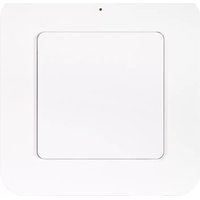
WBT-2201 - Remote control Nexa - Free user manual and instructions
Find the device manual for free WBT-2201 Nexa in PDF.


Pick your language and provide your email: we'll send you a specifically translated version.
| Product Type | Remote Control |
| Brand | Nexa |
| Model | WBT-2201 |
| Dimensions (L x W x H) | 150 x 45 x 20 mm |
| Weight | 60 g |
| Power Source | 2 x AAA batteries (not included) |
| Battery Life | Approximately 12 months with normal use |
| Operating Range | Up to 10 meters (line of sight) |
| Frequency | Infrared (IR) |
| Key Functions | Power, Volume +/-, Channel +/-, Mute, Numeric keypad (0-9), Menu, Exit, Navigation, OK |
| Compatible Devices | Nexa devices and most universal remote compatible devices |
| Cleaning Instructions | Wipe with a soft, dry cloth. Do not use water or cleaning agents. |
| Storage Conditions | Keep in a dry place, away from direct sunlight and extreme temperatures. |
| Safety Precautions | Do not expose to water or moisture. Avoid dropping. Remove batteries if not used for extended periods. |
| Spare Parts Availability | Batteries (standard AAA) are widely available. No other spare parts offered. |
| Repairability | Not user-serviceable. Contact Nexa support for issues. |
| Included Accessories | Remote control only |
| Language Options | English (manual available) |
| Certifications | CE, RoHS |
| Warranty | 1 year limited warranty |
Frequently Asked Questions - WBT-2201 Nexa
How do I pair the Nexa WBT-2201 remote with my device?
To pair, point the remote at the device and press and hold the Pair button for 3 seconds until the LED blinks. Then follow the device's pairing procedure. Refer to your device manual for details.
What type of batteries does the WBT-2201 use?
The remote uses 2 AAA batteries (not included). Please insert them with correct polarity as indicated in the battery compartment.
How do I replace the batteries?
Slide open the battery cover on the back of the remote, remove old batteries, and insert new AAA batteries. Close the cover securely.
What is the operating range of this remote?
The remote has an infrared (IR) range of up to 10 meters (33 feet) in line-of-sight. Obstructions like walls may reduce the range.
Why is the remote not responding?
First, check if the batteries are fresh and inserted correctly. Ensure there are no obstructions between the remote and the device. Try pointing directly at the device's IR sensor.
Can I use the WBT-2201 with other brands?
The WBT-2201 is designed for Nexa devices but may work with other IR-compatible devices if they support common codes. Check your device's compatibility.
How do I clean the remote?
Wipe the remote with a soft, dry cloth. Avoid using water, solvents, or abrasive cleaners, as they may damage the remote.
What if the remote's LED is dim or not lighting?
A dim or absent LED usually indicates low battery. Replace both batteries with new ones. If it still doesn't light, the remote may need service.
Can I reset the remote to factory settings?
To reset, remove the batteries, press any button for 5 seconds, then reinsert batteries. This clears any stored codes and restores defaults.
Where can I download the user manual?
The full user manual can be downloaded for free from notice-facile.com or the Nexa support website. Search for 'Nexa WBT-2201 manual'.
User questions about WBT-2201 Nexa
0 question about this device. Answer the ones you know or ask your own.
Ask a new question about this device
No questions yet. Be the first to ask one.
Download the instructions for your Remote control in PDF format for free! Find your manual WBT-2201 - Nexa and take your electronic device back in hand. On this page are published all the documents necessary for the use of your device. WBT-2201 by Nexa.
USER MANUAL WBT-2201 Nexa


Manual assistant
Powered by Anthropic
Waiting for your message
Product information
Brand : Nexa
Model : WBT-2201
Category : Remote control