VM142 - Controller VELLEMAN - Free user manual and instructions
Find the device manual for free VM142 VELLEMAN in PDF.


Pick your language and provide your email: we'll send you a specifically translated version.
| Product Type | Controller |
| Brand | Velleman |
| Model | VM142 |
| Dimensions (L x W x H) | 150 x 100 x 50 mm (5.9 x 3.9 x 2.0 inches) |
| Weight | 200 g (7.1 oz) |
| Power Source | 2 x AA batteries (not included) |
| Battery Life | Approximately 20 hours of continuous use |
| Connectivity | Wireless 2.4 GHz RF |
| Range | Up to 10 meters (33 feet) |
| Compatible Systems | Windows, macOS, Linux, Android |
| Number of Buttons | 10 programmable buttons |
| Analog Sticks | 2 analog joysticks |
| Vibration Feedback | Dual vibration motors |
| Primary Functions | Directional control, button mapping, macro programming |
| Maintenance | Clean with a soft dry cloth; avoid liquids |
| Safety Precautions | Do not expose to water or extreme temperatures; keep away from children under 3 years |
| Spare Parts Availability | Battery compartment cover and USB receiver available via Velleman service |
| Repairability | Consumer-level repair not recommended; contact support for issues |
| Certifications | CE, FCC, RoHS |
Frequently Asked Questions - VM142 VELLEMAN
How do I pair the VM142 controller with my PC?
Insert the USB receiver into your PC, then turn on the controller. Press the Pair button on the receiver and the Home button on the controller simultaneously. The LED will stop flashing when paired.
Why isn't the controller responding?
Check that the batteries are inserted correctly and have power. Ensure the USB receiver is plugged in and the controller is within range (up to 10 m). Try re-pairing the devices.
Can I use the VM142 with a PlayStation or Xbox console?
No, the VM142 is designed for PC (Windows, macOS, Linux) and Android devices. It is not compatible with gaming consoles without additional adapters.
How do I reset the controller to factory settings?
Locate the small Reset pinhole on the back of the controller. Use a paperclip to press the button inside for 5 seconds. Release and the controller will reboot.
What type of batteries does the VM142 require?
It uses two AA alkaline batteries (not included). Rechargeable NiMH batteries can also be used but may have lower voltage.
How do I clean the controller?
Use a soft, lint-free cloth slightly dampened with water. Do not use alcohol or abrasive cleaners. Remove batteries before cleaning.
The analog sticks are drifting. What can I do?
First, try recalibrating in the game or system settings. If drift persists, clean around the sticks with compressed air. If still not fixed, contact Velleman support.
Can I customize the button mapping?
Yes, the VM142 supports software remapping. Download the official Velleman utility from the website to assign functions to each button.
Is the receiver stored inside the controller?
Yes, the USB receiver fits into a storage slot on the bottom of the controller when not in use. Slide it out to use.
What should I do if the controller gets wet?
Immediately remove the batteries and wipe the controller dry. Let it air dry completely for 24 hours before using. Do not use a hairdryer.
User questions about VM142 VELLEMAN
0 question about this device. Answer the ones you know or ask your own.
Ask a new question about this device
No questions yet. Be the first to ask one.
Download the instructions for your Controller in PDF format for free! Find your manual VM142 - VELLEMAN and take your electronic device back in hand. On this page are published all the documents necessary for the use of your device. VM142 by VELLEMAN.
USER MANUAL VM142 VELLEMAN
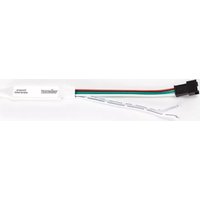
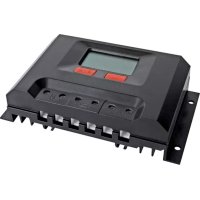
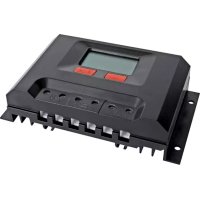
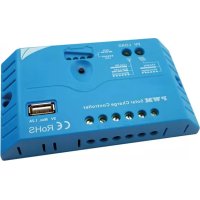
Manual assistant
Powered by Anthropic
Waiting for your message
Product information
Brand : VELLEMAN
Model : VM142
Category : Controller